
Complete Guide: How to Monitor Your Children's Internet Use
Announcements
Monitoring the internet of your children is a modern responsibility that worries many parents.The digital security of children requires knowledge, appropriate tools and a balanced approach between protection and trust.
In this comprehensive guide, you will learn practical strategies for tracking your children’s internet usage, from basic settings to advanced privacy-respecting techniques while ensuring security.We will explore how to monitor effectively without turning this into invasive surveillance.
Why Monitor Children’s Internet Use?
The internet offers incredible learning and connection opportunities, but it also exposes children to inappropriate content, cyberbullying, online predators and privacy risks.By monitoring your children’s internet use, you can identify troubling behaviors before they become bigger problems and protect your personal information from digital criminals.
Announcements
In addition, monitoring internet usage helps you better understand your children’s interests and activities, creating opportunities for meaningful conversations about digital security.This approach also teaches valuable lessons about online responsibility and consequences of actions on the internet, preparing them to be conscious digital citizens in the future.
Essential Checklist to Start Monitoring
Before implementing any tool or strategy, you need to make an initial assessment. Use this checklist to organize your first steps and ensure that nothing is left out in the digital protection of your children.
 Chat Cloner Secretly View Chat
Classification:
^^^^^^^^^^^^^^^^^^^^^^^”’
4.47
Age Classification:
Free Classification
Author:
G.K.Apps Studio
Platform:
Android
Price:
Free
▶Download on Google Play
Start by checking which devices your children use to access the internet: smartphone, tablet, computer or video game console. Write down which of them already have passwords set up and which are protected. Then list all the platforms and applications your children regularly use, from social networks to online games. Evaluate your current situation: do you already use parental control on any device? Have you talked to your children about online safety?
Now that you have a clear view of the situation, set your specific goals for monitoring internet use. Do you just want to block adult websites or also limit online time? Want to track social media accesses or monitor downloads? These settings will guide your choices of tools and methods. Also set a schedule: when you will start implementing the measures, how much time will you devote to regular monitoring and when you will review the settings with your children.
Basic Parental Control Settings on Devices
Most modern devices already come with built-in parental control tools that you can activate for free. On iOS, you access these settings through the “Screen Time” menu, which allows you to set daily limits, block specific apps, and control access to adult content.On Android, “Google Play Family Link” offers similar functionality, allowing you to manage downloads, block apps, and set rest times for the screen.
In Windows, the built-in “Parental Control” allows you to set online time limit, control what content can be accessed, and monitor activities. You can also view reports on device usage, helping to identify behavior patterns.In macOS, “Screen Time” works similarly, allowing app and content restrictions.These native settings are free and often sufficient for basic control.
A practical tip is to create an account of your child with limited permissions instead of allowing him to use his administrator account. This way, you keep control over installations, downloads and system changes without being invasive.Make sure that passwords are not shared between devices and that you keep access to the main account to make changes when necessary.
Specialized Tools for Advanced Monitoring
When native parental control is not enough, specialized applications offer more robust functionality to monitor internet use. These programs allow real-time location tracking, blocking specific websites, message monitoring and detailed reports on online activities.The choice between these tools depends on your budget, desired level of control and compatibility with your devices.
Some of these apps work quietly in the background, logging websites visited, apps used, and even capturing screenshots periodically. Others offer less invasive approaches, focusing only on blocking adult content and screen time limitation.Most have free version with basic functionality and paid plans for advanced features, allowing you to test before investing.
These tools also often offer centralized dashboards where you manage multiple devices of your children in one place. This is particularly useful if you have more than one child or teenager.The detailed reports help you understand trends in internet usage, identify potential problems and have informed conversations with your children about their digital habits.
Monitoring Social Networks and Messages
Social networks are where many online risks occur, from cyberbullying to contact with strangers. To properly monitor, you can add your children as friends or followers and regularly review their posts, likes and comments. This approach keeps you informed while respecting a certain level of privacy, allowing them to have their own digital spaces.
It is also important to check who follows your children and who they follow. Suspicious accounts, profiles without photo or people you do not know should be investigated conversations. Many messaging apps now offer built-in parental control features that allow you to view contacts and limit who can send messages to your children. Set up these options according to the age and maturity of your child.
An effective strategy is to establish a deal: you won’t read all the messages, but you can do random checks if you have concerns. This builds trust while keeping vigil. Explain to your children why certain people online can be dangerous and teach them to recognize warning signs, such as someone asking for face-to-face meetings, requesting photos or manipulative behavior.
Establishing Screen Time Limits
Limiting the time your children spend online is crucial for their mental health, cognitive development and overall well-being. Most devices allow you to set specific times when the internet will be automatically disabled or when only approved apps can be used.
Different age groups require different time limits. Young children should have much more restricted access than adolescents, who naturally use internet more intensively for social networks and communication. The World Health Organization offers general recommendations, but each family should find its own balance between online safety and healthy social integration.
Implement these restrictions gradually and explain the reasoning behind them. If you simply block internet without conversation, your child can find ways to get around the restrictions or develop resentment.A collaborative approach where you set boundaries but also listen to the reasons why your child wants more time online, creates greater commitment and reduces conflict.
Regular Monitoring Checklist
Monitoring internet use is not a one-time activity, but an ongoing process that requires regular review. Set up reminders on your calendar to review settings, review reports, and talk to your children about their online activities. This routine ensures that you stay informed and can adapt your strategies as your children grow and their needs change.
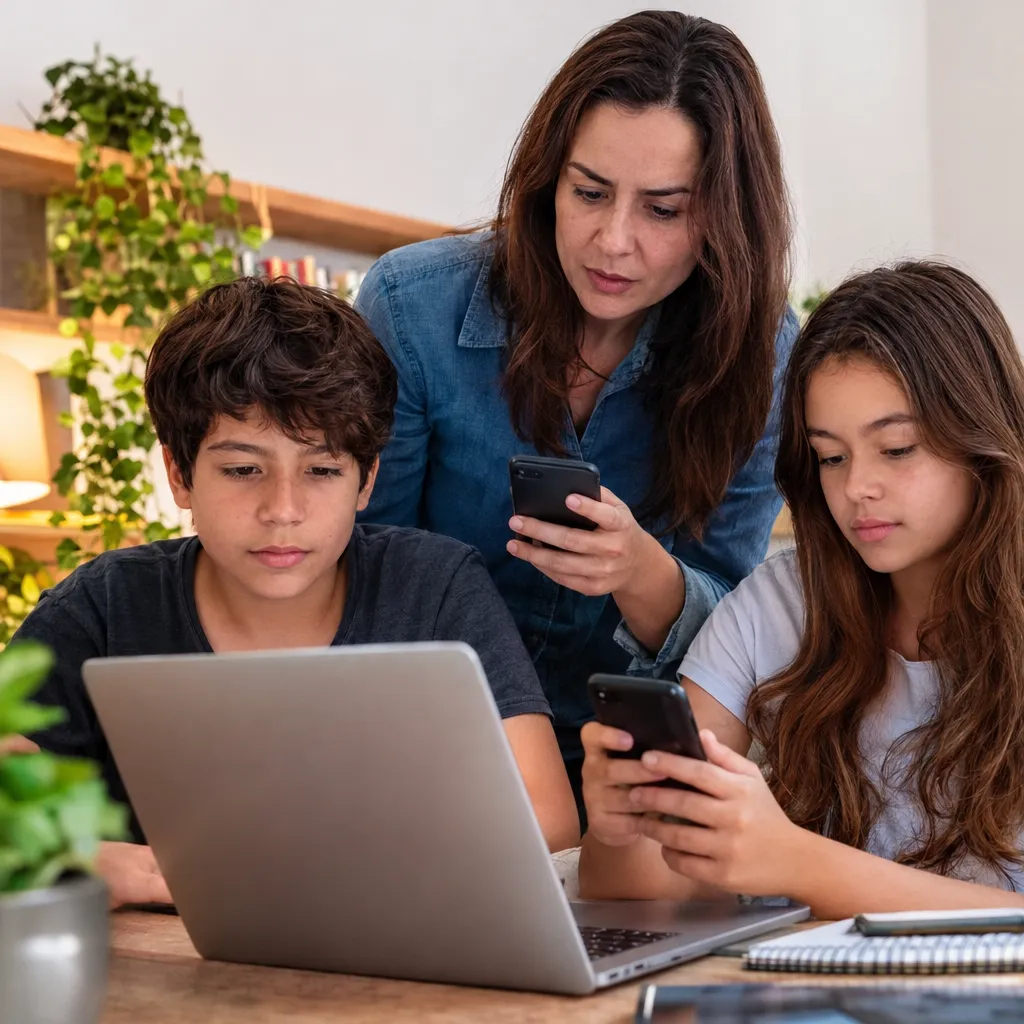
Weekly, you should check reports of visited websites and used apps, looking for unusual patterns or inappropriate content.Seek direct messages if you have access, looking for conversations that indicate contact with strangers or predatory behavior.Make sure that privacy settings on social networks are still appropriate and that new suspicious friends/followers have been added.
Monthly, have a direct conversation with your kids about internet and digital security. Ask about your online friends, what they are doing on the internet, and if they have had any uncomfortable experiences. Use these conversations to educate, not to punish. Review and update parental control settings by adding new sites to the block list if necessary or adjusting screen rest times as your schedule changes.
Quarterly, perform a deeper analysis: are your monitoring efforts working?Any device can be updated with better tools?Your children seem comfortable and safe online or are there signs of stress?Tune your monitoring strategy according to the results and feedback.This periodic review ensures that you not only react to problems, but proactively prevent dangerous situations.
Important Conversations About Digital Security
Genuine conversations about the internet, online risks and digital behavior are equally important to keep your kids safe.Education is the best defense against online threats, and children who understand the dangers make better choices even when you are not watching.
Start these conversations early and hold them regularly, using age-appropriate language.For young children, explain that not everyone online is who they say they are and that they should never share personal information with strangers.For teens, discuss the permanence of content on the internet, risks of identity theft, and peer pressure online. Use real examples of news or friend situations (while maintaining privacy) to make lessons concrete.
Teach your children about data privacy by explaining what cookies are and how companies collect information.Show how to assess whether a website is safe by looking for the lock icon and understanding URLs. Discuss differences between appropriate contact and predatory behavior online.Most importantly, create an environment where your children feel comfortable coming to talk to you if something makes them uncomfortable on the internet without fear of punishment.
Advanced Security Checklist
For parents who want even more complete security, there are additional layers of protection you can implement. Set up DNS filters on your router, which block adult websites on all devices connected to your network. Use family VPN if you want more privacy and control over internet traffic. Implement two-factor authentication on important accounts of your children to prevent unauthorized access.
Keep your own knowledge up to date on the most popular social networks and apps among children. Follow technology and digital trends to keep ahead of new threats. Considering your antivirus and keeping it up to date protects against malware that could compromise monitoring or steal data. Create regular data backup and teach your children to create strong and unique passwords for each account.
Particularly important is to monitor the web camera of any device your child uses. There are cases of hackers accessing children’s cameras for predatory purposes. Cover cameras when not in use and set up notifications if someone tries to access the camera of your device. These extra precautions seem extreme, but offer significant protection against growing threats in the digital age.
Bypassing Common Monitoring Barriers
Teens especially often try to circumvent restrictions that their parents implement. They can use VPNs to access blocked websites, create secret accounts on social networks or use friends’ devices to bypass parental controls.Being aware of these possibilities helps you have more productive conversations and implement more effective defenses.
One approach is to communicate that you are aware of this possibility and explain why circumventing parental controls is not acceptable. Even if you cannot monitor everything, establishing clear consequences for successful contours serves as a deterrent.Often, the knowledge that there is monitoring is enough to discourage reckless behavior without the need for constant invasive surveillance.
Teens who feel they can talk to you about the internet, even about things they did wrong, are less likely to develop dangerous behaviors in secret.A child who feels you are authoritarian without being understanding may be more motivated to circumvent your monitoring, while one who feels your concern is genuine may cooperate with restrictions.
Adapting Monitoring As Age Evolves
Monitoring needs change significantly as your children grow. An eight-year-old needs much more severe restrictions than a sixteen-year-old.You should regularly review your monitoring strategies and adjust them to allow more freedom as your child demonstrates digital responsibility.
For young children (up to eight years), control virtually all online activities. Block virtually all internet except pre-approved educational sites. Limit screen time severely and never allow communication with strangers. Supervise online activities whenever possible. For children aged eight to thirteen, start allowing more exploration while maintaining adult content blocks. Monitor communication apps but allow some contacts with known friends. Implement screen time limits but with a little more flexibility.
For teens from thirteen onwards, consider moving from invasive monitoring to trust-based approaches and education. Allow for more privacy but keep occasional checks and regular conversations about security. Use this period to teach real digital responsibility, as in a few years your child will be an adult and will need to manage their own online security. Gradually transferring responsibility from you to your child is the ultimate goal of any successful monitoring strategy.
Final Implementation Checklist
Before finalizing your strategy of monitoring your children’s internet use, make sure that all points have been addressed. Have you set up parental control on all the devices your children use, including cell phones, tablets and computers? Have you established strong passwords on administrative accounts and keep these accesses protected? Have you created approved contact lists and blocked all others, especially on social networks?
Have you implemented age-appropriate screen time limits for each child? Configured adult site blocking and inappropriate content?If using specialized tools, have you installed them on all relevant devices?Started conversations with your children explaining why you are monitoring and what are the internet rules in your home? Established a calendar for regular review of settings and analysis of reports?
Educated yourself about the platforms and apps your kids use, understanding their specific risks?Created a response plan to discover inappropriate content, contact with strangers or other worrisome behavior?Did you expect honest communication, making it clear that your child can talk to you about mistakes without fear of extreme punishment?Did you set up two-factor authentication on important accounts and teach your kids about strong passwords?
Have you reviewed privacy settings on all social networks where your children have a presence? Have you checked location and camera permissions on apps to ensure they are not being misused? Keep your own up-to-date knowledge about new online threats and digital trends?Did you involve your spouse or other caregivers in the strategy to ensure consistency? With all these points addressed, you have a thoughtful and comprehensive approach to monitoring your children’s internet use in a safe and responsible manner.



