Learn to Play Old Songs on iPhone Easily
Announcements
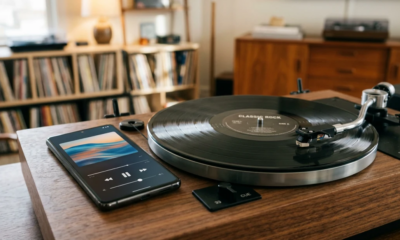
Listening to old music on iPhone is easier than you might think, but there are several ways to do this depending on how you have access to those songs.You can use native apps, streaming services, or transfer files directly to your device.
 Flashback: Old Songs
Age Classification:
Classification 10 years
Author:
Mobi Connect Trek
Platform:
Android
Price:
Free
▶Download on Google Play
The challenge is to choose the best method for your situation: do you already own the songs on another device, want to subscribe to them through a streaming service, or prefer to buy the tracks individually?Let’s explore each option in detail for you to understand which one best suits your lifestyle and budget.
Using Apple Music Standard Library
If you have access to Apple Music (either by subscription or by free trial program), this is the most direct way to listen to old songs.The application is preinstalled on all modern iPhones, so you do not need to download anything extra. Just open the app, search for the desired song or artist in the search bar, and press the play button.
Announcements
Apple Music maintains a massive catalog of old tracks, from the 1950s to today. You can create custom playlists, add songs to favorites, and access your library at any time.If you want to listen offline, the application allows you to download tracks on your iPhone, which is practical for places without internet connection. The main advantage of this approach is simplicity: everything works within the Apple ecosystem, without the need for extra authentications or file conversions.
Exploring Alternative Streaming Services
There are several streaming platforms that compete with Apple Music and each offers its own advantages for those looking to play old songs. Spotify, for example, is known for its recommendation algorithm and has an intuitive interface that makes it easy to discover classic tracks.YouTube Music offers videos of the songs, which can be interesting if you want to see live performances of old artists.
Amazon Music is another viable option, especially if you are already a member of Amazon Prime, as it comes included in the subscription. Tidal stands out for the superior audio quality, ideal if you have a good taste for high fidelity sound. Each of these services works in a similar way: you install the app on the iPhone, log in, search for the desired music, and plays. The real difference is in price, audio quality, catalog (which varies slightly between platforms) and additional features that each offers.
Comparing Which Service to Choose
When you are deciding which platform to use to listen to old music, first consider your monthly budget and what other services you already pay for. If you are a user of the Apple ecosystem (Mac, iPad, Apple Watch), Apple Music integrates seamlessly and allows automatic synchronization on all your devices. This integration can save you time and avoid technical complications.
Whether you value a large catalog of music videos or want to discover tracks through excellent curatorial playlists, Spotify still offers a more personalized experience than many competitors.For those who already pay Amazon Prime, YouTube Music is practically free if you consider that the Prime subscription already covers the service.Test the free period of any platform before committing to an annual subscription, as the user experience varies greatly between them.
Importing Old Songs You Already Own
If you have music files on your computer (either in MP3, WAV or FLAC format), you can transfer these tracks to your iPhone in various ways. The most traditional way is to use iTunes on Windows or the Music app on macOS. Connect your iPhone to your computer, open the application, select the songs you want to sync, and let the process happen.
Another modern approach is to use iCloud Drive to store your music files in the cloud. Then you can use the iPhone Music app to access these tracks without needing a computer.Make sure that your iCloud plan has enough space: 50GB is the lowest paid option that offers real space for a full music library.There is also the possibility to use applications like Documents by Readdle, which allows you to manage files on iPhone and access music stored in different formats.
Using Specialized Retro Music Apps
There are specific apps developed by third-party companies that are dedicated to offering old and classic music with a curated experience. These apps often organize the songs by decade, genre or musical movement, making it easier to explore. Some offer information about the artists, stories behind the songs, and historical context that enriches your listening experience.
Apps like Tidal, Deezer, and Last.fm have special features for those interested in music history.Last.fm, for example, tracks everything you hear and recommends similar tracks, which is great for rediscovering old songs you may have forgotten.Many of these apps also allow you to share your findings with friends and join communities of classical or retro music fans.They are free or offer premium versions with more features, so you can test without compromising your budget.
Downloading Legally Online Old Songs
If you prefer to buy your music instead of using subscription streaming, iTunes Store is still a valid option. Open the Music app on your iPhone, navigate to the “iTunes Store” section, search for the track you want, and click buy. The song will be downloaded automatically and will be available in your library forever. This approach ensures that you do not lose access to the music if your subscription expires.
Amazon Music Unlimited also allows you to purchase individual tracks, as well as some lesser-known online music stores.Bandcamp is a platform that allows you to buy music directly from independent artists and often you can discover old or remastered versions of classics.YouTube Music also offers purchase option. Although buying track by track is more expensive than a monthly subscription, this is the best option if you want to own the music permanently without relying on a streaming service to be active.
Organizing Your Library of Ancient Music
Regardless of the method you choose to access your old songs, learning how to organize them on iPhone is essential for a pleasant experience. The native Music app allows you to create custom playlists, add songs to favorites using the heart icon, and organize by artist, album or genre. You can create themed playlists such as “Gold of the 70s” or “Classic Jazz”, and share them with friends if you wish.
Use tags and metadata correctly in your music files to make it easier to search later. If you are importing personal files, make sure that the artist, album and year information is filled in correctly, otherwise your iPhone may not organize them as you expect. Most streaming apps allow you to save tracks offline, which creates a local library on your device that you can access without internet. This is particularly useful if you often travel or spend time in areas with poor connectivity.
Solving Common Problems when Playing Old Songs
Sometimes you may encounter difficulties when trying to listen to a very old song: it may not be available on any streaming service, or the file you have is in a format that iPhone does not recognize. For file compatibility issues, convert your songs to a supported format using free tools like VLC or audacity on computer, turning FLAC or WAV files into MP3 or AAC before transferring to iPhone.
If a song doesn’t appear on any streaming service, consider buying a file legally from online stores specializing in vintage music or directly from independent artists. For poor sound quality issues on very old tracks, look for remastered versions that generally offer better clarity. If you’re having trouble syncing music between devices, temporarily disconnect iCloud Music Library, force the Music app to close, restart your iPhone, and activate again.
Practical Tips for Discovering More Old Songs
Listening to old music is not only about having access to tracks you already know, but also about discovering new gems that have gone unnoticed.Use the recommendation algorithms of your app: Spotify has the “Weekly Discovery” section, Apple Music offers personalized recommendations, and YouTube Music suggests related videos. These tools are especially useful for exploring entire genres that you had never investigated.
Join online communities dedicated to retro music, read reviews of classic albums on specialized websites, and listen to podcasts about musical history.Many podcasts explore the history behind iconic albums or specific decades of music, offering context that enriches your appreciation.You can also use expert-curated playlists, which often appear as “Best of the 50s”, “Classic Rock Essentials”, or something similar. These playlists have been organized by people with deep knowledge of the genre, saving your research time and ensuring quality.
Final Thoughts on Your Choice
The best way to listen to old music on iPhone depends on your personal situation: budget available, amount of music you already have on file, preference for property versus subscription access, and desired audio quality.If you want to simplify your life and have immediate access to millions of tracks, a streaming service is the logical choice.If you already invest in Apple products, Apple Music offers seamless integration with your iPhone without additional hassle.
Test the free periods offered by different platforms before making a final decision.Each service has its interface, recommendation quality, and slightly different catalog, so the experience can vary greatly depending on who is using it. Remember that you do not have to stick to just one option: many people use Spotify for discovery, YouTube Music to view live performances, and maintain a personal library of their favorites in local format to always have access. The digital age offers flexibility, so enjoy it to customize your music experience exactly as you want.