How to Weigh Your Cattle with an App
Announcements
Weighing your cattle quickly and accurately is now possible straight from your mobile. With the advancement of artificial intelligence, applications have emerged capable of estimating the weight of animals using only the camera of your device.
This technology revolutionizes herd management, allowing you to make smarter decisions about feeding, selling and health of animals without relying on conventional scales.In this article, you will learn how to use this tool in practice, from downloading to obtaining reliable results.
How AI Weighing Technology Works
Modern livestock weighing applications use artificial intelligence algorithms that analyze images of the animal in real time. Your mobile phone’s camera captures photos from different angles, and the system processes data such as height, body length, and physical proportions to estimate weight accurately. This approach eliminates the need for you to move the animal to a fixed scale, saving time and reducing herd stress.
Announcements
The training of these algorithms involved thousands of images of cattle of different breeds and ages. Thus, artificial intelligence learned to recognize specific patterns that indicate approximate weight, comparing the data collected with a historical database.The better the photo quality and the more consistent the positioning of the animal, the more accurate the estimate generated by the application.
Step 1: Choose and Download the App
The first step is to select a reliable application available in official app stores.Search for specific names that are recognized in the agriculture and livestock segment and check if they have good ratings from other users.Carefully read the reviews to identify if the application specifically meets your livestock weighing need.
After choosing, download the app from your app store (Play Store for Android or App Store for iOS). Make sure your phone has enough free space and the camera is in good working order before proceeding. Most of these apps do not require an initial subscription to start testing, allowing you to try out the basic functionality for free.
Step 2: Preparing the Environment and the Animal
Prepare the place where you will photograph the cattle ensuring adequate lighting. It is best to work during the day or near sunset, when natural light is uniform and reduces unwanted shadows on the animal’s body. Avoid shooting on overcast days or with direct artificial light, as this can affect the quality of the image and, consequently, the accuracy of the estimate.
Position the animal in a flat place and with free space around it to facilitate full photography. Ideally, the cattle should be stationary and sideways, at an angle that allows the application to view the side profile of the entire body. If necessary, use an auxiliary to keep the animal in position, but avoid any situation that causes panic or sudden movement that compromises the quality of the image.
Step 3: Capture the Photo Accurately
Open the application and select the option to capture image or start a new measurement. Position your mobile phone at the height of the animal’s chest, maintaining a distance of approximately 2 to 3 meters away. This distance allows the application to capture the animal completely, from the head to the paws, without excessive distortion caused by the angle of view.
Make sure that the entire silhouette of the cattle is visible on the mobile screen before capturing. Some apps show guidelines to indicate the optimal framing, helping you position correctly. Click the capture button when you are sure that the image is sharp and well framed. If necessary, capture multiple photos of the same animal from slightly different angles to validate the result.
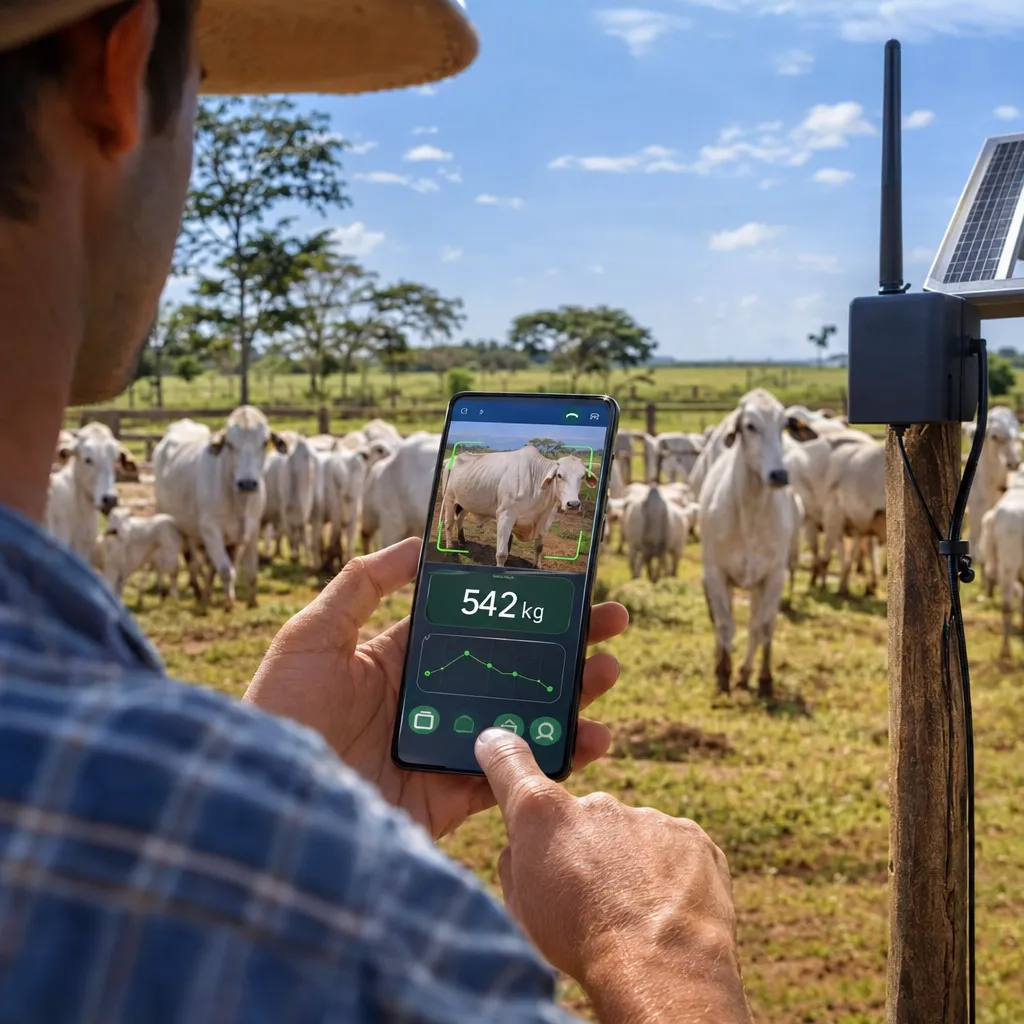
Step 4: Processing and Interpretation of Results
After capturing the image, the application will process the data using its artificial intelligence algorithms. This process usually takes a few seconds to a few minutes, depending on the complexity of the model and the internet connectivity. An on-screen progress bar will tell you when the analysis is complete and the result will be ready for viewing.
When the result appears, you will see a weight estimate displayed on the screen, often accompanied by other useful information such as probable age group or category of cattle. Record this weight in your control notebook or directly in the application if there is this functionality. Compare this result with previous measurements of the same animal to validate that the weight gain trend is correct.
Step 5: Validation and Practical Use of Data
The accuracy of the application depends on how you use it and the quality of the captured images. It is recommended to weigh the same animal every 2 or 3 weeks to track weight gain over time. This frequency allows you to identify whether feeding is being effective or whether adjustments are needed. Keeping a history of these data helps detect anomalies in herd growth.
Use the collected data to make decisions about nutritional management, determining the best time for sale or identification of animals that need veterinary attention.If you notice that the estimation of the application differs significantly from a conventional scale, adjust your approach in the next measurements, ensuring better lighting and positioning of the animal. Over time and practice, you will develop a greater familiarity with the tool and extract even more reliable results.
Real Scenarios of Application in the Herd
A beef cattle farmer in Minas Gerais used an AI weighing application to monitor a batch of 50 animals in a finishing regime. Previously, it took a whole day moving each animal to the fixed scale of the farm. With the new approach, he could collect data from 50 animals in less than two hours, directly on the pasture. This efficiency allowed to increase the frequency of weighing, providing faster feedback on the quality of the feed provided.
Another example involves a dairy farm that monitored calves to detect how long it would take for each to reach the ideal slaughter weight. Using the app weekly, they were able to more accurately predict how many days were left until the animal was ready, optimizing logistics planning and reducing transportation costs by grouping several shipments simultaneously. Properties that adopted this practice reported up to 20% reduction in operating costs related to weighing and handling animals.
A veterinarian from a large herd used the technology to establish a comparison protocol before and after nutritional treatments.With the weight estimates documented over weeks, he was able to quantify the effectiveness of dietary changes more objectively, as well as communicate results more clearly to owners. This data-driven approach significantly improved customer confidence in the quality of services provided.
Essential Tips to Maximize Results
Keep your phone up to date with the latest version of the app to access algorithm improvements and new features. Also check if your device has a camera of sufficient quality, as old cameras can generate images less clearly and affect accuracy. If possible, clean the lens of the phone before each photo session to eliminate dust and stains that impair quality.
Create a record system to document all measurements, including date, time, animal (identification), estimated weight, and any relevant observation about weather conditions or animal health.This history will become invalid to validate growth trends and adjust management strategies. Share the information with your fellow breeders or technical consultants to get feedback on the accuracy of measurements and receive personalized recommendations based on the data collected.