Amazing Apps to Listen to Music Classics on iPhone
Announcements
Do you want to listen to that classical music that marked your life, but do not know where to start on the iPhone? The good news is that there are amazing applications designed especially for those who enjoy retro music and timeless classics.In this article, we will explore the best options available on the App Store.
Finding a music app that respects vintage sound and offers an authentic experience is not as simple as it seems. Many applications focus only on modern streaming, leaving aside the sonic richness of the classics you really love. Therefore, we have prepared a practical guide with the most reliable solutions on the market, accompanied by a useful checklist for you to choose safely.
Why Use Specialized Apps for Retro Music on iPhone
When you listen to classical music through any generic application, you can lose the original sound quality and experience that the artist thought when creating the work. The apps specialized in retro music offer features such as enhanced equalization, vintage sound filters and a careful curation of historical collections. This means that you listen to each note with the fidelity you deserve, feeling all the emotion of those legendary artists.
Announcements
In addition, these apps often contain detailed information about artists, albums and stories behind the tracks.You not only listen to the music: you learn about the cultural context, the techniques used at the time and the impact that each work had on the story. This combination of sound quality and knowledge makes the experience much richer and more satisfying.
Checklist: How to Choose the Best Retro Music App for Your iPhone
Before diving into the available options, it is important to know what criteria you should evaluate. We have prepared a complete checklist to guide your choice and ensure that you find exactly what you are looking for. Mark each item as you search the different applications and compare their functionalities.
 Flashback: Old Songs
Age Classification:
Classification 10 years
Author:
Mobi Connect Trek
Platform:
Android
Price:
Free
▶Download on Google Play
Start by checking if the app offers robust catalog of classic and retro songs. Go to the genres section and search for categories like jazz, blues, classical music, vintage rock, soul and funk of the 70s and 80s. A good app should have millions of tracks categorized and easy to find. Test the search bar looking for your favorite artists: Miles Davis, Billie Holiday, The Beatles, David Bowie. If these names appear quickly with multiple versions and albums, it is a positive sign.
Check now the audio quality offered by the app. Look in the description or settings for streaming in high resolution (flac, hi-res or similar). Some apps allow custom equalization adjustments, which is essential for those looking for that authentic vintage sound. Test if you can modify the bass and treble frequencies, creating presets saved for different types of retro music.
Analyze the interface and ease of use of the application. A good app should allow you to create custom playlists, bookmark and have smart recommendations based on your history. Look for features like automatic suggestions of similar songs and the ability to share your findings. Navigation should be intuitive: you can not waste time looking for a button that should be obvious.
Considering the cost, compare the subscription plans available. There are free apps with ads, freemium versions and full premium services. Evaluate whether the monthly or annual amount is worth it for the catalog and the features offered. Some apps allow 30-day free trial: take advantage of this period to get to know the platform well before committing.
Be sure to check compatibility with your iPhone and iOS version.Make sure that the app works perfectly on your specific device and that it will receive regular updates.Read reviews from other users: look for reviews that mention the performance, bugs and overall quality of the experience. An average rate of 4 stars or higher usually indicates reliability.
Finally, note if the app offers synchronization features and offline access. Being able to download your favorite songs to listen without connection is critical when you are on the move or in areas without signal. Also check for integration with Siri or carplay, allowing you to control the music by voice while driving or doing activities.
Top Retro Music Apps for iPhone
After evaluating the essential criteria, we will know the applications that stand out most today.Each of them offers a unique approach and different benefits, depending on your specific taste for classical and retro music.
Spotify is one of the most popular and reliable platforms for listening to music in any genre, including a vast catalog of classics and retro music.It offers playlists curated specifically for different eras, such as “Classic Jazz of the 50s”, “Golden Rock” and “Soul Vintage”. Standard audio quality is good, but premium users can choose higher quality. Spotify’s personalized recommendations are excellent for discovering old artists you’ve never heard of before.
Apple Music is a natural choice for iPhone users as it integrates seamlessly with the Apple ecosystem.This app has an impressive catalog of classic and retro music, with lossless (no loss) audio quality for subscribers.You can sync your library easily between devices and access your music offline.The interface is clear and elegant, especially on iOS, offering a very fluid browsing experience.
Tidal is known for offering the best audio quality among streaming apps, with MQA support and high-resolution audio.For those who really care about sound fidelity when listening to classical and retro music, Tidal is a premium choice.In addition, the app offers artists’ videos, synchronized lyrics and an active audiophile community.The disadvantage is the higher price compared to competitors.
YouTube Music is a robust option that works especially well for those who want to access rare versions, live recordings and covers of classics. This application offers virtually unlimited catalog, since anyone can upload songs. Audio quality is variable depending on who uploaded the file, but Premium ensures better performance. Integration with your YouTube history makes it easy to find that video of a classic you saw times ago.
Deezer is less well known than Spotify and Apple Music, but it offers a solid alternative with a catalog of 90 million tracks. This app is particularly good for retro music and allows advanced sound customization through its equalizer system. Deezer also offers exclusive content and podcasts dedicated to the history of music, increasing its educational value.
Bandcamp is an application focused on independent artists and rarities, perfect if you are looking for reissue classical music or remastered versions. Although it is not as big as the competitors, Bandcamp allows you to buy music directly from the artists and communities. For those who want to directly support the musicians and find unique content, this is an admirable choice.
MusicBox (or similar local players) offers the purest experience: you import your own audio files and completely control the quality.If you already have a digital collection of classical music in FLAC or WAV, a local player on iPhone allows you to listen with maximum fidelity. The disadvantage is not having access to unlimited streaming, but the sound quality is unparalleled.
Essential Features You Should Seek
In addition to the catalog, certain features transform the experience of listening to retro music on the iPhone. Custom equalizer is absolutely essential: classical music recorded at different times sounds better with specific frequency adjustments. A good equalizer allows you to save presets for different genres, such as “Warm Jazz of the 40s” or “Classic Progressive Rock”. Thus, you do not need to readjust every time you change artist.
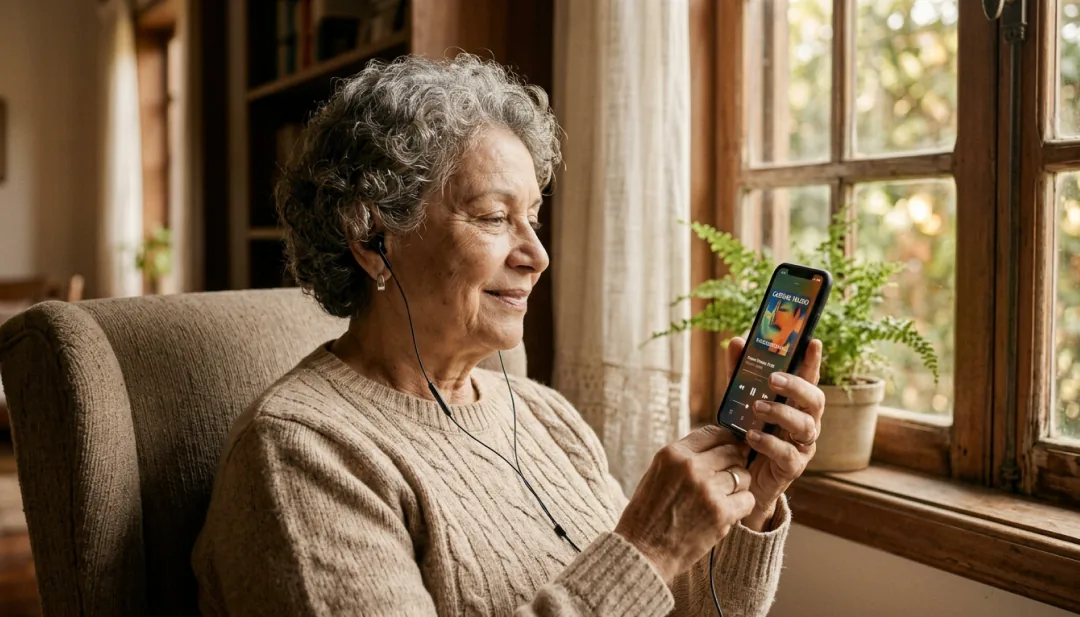
Smart recommendations based on your listening history are incredibly useful for discovering similar artists you don’t know yet. If you listen to Miles Davis a lot, the app should suggest John Coltrane or Herbie Hancock.This learning ability turns the app into a personal guide, leading you to explore deep layers of the retro universe.
Ability to create and share playlists makes the experience social and enriching. You can create a playlist for every moment: “Music to Work Concentrated”, “Classics to Relax” or “Jazz for Summer Nights”. Sharing these lists with friends who also love retro music creates connections and inspires others to explore genres they might not know.
Offline access is critical for those who travel or spend time in areas without an internet connection. Being able to download your favorite albums before a long trip ensures that you have quality entertainment anywhere. Checking how many tracks you can download and how long they will be available is important to plan your offline use.
Practical Tips to Make the Most of Your Retro Music App
Once you’ve chosen your app, optimize your experience by following a few simple practices.Start by exploring the playlists curated by the app itself: teams of experts often create thematic collections that you may not have found yourself. These playlists are great for discovering new artists and understanding how different retro genres historically connect.
Set up the equalizer according to your personal taste and the environment in which you listen. If you listen mainly on the headset, adjust to highlight the average details that the headset captures well. If you listen through the iPhone speaker, increase the bass and treble to compensate for the limitation of a small speaker. Experiment different presents until you find what sounds most natural to your ears.
Use tags, favorites and playlists to organize your musicaldigital library. Mark your favorite songs, create thematic categories and organize for historical periods. This organization turns your app into a well-structured personal library, making it easy to find exactly what you want to listen to at every moment.In time, you will create a personalized collection that reflects your unique tastes.
Join online communities dedicated to retro and classical music.Many apps offer comment sections or social media integration where you can share findings with other fans.These interactions broaden your knowledge and connect you with people who share your passion for music that transcends time.
Regularly update your apps to ensure better performance, new functionality and security. Developers constantly improve audio quality, add features and fix bugs. Keeping your app up to date ensures you enjoy the best version available.
Comparing Plans and Values
Most music apps offer free versions with limitations and paid plans with full functionality.The free version usually includes ads, reduced audio quality and few download options.If you only use it occasionally or want to test before paying, the free version may be enough. However, to truly enjoy retro music, the premium plan is usually worth it.
Individual premium plans usually cost between 10 and 15 dollars monthly, offering superior audio quality, no ads, unlimited downloads and full offline access.Many apps offer discounts for annual subscription, saving up to 20% compared to monthly payment.Some also offer cheaper family plans per person, perfect if you live with other people who also love music.
Test the free period offered by each application before committing. During the trial period (usually 30 days), use the app extensively: explore the catalog, test audio quality, create playlists and see if the interface pleases. This way, you make an informed decision based on real experience, not generic descriptions.
Consider your total entertainment budget: if you already pay for multiple services, it may be worth consolidating into a single app. If music is your top priority, investing in a premium plan of a premium platform is worth the dollars spent. Remember that these services are investments in quality of life, making your everyday activities more pleasurable.
Solving Common Problems
If you face difficulties when using your retro music app, there are simple solutions to most problems. Poor audio quality is usually due to poor internet connection or incorrect quality setting in the app. Check your Wi-Fi or 4G connection, and switch to a more stable network. Inside the app, manually increase the audio quality setting: look in the settings for “Audio Quality” or “Bitrate”.
If playlists do not sync across devices, force an update by completely closing the app and reopening it. Make sure you are logged into the same account on all devices.If the problem persists, disconnect and reconnect your account: this action resets the sync and usually resolves the problem. For more serious problems, uninstall and reinstall the app from scratch, which is the most effective method of resolving technical bugs.
Unavailable or missing music is common when songwriters or publishers make contractual changes to the platform. If a song you marked as a favorite disappears, look for alternate versions of the same artist or album. If the entire artist has left the catalog, consider downloading that song elsewhere or searching for live versions and covers that are still available in the app.
Offline download issues usually indicate a lack of space on your iPhone. Checking how much space you have available is the first step: go to Settings, General, iPhone Storage. If the space is full, delete non-essential apps or photos. Then try downloading again. If it still doesn’t work, delete the app from the cache: open Settings, search for the specific app, and select “Download App” (this removes the app temporarily without losing saved data).
Authentication or login issues often indicate forgotten password or compromised account. Use the “Forgot Password” option in the app to reset your password.If this does not work, log in to the official website of the app on your computer and reset there. Always enable two-factor authentication if the app offers this option, protecting your account from unauthorized access.