Figurines with Sound on WhatsApp: Complete Guide to Use Now
Announcements
Figurines with sound in WhatsApp completely transform the way you communicate. This feature allows you to add audio to your stickers, creating much more expressive and fun messages.
Animated sticker technology with sound has come to revolutionize the messaging app, offering new possibilities for interaction with your contacts. If you want to learn how to send sound stickers on WhatsApp, this complete guide presents everything you need to know, from basic requirements to advanced customization techniques.
What are Figurines with Sound on WhatsApp
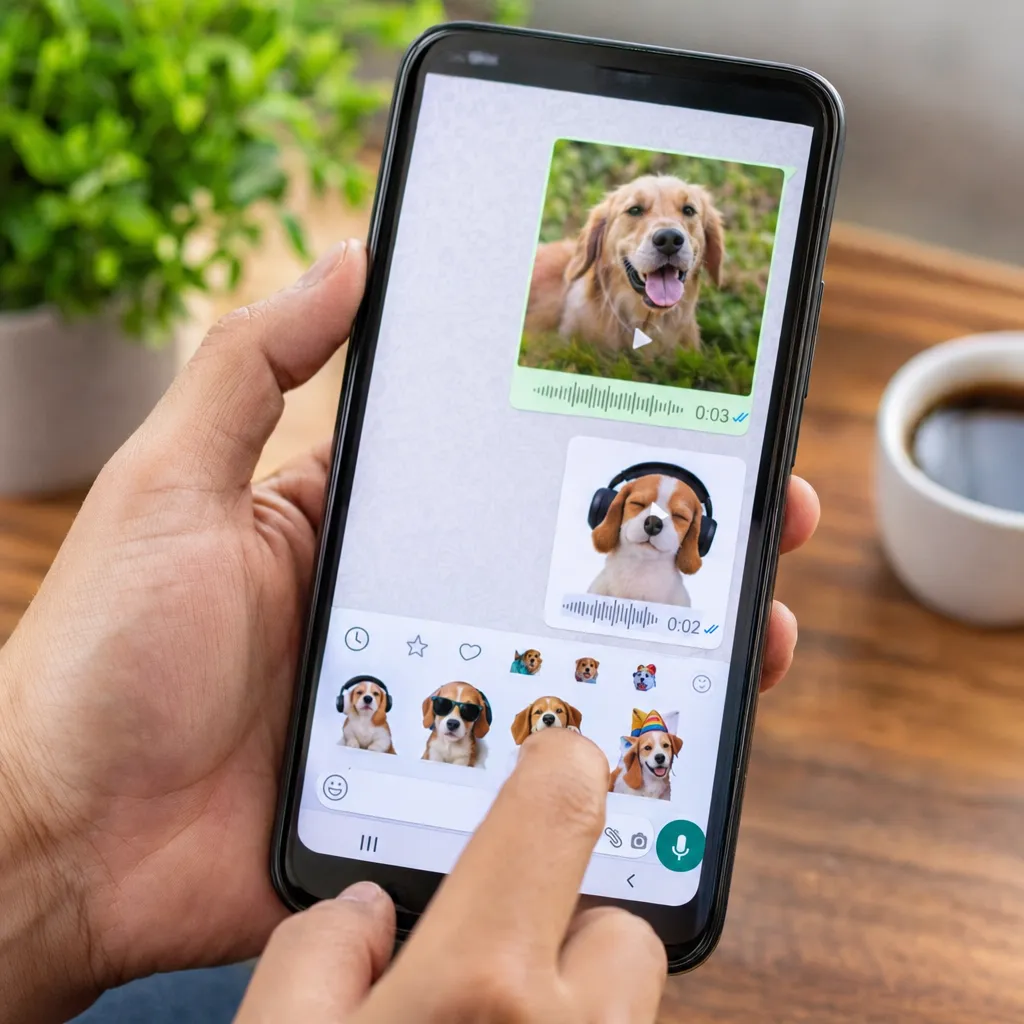
Figurines with sound are animated stickers that play audio when you touch them. Unlike traditional stickers that are just still or animated images, these versions with sound add a layer of sound expression that makes communication much richer and more personalized. You can use laughter, sound effects, short phrases or any type of audio you want to add to your sticker.
Announcements
These stickers work on any modern device and compatible with the WhatsApp platform, whether smartphone or tablet. The sound plays automatically when the recipient opens the conversation or touches the sticker, creating an interactive experience that goes beyond the simple sending of images. The functionality is available for both Android and iOS users, although with some variations depending on the version of the application you have installed.
Requirements Needed to Use Figurines with Sound
Before you start sending stickers with sound, you need to ensure that your device meets the minimum technical requirements. WhatsApp should be updated to the latest version available in your app store, as old versions do not support this functionality.In addition, your smartphone or tablet needs to have enough storage space, since audio files take up more space than simple images.
 WhatsApp Messenger
Classification:
”’I think it’S.
4.70
Age Classification:
Classification 14 years
Author:
WhatsApp LLC
Platform:
Android
Price:
Free
▶Download on Google Play
Your internet connection is also critical, as stickers with sound need to be downloaded and synced through the cloud. A stable Wi-Fi connection is recommended for sending and receiving these messages, although you can also use mobile data if necessary. Your contact’s device must also have WhatsApp updated so that you can correctly play the sound of the stickers you send.
Full Checklist: Step by Step to Send Figurines with Sound
Following an organized checklist ensures that you don’t miss any important steps.This handy checklist guide helps you prepare everything correctly before you start creating and sharing your custom stickers.Use each item below as a starting point for your journey with sound cards on WhatsApp.
Pre-Setup Checks
Start by checking that WhatsApp is up to date in your official app store (Google Play or App Store). Go to your device settings and confirm that you have permission to access microphone, camera and file storage of the device.Make sure that your internet connection is stable and that you have free space in the device storage (at least 500 MB is recommended). Also check that sound notification is enabled on your WhatsApp to receive alerts from new stickers.
Test your device’s microphone by opening a voice recording app or even starting a video clip on WhatsApp to ensure that the audio is working perfectly. Clear the WhatsApp application cache through your device settings to eliminate potential conflicts with old versions of data. Back up your important data on the device before any significant changes in the application settings. Disable any blocking or protection application that may interfere with WhatsApp permissions.
Audio File Creation and Preparation
Choose the audio editing application you want to use, such as a free editor available in your app store or a program on your computer. Record or import the audio you want to add to the sticker, ensuring that it is between 1 and 3 seconds long to work properly. Convert the audio file to the appropriate format (usually MP3 or WAV) if it is not in this format originally. Test the audio playback on your device to confirm that the quality is good and that there are no unwanted noises.
Adjust the audio volume to a consistent level, preventing it from getting too high or too low. Name the file clearly and descriptively so that you can easily locate when you use it later. Make a backup copy of the original audio file before making any further editing. Make sure the audio file size is within the limits accepted by WhatsApp (usually up to 1 MB per file).
Selection or Creation of Images for Figurines
Choose or create the image that will be displayed along with the sound of the sticker, ensuring that it is in PNG format with transparent background for better quality. Resize the image to the standard dimensions of stickers (usually 512×512 pixels) using an image editing application. Make sure the image is original or that you have rights of use to avoid future legal problems. Test the quality of the image in a preview file before submitting to ensure it is very clear and legible.
If you are creating your own images, use a design application that offers suitable tools for high-quality vector or raster illustrations. Keep the simplicity of the design so that the sticker is quickly recognized when displayed in small size.Make multiple test versions of the image if necessary to find the one that best suits your purpose. Export the final file in high resolution to avoid pixelation when the sticker is enlarged or used in different contexts.
Audio and Image Integration
Look for a specific sound card creation application that is available in your app store, as many of them automate the entire integration process. Import the image file and audio file into the creation application, ensuring that both are recognized correctly. Set the sound trigger point, that is, at what exact moment during the display of the sticker the audio should start playing. Adjust the relative volume of the audio within the application so that it is balanced and does not exceed the maximum volume capacity of the device.
Test the full sticker playback (image + sound) within the authoring app before proceeding to the next step. Make fine adjustments if necessary, such as adding smooth transitions or visual effects that complement the audio. Save the created sticker in a format that WhatsApp can recognize and process correctly. Review all settings one last time before exporting the final file.
Import and Share on WhatsApp
Open WhatsApp and navigate to the sticker section, usually found in the attachment menu next to the text message box. Look for the option to add new stickers or import custom stickers, which may vary depending on the version of your WhatsApp. Select the sticker file you created and confirm that the application correctly recognizes both the image and the audio. Wait for the sticker to be processed and synchronized with your WhatsApp profile, which may take a few minutes depending on the speed of your connection.
Test the sticker in a private conversation or small group before sharing widely to ensure it works perfectly in all aspects. Send the sticker to a few close contacts to validate that the sound is playing correctly on other devices. Record any feedback you receive and use this information to improve your next creations. Share the sticker with your friends and family, and consider posting it to WhatsApp sticker communities if you want to reach a wider audience.
Recommended Apps and Tools for Creating Figurines with Sound
There are several specialized applications that greatly facilitate the process of creating stickers with sound, making the task accessible even for users without advanced technical experience. These applications usually have intuitive interfaces that guide you through each step, from the selection of images to the final sending to WhatsApp. Choosing the right tool depends on your specific needs, such as available features, compatibility with your device and design preferences.
Some apps offer pre-existing libraries of sounds and effects that you can use directly, while others only allow you to import custom audio files. Many of these apps work for free, although they may have limitations on free versions or offer premium paid features.
Practical Tips to Maximize the Quality of Figurines with Sound
Audio quality is key to creating sound stickers that really impress your contacts and work perfectly in any situation. Invest in a good microphone for recordings, as audio picked up by lower quality microphones can sound muffled or with unwanted background noise. If you are using a pre-existing audio file, make sure the quality is at 128 kbps or higher to ensure clarity in playback. Avoid using very long audios, keeping them between 1 and 3 seconds for better compatibility and to save storage space.
Test audio across different devices and environments to ensure it sounds good in every possible context, from a quiet room to a moderate background noise environment. Normalize audio volume so that it is consistent with other stickers you may have and the overall volume of WhatsApp voice messages. Consider adding a small fade in and fade out at the beginning and end of audio to avoid abrupt clicks or cuts that detract from the user experience.
Customizing Figurines with Sound for Different Contexts
Creating different collections of stickers with sound for various contexts makes your communication much more dynamic and expressive. You can develop a set of stickers for moments of joy with sounds of laughter and applause, another for funny situations with comedic effects, and even a specific for moments of work with more professional and discreet sounds. The customization allows you to adapt your form of communication to the tone and atmosphere of each conversation or group on WhatsApp.
Think about your target audience when creating stickers, considering whether they should be more childish and playful or more mature and sophisticated. Include seasonal themes such as Christmas figurines with festive sounds or Carnival figurines with danceable rhythms to take advantage of specific times of the year. Work collaboratively with friends or communities of creators to exchange ideas, techniques and inspirations that enrich your projects. Regularly update your sticker collections, discarding the less popular ones and creating new ones that reflect current trends or evolving interests.
Common Problem Solving with Figurines with Sound
Technical issues can occur during the process of creating or sending stickers with sound, but most of them have simple and straightforward solutions. If the audio is not playing when you send the sticker, make sure that the sound notification is enabled in WhatsApp settings and that the device is not in silent mode. If the sticker is not being recognized by WhatsApp, try to reconvert the file to an accepted format or use a different creation application that offers better compatibility.
If the audio file is too large and cannot be processed, compress it using an audio editing application or a format converter that specializes in reducing file size. If you are experiencing crashes or slowdowns when working with stickers, clear the WhatsApp cache and close other applications that may be consuming too much memory from the device. If the sound is distorted or poor quality, retouch the audio file in a professional editor, adjusting equalization levels and removing any detectable background noise.
Legal and Copyright Considerations
When creating sound cards, you should be aware of copyright laws that protect original audio and images.If you are using audio from known songs, commercial sound effects, or images created by others, make sure you have appropriate license or explicit permission from the copyright holder.Many creators share their works under Creative Commons licenses, which allow use with certain restrictions, such as the need to give credit to the author. Please read carefully the terms of any license before using third-party material in their stickers.
If you are creating sound cards to share widely or even monetize, create your own original audios and images to avoid legal conflicts and protect your intellectual property creation.Many sticker creation apps include terms of service that specify user responsibilities regarding illegal or offensive content.Respect these terms to avoid having your stickers removed or your account penalized.When in doubt about the legality of using a specific audio or image, seek information with the rights holder or consult specialized intellectual property resources.
Current Trends in Figurines with Sound on WhatsApp
Sound cards constantly evolve, following design trends, pop culture and mobile technology. Currently, there is a growing preference for stickers that combine smooth animations with immersive audios, creating a more complete multisensory experience. Characters from popular series, movies and games often inspire new creations, especially when incorporated with iconic sounds that instantly identify them.Viral memes also turn into sounding stickers, capturing hilarious moments and making them easily shareable among groups of friends.
Interactive figurines that change according to the context of the conversation, such as effects that activate when someone mentions a specific word, are gaining popularity as technology advances.Many creators also explore the intersectionality between sound and visual, using synchronization techniques so that audio blends seamlessly with movements in the image. Communities of creators are forming around the world, sharing techniques, tutorials and inspiration to raise the standard of quality of available figurines. The premium figurine market is emerging, with creators earning income by selling their unique collections through specialized platforms.
Expanding Your Knowledge of Figurines with Sound
Once you’ve mastered the basics of how to send sound cards in WhatsApp, you can explore more advanced techniques that broaden your creative and technical possibilities. Learn about audio synchronization with more complex animations, using professional editing apps that offer visual timeline to align each element perfectly. Study the fundamentals of interface design to create stickers that are visually appealing even at very small sizes when displayed on the application’s sticker lists. Explore different sound genres, from music to sound effects, voice acting, and even original compositions that you can create or hire a professional.
Join online communities dedicated to creating stickers, where you can share your work, receive constructive feedback and learn from other more experienced creators. Follow WhatsApp updates related to stickers, as new features and compatibilities are added regularly. Consider creating a portfolio of your best creations, documenting the process from conception to final publication, for eventual commercialization or to demonstrate your skills to potential collaborators. Keep up to date on emerging tools and applications in the market, testing them periodically to find out if they offer advantages compared to what you currently use.