App for Who Wants to See Better GPS Routes
Announcements
Finding the best route to reach the destination is a daily challenge for drivers, couriers and professionals who depend on commuting. Modern GPS applications solve this problem by offering multiple route options and intelligent suggestions of alternative routes.
continue on to the full guide:
 FREE GUIDE
See Best GPS Routes and Save Time
✓Free
✓Alternative routes in
✓Save fuel
VIEW APP¹
📖 Reading 2 min · at no cost
If you want to completely master how to choose and use a GPS app to view better routes, alternative routes and optimize your commands, this handy guide will show you exactly what you need to know.We will explore the essential features such as evaluating the available options and implementing an efficient navigation strategy in your day to day.
Announcements
Understanding the Essential Features of GPS
A quality GPS application goes far beyond simply indicating a single path to the destination. It must present multiple routes with variations in travel time, distance traveled and specific characteristics such as tolls, highways or residential streets. This multiplicity of options allows you to make informed decisions based on your current situation and personal preferences.
The best routes are calculated in real time using constantly updated traffic data. This means that the application analyzes the density of vehicles on the roads, identifying emerging congestion and adjusting the route suggestions seconds after you open the app. Modern GPS technology integrates information from multiple sources, including data from users who are currently browsing, traffic cameras and municipal monitoring systems.
How to Identify and Compare Alternative Routes
When you enter a destination into a GPS app, the app typically features the fastest route by default, but offers additional options that vary significantly. The fastest route is not always the best for you sometimes a slightly longer route can save time if you avoid major congestion or reduce vehicle wear. Viewing all alternatives all you to compare estimated total time, mileage, street types and special features.
Each alternative route comes with detailed information you should consider before you start driving. Some apps highlight in different colors the traffic conditions on each route (green for free flow, yellow for moderate, red for congested), making it easy to visually identify the best option.You will also see alerts about ongoing works, recent incidents, speed checkpoints and risk zones that may affect your travel experience.
Practical Checklist: Evaluating the Best GPS App for Your Needs
Before choosing a GPS app, you need to systematically evaluate what features really matter to your situation. Use this checklist to ensure that the selected app meets your specific needs:
Route Viewing Features: Does the app allow you to view multiple routes simultaneously on the screen? Alternative routes appear with colors or codes that facilitate visual comparison? Does the app offer three-dimensional view mode to see the relief of the roads? Can you zoom in and out without losing the quality of traffic information?
Real-Time Information Update: Does the app update traffic conditions every few seconds or minutes? Does the system automatically recalculate your route when unexpected traffic jams arise? Notifications of accidents, works and special events appear quickly? Does the app allow you to turn notifications on or off as per your preference?
Customization and Personal Preferences: Can you select preferences such as avoiding tolls, avoiding dirt roads or prioritizing fast lanes? Does the app allow you to save route preferences for different contexts (work, leisure, deliveries)? Is it possible to permanently block certain streets that you prefer not to use? The app learns from your choices and adapts the suggestions over time?
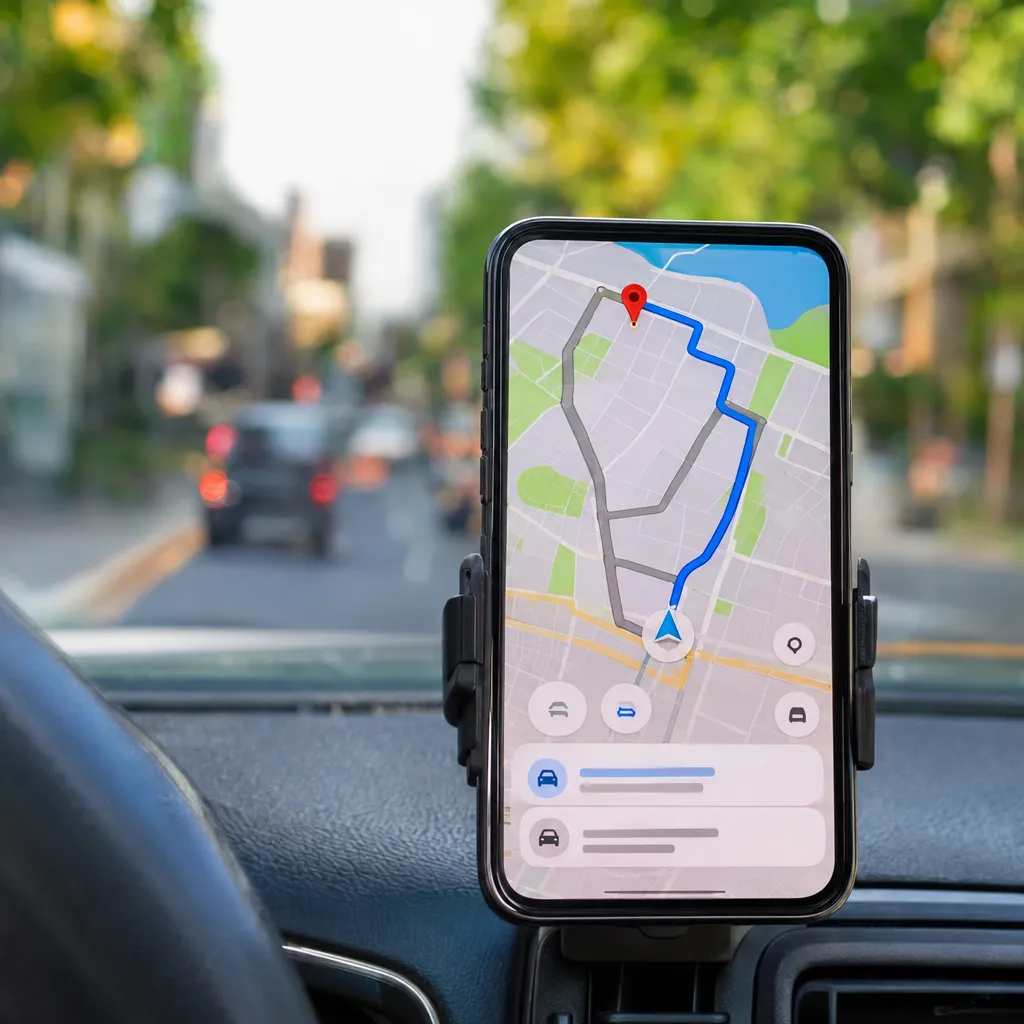
Interface and Usability: Are the main controls accessible with one hand while you drive?The letter of the street names and turn information is readable to the naked eye while browsing? Does the system offer clear and timely voice instructions? Can you quickly find the settings you need to adjust?
Data and Connectivity: Does the app work offline with previously downloaded maps?How much storage does the app take up on your device? Mobile data consumption is reasonable or does the app use many megabytes while browsing? Does the system automatically sync with your other devices?
Optimizing Your Daily Use of GPS App
Once you choose the ideal app, you can implement practical strategies to maximize benefits.Start by establishing frequent locations such as work, home, gym, regular customers, and SO that you can access them with a single tap.Configure departure reminders for specific times, and the app can alert you to the best time to leave based on current trading conditions.
When you are facing heavy traffic situations, use the alternative routes function not only to save time, but also to distribute your stress.Often take a route with more distance but fluid traffic significantly reduces the total time and leaves you less frustrated arriving at the destination.Test different routes at different times to understand the patterns of your region.This information is stored in your personal experience.
Advanced Features That Make a Difference
Modern GPS applications include sophisticated features that go beyond simple navigation.Travel history allows you to review your previous routes, helping to identify patterns and optimization opportunities. Location sharing with selected contacts provides extra security for family members and professionals who need to coordinate travel. Integration with voice assistants allows you to request routes keeping your hands on the wheel and your road.
Some apps include fuel consumption and travel cost estimates for each route, enabling informed economic decisions.The collaborative traffic report function allows you to contribute by reporting congestion, accidents or obstacles you notice while traveling.
Implementing an Integrated Navigation Strategy
To fully enjoy a quality GPS app, you should integrate its use into a broader switching strategy.Start by planning your trips in advance during peak times by checking the available alternative routes before leaving home.During the trip, allow the app to make automatic rerouting decisions based on new traffic information.This often saves you more time than you would manually achieve.
Keep the app screen visible at all times while browsing, especially on unfamiliar routes. Pay attention not only to turn-by-turn instructions, but also to the traffic-condition-change alerts the app presents.If an alternate route suddenly appears with significant time savings, consider accepting rerouting even if you have already started the original route. This flexibility often results in faster arrivals and less stressful trips.
End your trips by reviewing the history in the app to understand traffic patterns, compare different routes you have tested, and adjust your navigation preferences.In time, you will become a specialized user of your GPS app, deeply understanding how to alternate routes work and how to make navigation decisions truly optimized for your specific needs.