
Secret Voice Messages: A Complete Guide to How They Work
Announcements
Do you want to send a voice message without leaving a trace? Know that there are legitimate ways to share private audios safely and discreetly.
In this guide, you’ll learn all about secret voice messages: how they work, what tools are available, best practices, and a practical checklist to get started today.
What Are Secret Voice Messages and Why You Need them
Secret voice messages are encrypted or self-destructing audios that disappear after being heard. You send an audio file to a contact and, depending on the technology used, the file is automatically deleted or invisible to third parties.The difference between a common voice message and a secret one is precisely at the level of privacy and security involved.
Announcements
You may need them for legitimate reasons: protecting sensitive professional conversations, keeping personal communications private, or simply preventing audio records from being stored on your devices and servers.The growing concern for digital privacy makes these tools increasingly relevant to people who are aware of your data.
How Secret Voice Messages Work
The operation depends on the technology behind it. There are two main mechanisms: end-to-end encryption and self-erasing.In encryption, you record a voice message and it is encrypted before it is sent, making it unreadable to anyone other than the final recipient. Only the receiver has the digital key to decrypt and listen to the content.
 Google Messages
Classification:
”’I think it’S.
4.71
Age Classification:
Free Classification
Author:
Google LLC
Platform:
Android
Price:
Free
▶Download on Google Play
Self-erase works differently: you send the message and set a timeout (5 seconds, 1 minute, etc.) so that it automatically disappears from the server or recipient’s device. After this time, the file is permanently deleted and no one else can access it, not even the platform that you temporarily stored. This combination of techniques ensures that your voice remains private and secure.
Key Encryption Technologies and Protocols
To understand how your messages get secret, you need to know end-to-end encryption (end-to-end encryption). This protocol ensures that only you and your contact access the content, eliminating intermediaries. Apps like Signal, WhatsApp and Telegram use variations of this technology to protect your audio communications.
The Signal protocol is considered one of the safest on the market because it uses the Signal Protocol, developed specifically to ensure perfect secrecy (perfect forward secrecy). This means that even if someone gains access to your password or server, you will not be able to decrypt old messages. You benefit from a security standard that is regularly audited by independent experts and recognized globally.
Another important standard is 256-bit RSA encryption, used by various platforms to protect data at rest. You will also find mention of AES-256 encryption, which is extremely robust and used even by government agencies. These technologies work together to create layers of protection that make it virtually impossible for someone to intercept or decipher your voice messages without authorization.
Apps and Platforms Available for Secret Voice Messaging
You have several options when it comes to sending secret voice messages. Signal is a free app available for Android and iOS that offers voice messages with end-to-end encryption by default. You do not have to do anything special: all communication is already protected automatically. The app also allows you to set messages to self-delete after a certain period.
Telegram is another popular platform that offers secret chats with messages that disappear automatically. You can set the self-erase time and even set up so that the message disappears after being seen. The difference is that Telegram by default does not use end-to-end encryption on all chats, but secret chats ensure this protection.WhatsApp also implements end-to-end encryption on all messages and voice calls, without letting you disable this security.
For those seeking maximum privacy, there are apps like Wickr Me and Wire. Wickr Me offers messages that self-destruct and allows you to choose whether you want to leave message ID traces. Wire combines strong encryption with clean interface and is popular with professionals who deal with sensitive information. You can also explore apps like Element and Briar if you want decentralized communities that offer even more freedom.
Differences Between Encryption and Self-Erasement
You can confuse these two concepts, but they serve different purposes. Encryption protects content while it is in transit and at rest on servers. When you send an encrypted message, no one can read what you said, not even the company that developed the application. Self-erase goes further: it ensures that the message is not stored indefinitely on the receiver’s device or in backups.
Imagine that you send a secretly encrypted voice message that does not erase itself. It is safe because no one can decrypt it without the correct key, but physically the file remains on the cell phone of the one who received it. If that cell phone is hacked, stolen or if the person saves a backup, the message can be recovered. When you combine encryption with self-deletion, you guarantee double security: the message is incomprehensible without the key And disappears automatically after a while.
Practical Checklist: Steps to Send Your First Secret Voice Message
To help you put it all into practice, I have prepared a complete checklist that you can follow right now to send your first secret voice message safely and confidently.
Preparation Phase
First, you need to choose which app to use. Download Signal if you want maximum globally recognized security, or WhatsApp if you prefer something that most already have installed. Alternatively, choose Telegram for more features or Wickr Me if you are looking for advanced privacy features. After choosing, install the app on the App Store or Google Play and create your account following the on-screen instructions.
Then you should check the privacy settings. Open the application, go to the settings and look for options for messages that expire or self-destruct. In Signal, you will find “Messages that disappear” in the conversation options. In Telegram, look for “Secret Chats” and then set the time of disappearance. In WhatsApp, check for options of ephemeral messages available in your version. Add the contact with whom you want to communicate secretly and make sure that it also has the application installed.
Execution Phase
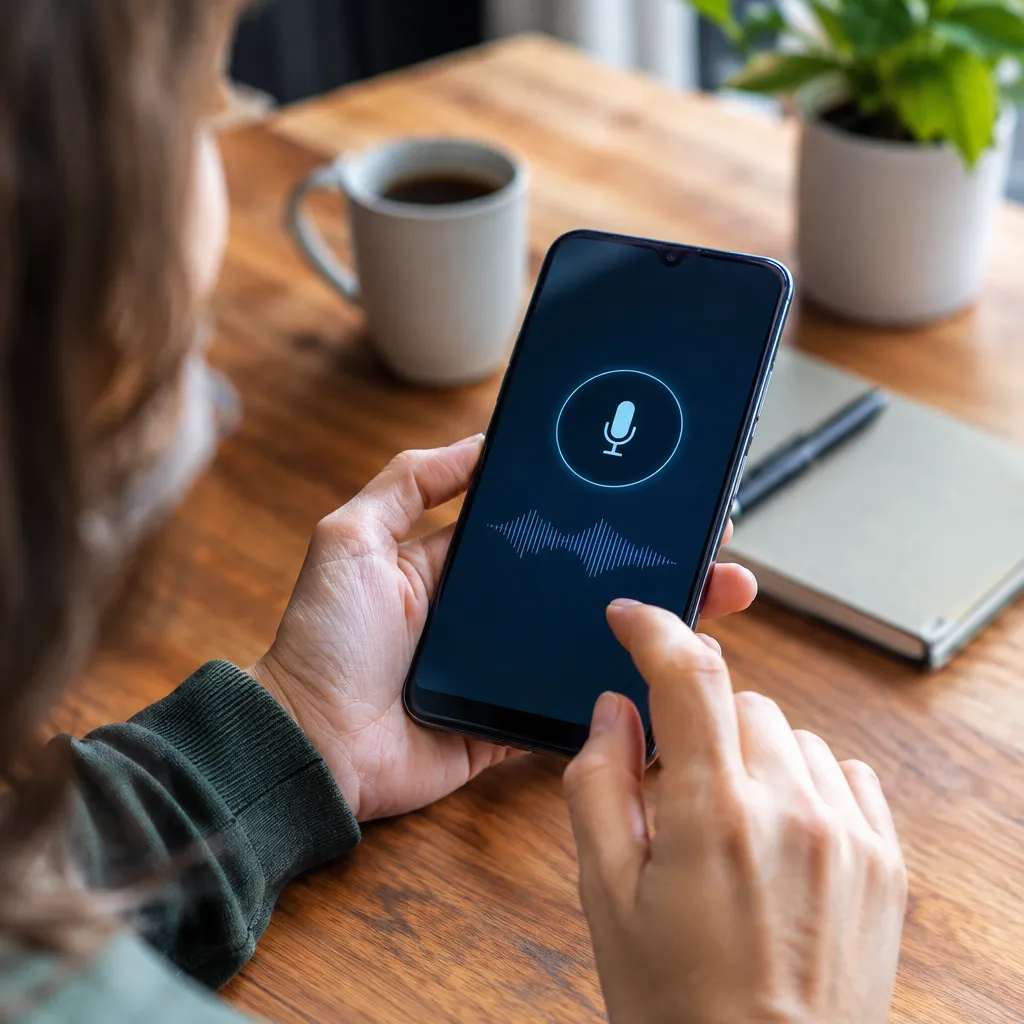
Now you are ready to send. Open the conversation with the desired contact and look for the microphone icon or the option to “record voice message”. Press and hold (or tap) to start recording. Speak your message naturally, as you would on a call, but without haste. Be sure to drop the microphone before you start talking, as some platforms only start recording after you release.
After you finish recording, review the message if the app offers this option. Some apps let you hear before sending, which is useful to avoid errors. When you are satisfied, send the message by tapping the send button (usually an arrow or send icon). Check if the message has been marked as encrypted or secret. Most apps show a lock icon or a “safe” indication to confirm that the message is protected.
Post-Ship Phase
You should monitor whether the auto-erase was triggered correctly. Depending on your settings, the message will automatically disappear after the set time. If you have enabled 5-minute auto-erase, the message will exit the conversation after this time for both you and the receiver. Check if your contact has confirmed that they received and heard the message. Some apps show “delivered” and “read” so that you know the status.
Finally, you should periodically review your privacy settings to stay safe. As apps update, new security features emerge. Open the settings every month or two months and look for updates to encryption, message expiration, or privacy protection options. Keep your app always up to date to ensure you are using the latest versions with the best security protections available.
Best Practices for Maximum Safety
You need to do your part to ensure that secret voice messages remain safe.Start by regularly checking the permissions you grant to apps. Camera access, location, contacts, and microphone should be given only when necessary. If a secret messaging app asks for access to your phone’s camera for no apparent reason, this is a red flag.
You should also use strong passwords to protect your account. If the application offers two-factor authentication, activate it immediately. This means that even if someone discovers your password, you still need a second code to access your account. Avoid using the same unlock pattern or password for all applications: each important deserves its own unique and complex combination.
Another crucial aspect is not sharing your access or recovery codes with anyone. If the application offers a backup code to recover your account, store it in a safe place (such as a password manager). You should never photograph this code or email it to yourself, as this creates additional points of failure in your security.
You should also be careful when logging details into your backups. Some phones automatically back up messages to cloud services like Google Drive or iCloud. If you are using an app for secret messages, make sure that these messages are not automatically syncing with cloud backups, as this would nullify all the protection you have gained.
Legitimate Use Cases for Secret Voice Messages
You can use secret voice messages in many completely legitimate professional and personal situations.Health care professionals, lawyers, and journalists often need to share sensitive information with colleagues or clients without risks of interception.An encrypted voice message provides the privacy necessary to discuss confidential details without creating vulnerable permanent records.
People traveling to countries with freedom of expression restrictions also use these tools to communicate safely. Activists, researchers, and ordinary citizens need forms of conversation that leave no permanent digital trails.
You can use it to protect sensitive family conversations, mental health discussions, or simply maintain the privacy of your personal conversations.In a world where privacy is increasingly valuable, having tools that respect your confidentiality is a right. Companies dealing with early-stage startups also use these technologies to share business ideas without risk of leakage before launch.
Limitations and Important Considerations
You need to understand that not all platforms offer equal security. Some applications that promise to be safe have had vulnerabilities discovered in the past. So always research the reputation of the application you are using and look for security audits performed by independent third parties. An application that has undergone professional auditing offers more confidence than a stranger who promises unproven security.
You should also consider that self-erase is not foolproof in all situations. Someone can capture a screenshot of your voice message while it is displayed on the screen before it disappears. Some phones have screen recording apps that allow you to record audio that is playing. Therefore, self-erase protects against permanent storage, but not against manual captures. Choose to always entrust your secret voice only to trusted people.
You may also experience occasional technical issues.Sometimes, voice messages may not load properly on slow connections, or auto-erase may not work if the receiver’s phone is turned off at the designated time.Always have a plan B for critical communications: do not rely completely on secret voice messages for information that absolutely needs to be delivered in a guaranteed manner.
You should be aware that some employers or institutions may have policies that prohibit encryption or self-erasure in communications. While privacy is a fundamental right, understanding the organizational context in which you operate is important. If you use these tools at work, first make sure it complies with the policies of your company or institution.
Future Trends in Secret Voice Messages
You should be aware of the changes that are coming in the world of private communications. Artificial intelligence is being integrated into messaging applications to detect malicious content without breaking encryption.This means you will have protection from spam and abuse while keeping your privacy intact.
You will also see growth of decentralized and open source applications that put you in full control of your data. Instead of relying on a company to protect your messages, these applications use peer-to-peer networks where you and your contacts are the sole owners of your communications.
Biometrics is also improving the security of secret messages.Facial recognition and fingerprint reader add an extra layer of protection, ensuring that only you can access your private conversations even if someone gets physical access to your phone.You will see these features becoming standard in messaging apps in the coming years, especially in tools aimed at professionals who handle extremely sensitive information.
Solving Common Problems With Secret Voice Messages
You may encounter situations where the voice message is not delivered correctly. If this happens, first check your internet connection. Unstable Wi-Fi networks or slow mobile data may prevent delivery. Try turning off Wi-Fi and using mobile data, or vice versa. Close other applications that use heavy broadband and try again. If the message is not yet delivered, wait a few minutes and resend.
If the receiver cannot hear the voice message, ask it to check the phone volume and whether the app is allowed to access the speaker. Sometimes the volume is muted or the app has been muted in the phone’s sound settings. You should also check whether both parties have the latest version of the app installed, as older versions may have compatibility issues.
You may have problems with auto-erase if the receiver has turned off phone time synchronization. Timed messages depend on the device clock being correct. Ask the receiver to check date and time in the phone settings and check if it is synced automatically. You may also experience delays in auto-erase if the app is running in the background without sufficient resources; restarting the app usually resolves this.
If you suspect your account has been compromised, you should change your password immediately and check recent activity.Most messaging apps offer an active session log showing when and where your account was accessed from. If there are suspicious accesses from locations you do not recognize, end those sessions remotely and consider enabling two-factor authentication immediately if you have not already done so.
Combining Secret Voice Messages with Other Privacy Practices
You get maximum protection when you combine secret voice messages with other privacy measures.Start by using a VPN (virtual private network) that masks your IP address and encrypts your internet traffic.This prevents your internet provider or public Wi-Fi networks from seeing who you are communicating with, even if your messages are already encrypted in the app.
You should also consider using a password manager that stores your accesses in encrypted form. This ensures that even if your device is compromised, your logins remain inaccessible. Combine this with two-factor authentication on all important services and you will have a formidable defense against unauthorized access.
You can also use virtual “burner phone” apps that create temporary phone numbers for disposable communications. When combined with secret voice messages, you have additional anonymity. These tools are useful when you want to communicate without linking communication to your permanent identity.Together with end-to-end encryption and self-erasing, you achieve the maximum in digital voice privacy that is currently possible.
Educating Your Contacts About Secret Voice Messages
You may be the safest in the world, but if your contacts do not understand how to use these tools correctly, the weak point is in them. Share the knowledge you have acquired in this guide with people important to you. Explain why encryption matters, how self-erase works, and what precautions to take to keep communications safe.
You should especially educate older or less tech-savvy people.Show them step by step how to install a secure app like Signal, how to record voice messages and how to check if encryption is active.Many privacy accidents happen because someone has not fully understood how these tools work and made a simple mistake. Investing time in teaching your contacts is investment in your own safety.
You can also suggest that your professional or personal circle adopt a common security standard.If everyone in your group uses the same application with end-to-end encryption, this eliminates variables and ensures that everyone maintains the same level of privacy.
Secret voice messages represent a powerful tool to protect your privacy in an increasingly connected world. You now understand how they work, what technologies are behind them, and how to put them into practice securely. Use this checklist, follow best practices, and choose the tools that best align with your needs.



