Want to Listen to Police Radio? Use an App
Announcements
Listening to police radio in real time is a valuable tool for journalists, researchers, security professionals and citizens interested in tracking local events.Many third-party apps provide direct access to police corporate communications, allowing you to monitor occurrences, claims and operations without leaving your home.
Modern technology has transformed the way we access public information, and police transmissions are no exception. With a smartphone and the correct application installed, you can tune in to the official frequencies of military police, civil police and other public security agencies with just a few taps on the screen. This article presents a complete guide on how to choose and use applications to listen to police radio, comparing the main options available on the market.
Why Listen to Police Radio Through an App
Tracking police communications offers practical benefits for different types of users. Security professionals use these transmissions to monitor occurrences in real time and plan prevention or response strategies.Journalists can identify developing news and anticipate important coverage, while researchers study crime patterns and police effectiveness in their communities.
Announcements
In addition to the professional aspect, many citizens follow the police radio out of legitimate curiosity and desire to know the security scenario in their region better. Modern applications turn this access, traditionally available only through expensive conventional radios, into something affordable and portable. You do not need to invest in specialized equipment or advanced technical knowledge to start listening to these transmissions.
Main Differences Between Available Applications
The market offers several options of applications to listen to police radio, each with different features, functionalities and focuses. Understanding the differences between them is essential to choose the one that best suits your needs and your context of use. Some applications work globally, while others focus specifically on regions or countries.
 Police Scanner 5-0: Live Radio
Classification:
^^^^^^^^^^^^^^^^^^^^^^^”’
3.83
Age Classification:
Free Classification
Author:
Radio Scanner (Policepolicescannerradio.com)
Platform:
Android
Price:
Free
▶Download on Google Play
Choosing the right app depends on factors such as geographic coverage, sound quality, user interface, additional features, and platform reputation. One app can offer high-fidelity broadcasts but have confusing interface; another can be extremely intuitive, but only cover a few specific cities. Comparing these dimensions ensures that you make an informed and satisfying choice.
Popular Apps: Scanner Radio
Scanner Radio is one of the most downloaded and well evaluated applications to track police communications in real time. Developed by third parties, it offers access to police, fire and emergency services frequencies in various regions of Brazil and the world. The application interface is relatively simple, allowing even inexperienced users to navigate without difficulties.
This app uses WebSDR technology to capture public broadcasts over the internet, turning your smartphone into a virtual radio scanner. You find the frequencies organized by region, making it easy for the military or civilian police of your state to find. The free version offers basic access, while the premium version removes ads and adds extra features like audio recording and advanced filters.
To use Scanner Radio, you first download the application from the application store of your phone. After installing and opening it, the app displays a map or list with available regions. You select your state and city, and immediately have access to the active police frequencies in that area. The sound quality depends on the intensity of the signal captured, but it is usually quite clear to track the main broadcasts.
Reliable Alternatives: Broadcastify and RadioReference
Broadcastify is another respected platform that makes police broadcasts available through a mobile app. Operated by third-party radiocommunication specialists, it offers particularly robust coverage in the United States, but also includes frequencies from other nations.The differential of Broadcastify is in the superior audio quality and the active community of users who keep frequency data constantly updated.
The Broadcastify app allows you to listen to live streams, browse recorded audio history and customize favorites for quick access. The interface is clean and responsive, offering good experience even on slower internet connections.For users in Brazil, coverage is more limited compared to Scanner Radio, but the quality when available is noticeably superior.
RadioReference works slightly differently: it is not exactly a broadcast application, but rather a reference platform that lists public frequencies of security agencies. You consult the website or application to find out the correct police frequencies in your region, and then use another tool to tune them. For more technical users, this separation offers flexibility; for beginners, it may seem less intuitive than all-in-one alternatives.
Practical Comparison: Which to Choose
When comparing these applications, a clear pattern emerges: Scanner Radio offers a better balance between ease of use and Brazilian coverage, making it ideal for novice users in Brazil who want to start fast. Broadcastify is superior in audio quality and international community, but its reduced coverage in the country makes it less practical for those looking to follow local radios consistently.
If you are a casual user in Brazil interested in listening to the police radio of your city occasionally, Scanner Radio solves your problem efficiently. If you are a professional who needs maximum quality audio and monitors frequencies from multiple countries, Broadcastify compensates your lower Brazilian coverage for technical excellence. The choice depends on your priorities: local convenience or international quality and comprehensiveness.
Detailed Step by Step to Get Started
The first step is to define which application best aligns with your needs as per the previous analysis. After this definition, access the app store of your smartphone, whether Google Play for Android or App Store for iOS. Search for the exact name of the chosen application and check if it is the official one, noting the developer, number of downloads and reviews of real users.
Click “Install” or “Get” and wait for the download and installation to complete. The size varies, but usually these applications take up between 20 to 50 MB of space. After installation, open the application and allow the requested permissions, such as internet access and location, if the app requires them. Most work best with location enabled, since they use their geographic position to suggest locally relevant frequencies.
On first opening, the app may require you to set basic preferences. Set your language to Portuguese if necessary, and accept the terms of service. Then the app displays a map or list of available regions. Search your state and select your city or metropolitan region to access local police frequencies.
Once your region is selected, the app displays the available frequencies, usually named “Military Police”, “Civil Police”, “Operational” or specific channel names. Tap the frequency you want to listen to, and the app will start streaming. Audio will start playing on your speakers or headphones as your phone is set up.
Advanced Features and Customizations
Once you’ve mastered the basics, you can explore additional features these apps offer. Most let you add frequencies to favorites by creating a custom list of channels you frequently track. This saves time on browsing, allowing you instant access to the broadcasts that interest you most with a single tap.
Many apps offer real-time notifications when certain keywords or phrases are mentioned in broadcasts. Journalists use this function to be alerted to developing news, while security professionals use it to monitor specific types of occurrences. Set up these alerts according to your interests, whether theft, traffic accident, homicide or any other term relevant to your work or research.
The audio recording function, available in premium versions of some applications, allows you to record broadcasts for further analysis or documentation. This is particularly valuable for researchers documenting crime patterns or journalists who need records of events that have occurred.The free version of Scanner Radio offers limited access to this feature, while the premium version removes all restrictions.
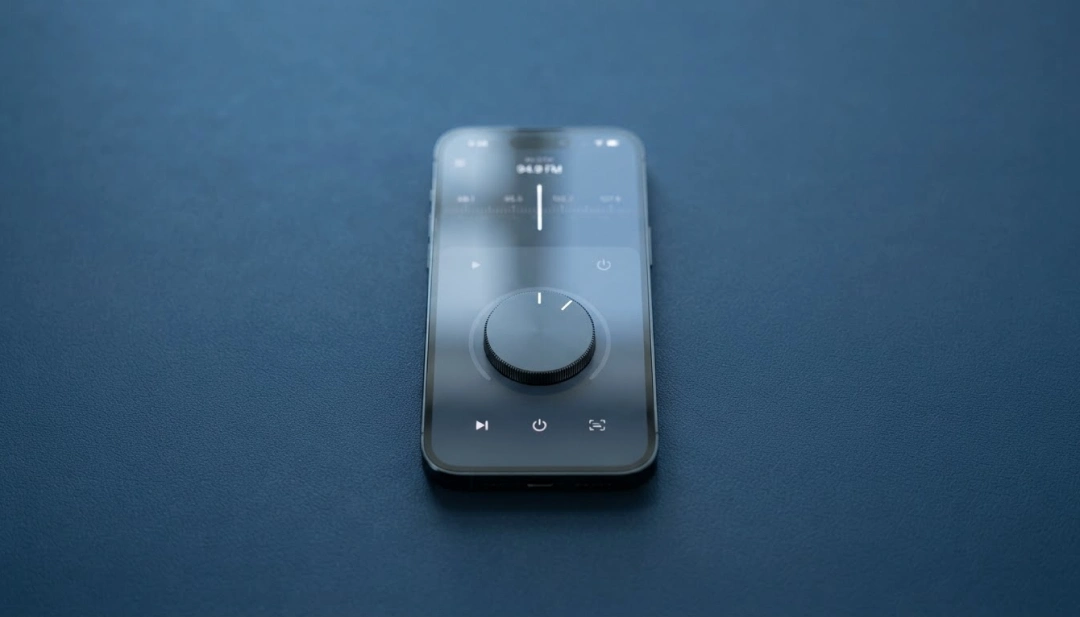
Some platforms include graphs and statistics on police activity, showing occurrence trends by type, time and geographic location.This aggregated data provides valuable perspective on security patterns that are not obvious only when listening to isolated broadcasts.
Practical Tips to Improve Experience
The quality of the transmission depends significantly on your internet connection. To listen to police radio with better clarity, connect to a stable Wi-Fi network whenever possible, as the mobile data connection is more unstable and can generate interruptions.If you use mobile data, prefer locations with strong 4G signal and avoid areas of poor coverage or transition between antennas.
Keep your app up to date by downloading new versions as they become available. Updates often fix connection issues, add new frequencies, and improve audio quality. Many apps set up automatic updates, but regularly check your settings to see if this option is enabled.
To listen for extended periods without consuming too much internet data, configure the app to use lower audio quality if this option exists. Police broadcasts do not require high-fidelity audio to be understandable, so reducing the quality saves bandwidth significantly. Reserve high quality for broadcasts that really matter or when connected to Wi-Fi.
Use headphones when listening in public, both for discretion and for listening comfort. The volume of transmissions can vary greatly, causing surprise or discomfort if amplified through the phone’s speakers. Well-fitting headphones allow better concentration on what is being transmitted and make it easier to capture important details that could be lost in noisy environment.
Important Legal and Ethical Considerations
Listening to public police transmissions is completely legal in virtually all jurisdictions, as these communications are technically public and accessible to anyone with an appropriate recipient.But legality does not eliminate ethical responsibilities in the use of this information.
Respect the privacy of individuals mentioned in broadcasts, especially victims of crime or minors.Journalists must follow their professional codes of ethics; researchers must respect institutional guidelines.Common citizens should simply recognize that listening to a broadcast about occurrence does not authorize sharing it indiscriminately or using it for harmful speculation.
Some regions have implemented additional restrictions on public sharing of information heard on police radios, especially related to ongoing operations or sensitive data. Familiarize yourself with the regulations specific to your jurisdiction and the region you are monitoring, respecting barriers set by law or public policy.
Solving Common Problems
If the app cannot connect or transmissions do not load, first check your internet connection by turning off and on Wi-Fi or mobile data. Restart the app by closing it completely and reopening. If the problem persists, restart your entire phone, as this often resolves transient connection failures that affect specific apps.
Very low or cropped audio quality may indicate poor coverage for that specific frequency. Some channels simply have weaker signal than others due to geographical and technical factors outside the control of the application. Try tuning another frequency to determine if the problem is general or specific to that channel. If it is general, your internet connection needs to be improved.
The app occasionally shows outdated or no longer working frequencies.This is because volunteers maintain these databases and sometimes information becomes obsolete. Consult the application community, forums, or alternative databases like RadioReference to confirm updated frequencies. Report frequencies that do not work to help the community keep the database accurate.
If the app crashes or quits unexpectedly, uninstall and reinstall the latest version. Before that, try clearing the app cache in your phone settings by opening Settings, locating the app in question, and tapping “Clear Cache”. This removes temporary data that sometimes causes instability without losing your saved settings and bookmarks.
Maximizing the Value of Continuous Follow-up
If you use the app regularly, develop a routine that naturally integrates it into your day. Security professionals can leave it on a dedicated device during working hours; journalists can monitor it while working on other tasks; researchers can do scheduled tapping at specific times to collect data. Consistency amplifies the value of the information obtained.
Keep a structured record of what you hear if you plan to use this data for professional work or research. Write down date, time, type of occurrence, location, and any relevant detail.Over time, this record reveals patterns that would not be obvious from random wiretaps.
Engage with the app user community when appropriate. Many apps have forums or groups on Reddit and other platforms where users share experiences, frequencies new discoveries, and practical tips. This community maintains database quality by contributing up-to-date information and identifying issues developers need to fix.
Periodically explore new frequencies or regions other than those you normally follow. Even if your primary interest is local police, comparing communication patterns between different cities offers valuable perspective.You may find that a region uses different procedures or terminology, learning that enriches your overall understanding of police operations and public safety.
Alternatives and Add-ons to App Use
Although applications are the most convenient way to access police radio these days, they are not the only option available. Radio amateurs can invest in a dedicated SDR (Software-Defined Radio) receiver, which offers superior quality and more advanced functionality than any mobile application.
Some public safety agencies transmit information through their official websites or YouTube channels, offering alternative to third-party applications. Although less immediate, this approach offers content curated and prioritized by the bodies themselves, not relying on volunteers to maintain frequency databases.
Municipal emergency alert systems sometimes allow registration to receive notifications about critical incidents, offering another complementary information channel to radio applications. Investigate whether your city offers such a system and register if available. Integrating multiple sources of information ensures that you do not miss important events simply because a specific channel was unavailable momentarily.