
Camera App: See All Available Options Near You
Announcements
Finding security cameras available in your region can be challenging without the right tools. Fortunately, there are specialized Android apps that map and list all the camera options near you, making it easy to choose as per your specific needs.
In this article, you will understand how these applications work, what are the best options available in the market and how to choose the one that best suits your user profile. We will explore each feature, advantage and limitation in a practical way, so that you make the most informed decision possible.
What Are Camera Apps for Android
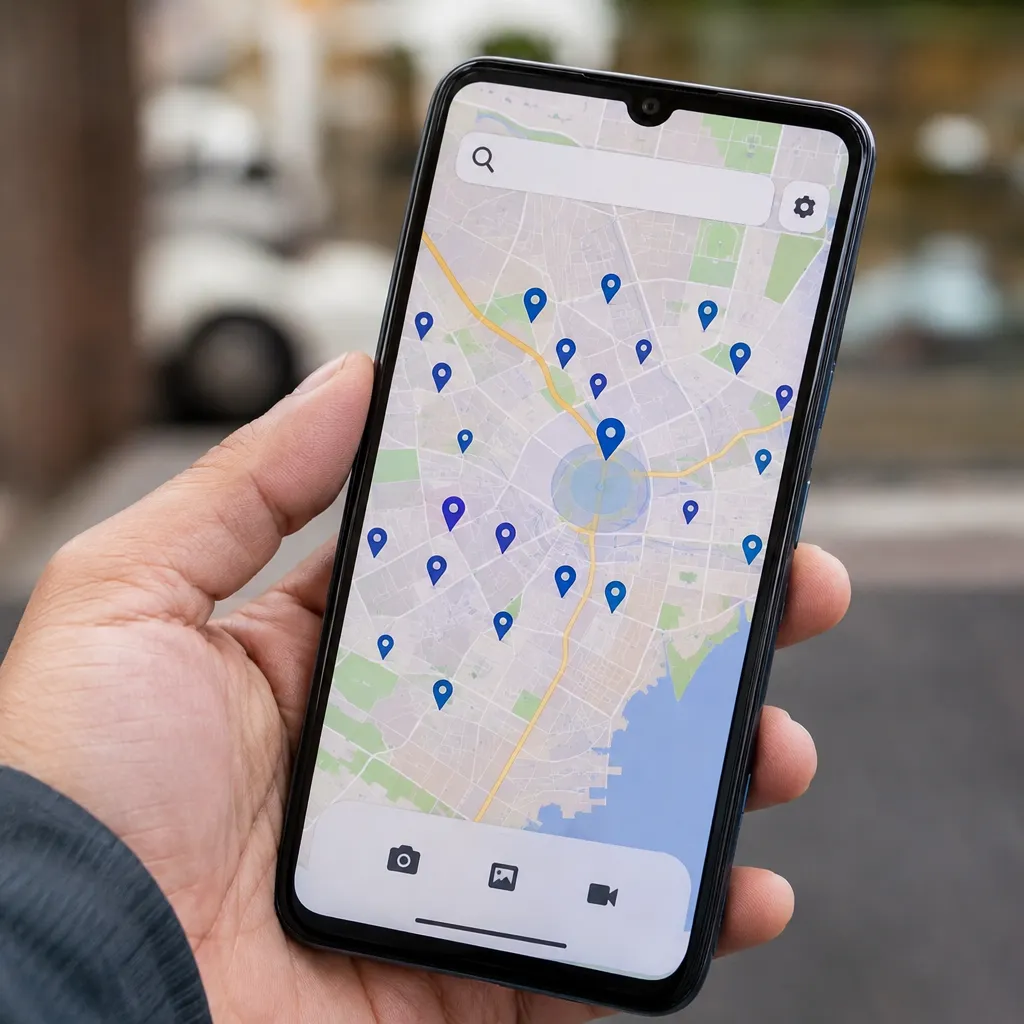
Camera apps are mobile tools that help users locate, view, and manage security cameras spread across different regions. They act as intermediaries between you and public or private surveillance systems, providing centralized access to information about availability, location, and features of nearby cameras.These apps use geolocation data to identify exactly where you are and show you which cameras are operating in that area.
Announcements
The technology behind these applications combines GPS, digital maps and constantly updated databases.When you open the app, it automatically loads information about traffic cameras, commercial security cameras, public cameras and even urban monitoring systems available in your surroundings. This functionality becomes extremely useful for security professionals, companies seeking to install new systems and even citizens interested in personal or community monitoring.
Key Features You Should Look For
When choosing a camera app for your specific need, note the accuracy of geolocation as the first fundamental criterion.The better the integrated GPS system, the more accurate the mapping of the cameras near you, avoiding inaccurate or outdated results. A good app should show cameras within a radius of up to 2 kilometers with minimum margin of error, allowing you to visualize exactly where each camera is positioned on the map.
 Flock Safety
Age Classification:
Free Classification
Author:
Flock Safety
Platform:
Android
Price:
Free
▶Download on Google Play
Database refresh frequency is another critical aspect that differentiates quality applications. Cameras are often installed, removed, or repositioned in cities, so a reliable app should update its information regularly, ideally daily or in real time. Also note if the app offers customizable filters, allowing you to view only cameras of specific types, such as traffic cameras, commercial cameras, or community cameras.
The user interface deserves special attention during its evaluation. A well-designed application allows intuitive navigation through the map, quick viewing of details about each camera and easy access to technical information such as resolution, angle of view and operating hours. Also check if the app works offline, allowing you to consult previously loaded cameras even without internet connection, a significant advantage in situations of lack of connectivity.
Comparing the Options Available in the Market
There are several categories of camera apps on Android, each with slightly different purposes. Urban surveillance apps focus on public and traffic cameras installed by city halls, providing information on main roads and critical intersections.These apps are ideal for drivers who want to avoid areas with monitored congestion or for traffic professionals. Commercial security apps connect users to cameras from voluntarily registered establishments, shops and commercial buildings, creating a community surveillance network.
Personal and home monitoring applications allow owners to view their own cameras installed in homes, their own businesses or private properties through a single centralized panel. This category is distinguished because you have full control of the cameras registered in the application, being able to manage access, set alerts and view recording histories. Comparatively, public apps do not offer this level of personalized control, functioning only as publicly available information consultants.
Some apps combine these features, allowing you to both browse public cameras and manage your private cameras in one place. This approach offers greater convenience by reducing the need to install multiple distinct apps.However, such consolidation often means less expertise in each area, eventually sacrificing depth of features in favor of versatility.
How to Choose According to Your Specific Needs
Identify first what your primary use case is: do you seek to monitor own properties, query local public cameras, or both? Security professionals who need to manage multiple cameras in different locations benefit greatly from applications that specialize in commercial monitoring, with advanced features such as continuous recording, motion alerts, and reliable remote access.Home owners, on the other hand, may prefer simpler applications focused on ease of use and integration with existing home security systems.
Consider also the geographic coverage of your chosen app. Some apps work exceptionally well in large cities where the database is more complete and frequently updated, but offer limited coverage in less urbanized regions.If you live or work in a rural or small town, check out region-specific user reviews before committing to an app. Reading reviews from people in your own neighborhood or region provides actionable insights that generic descriptions of app stores cannot capture.
The issue of privacy and security should be central in your decision.Make sure the app developer has clear policy on how your location data is collected, stored and used. Camera apps handle sensitive information about your location and movement habits, so choosing a tool from a trusted and transparent developer is absolutely essential.Search for apps that offer data encryption, do not share your information with third parties and allow you to control what data is sent.
Advanced Features that Add Value
Many modern camera apps incorporate smart features that go beyond simple location and viewing. Real-time notifications tell you when cameras detect suspicious activity or when there are changes to the camera database in your region. This functionality becomes especially valuable for business owners who want to stay alert about security issues in their areas of operation without constantly monitoring the phone screen.
Integration with other security systems also differentiates higher quality applications.If you already use intelligent alarm system, brand-specific video surveillance cameras or security management software, choosing an app that connects seamlessly to these existing systems saves time and reduces operational complexity.Some applications allow you to centralize notifications, schedule recordings and even control multiple types of security devices through a single standardized interface.
Data analysis and reporting also add significant value, especially for commercial use or in security management. Apps that historically offer when cameras have detected events, activity statistics by time and occupancy patterns facilitate informed decision making about security investments or operational changes. Visualization of data in charts, heat maps and timelines helps identify trends that raw numbers alone do not reveal.
Technical Considerations and Compatibility
Check the minimum version of Android required for the application to work properly on your device. Very modern applications may require Android 10 or higher, leaving out users with older phones still perfectly functional. Conversely, applications developed for older versions of Android may offer poor performance and outdated interface on recent phones. The sweet spot usually lies in applications compatible with Android 8.0 or higher, covering a wide range of devices without sacrificing modernity.
Battery consumption represents an important practical consideration, especially if you use the application frequently during the day. Camera applications with constantly active GPS and synchronizing data in real time tend to consume more energy than simpler alternatives. Read user reviews specifically on battery performance and look for apps that offer energy-saving modes, pausing real-time updates when necessary to preserve battery.
Storage space requirements also vary considerably between different applications. Some run completely in the cloud, requiring only a few megabytes on the phone, while others download local camera data for offline operation, taking up hundreds of megabytes to gigabytes. Consider the space available on your device and your preferences for offline functionality when making this assessment.Smaller applications are usually faster and perform better on devices with a less powerful processor.
Data Security and User Privacy
When you use a camera app, you are sharing your exact location and information about your movement patterns. This sensitivity makes it absolutely critical to choose developers with a proven history of privacy protection.Search for public developer information, make sure they have internationally recognized security certifications, and read their full privacy policies before installing.
Some apps implement granular permissions, allowing you to authorize only certain specific features. For example, you can allow the app to access your location only while using it, but deny access when the app runs in the background. This practice significantly reduces risks compared to apps that require broad, permanent permissions. Carefully review what permissions the app requests and ask yourself about the need for each of them for basic app operation.
Encryption of data in transit ensures that your location information and in-app activity cannot be intercepted by third parties with access to your network. Ensure that the application uses modern encryption protocols, such as HTTPS or TLS 1.3, for all communication between your phone and the app’s servers. Apps that transmit data unencrypted, even if only your internal usage habits, pose an unnecessary risk to your privacy.
Evaluating Through Practical Experience
The best way to evaluate a camera app is to test it in person before committing to it completely. Most apps offer free version with limited functionality, allowing you to explore the interface, data quality and ease of use without investing financially.
Try the specific features that matter to your use case. If real-time notifications are critical to you, set them up during the trial period and see if they work reliably over several days. If you need to access offline cameras, test this functionality by loading data and then turning off the internet connection. Simulating real usage scenarios reveals issues that may not be obvious during simple interface navigation.
Also look for online communities of app users, such as groups on Reddit, specialized forums or communities on social networks. These communities provide genuine insights into common issues, advanced usage tips and updates on app changes.Talking to existing users also allows you to question about specific compatibility with your geographic region, which is information impossible to get from generic descriptions.
Alternatives and When to Consider them
If a dedicated camera app doesn’t meet your needs, consider complementary map-based alternatives. Apps like Google Maps and Waze include information about traffic cameras in their map views, allowing you to view where public cameras are positioned while browsing.
For monitoring exclusively from their own cameras, the software provided by camera manufacturers often offers better integration and specific features than generic applications. Manufacturers such as Intelbras, Hikvision and Dahua develop their own optimized apps for their cameras, including advanced features available only when using their proprietary ecosystem. If you already have cameras installed, start by testing the manufacturer’s official app before looking for generic alternatives.
Websites dedicated to surveillance cameras offer another option when you search for information about specific cameras in a region. Some municipalities maintain public portals listing locations of public security cameras, offering direct source of information although requiring navigation through a web browser instead of a dedicated application. Combining multiple sources of information often provides a more complete picture than relying on a single application.
Managing Multiple Apps
Some users find it beneficial to install two or three different camera apps, each specializing in different function. While this approach increases storage consumption and management complexity, it offers redundancy and access to different databases that may be more complete in certain regions. For example, you could use one app for urban public cameras, another for commercial monitoring, and a specific third party to manage your personal cameras.
If you choose to install multiple apps, organize them clearly on your device, perhaps by creating a specific folder for security apps. Set distinct notifications for each to avoid confusion, and regularly review which apps you actually actively use. Keeping multiple apps installed when only a few are truly useful only consumes resources without adding genuine value.
Also consider the privacy impact of installing multiple apps that access your location.Each additional app represents another entity collecting information about your habits and movements.If you install multiple similar apps, review each other’s privacy policies to understand the full scope of data being collected before proceeding.
Application Updates and Maintenance
A good indicator of quality is how often the developer posts updates to your app. Regular updates suggest that the developer actively continues to improve the app, fixing bugs and adding new features as time goes on. Apps that have not received updates for many months may become incompatible with newer versions of Android or lose relevance as cameras are installed and removed in your region.
Also monitor what these updates include by reading release notes before installing. Updates that focus on security fixes should be installed immediately, while those that only add visuals can wait if you prefer to keep your phone stable.If the developer frequently implements features requested by users, it indicates that it values feedback from its community and is committed to continuously improving the experience.
Occasionally, the developer may discontinue an application, stopping providing updates and support. Reading recent reviews helps identify if the app is being abandoned, through user comments complaining about broken functionality or outdated data. Avoid investing time and trust in applications that show signs of abandonment, as they will soon become useless when incompatibilities with new versions of Android arise.
Cost versus Value offered
Most camera apps offer free version with basic functionality, while premium versions unlock advanced features by monthly subscription or one-time purchase.Check out whether premium features justify the cost for your specific use case.If you only occasionally consult nearby cameras, the free version is probably enough, while professionals who monitor security daily may find the premium subscription absolutely valuable.
Some apps offer freemium model where free version includes ads but works perfectly, while premium removes ads and adds some features. Others charge access to any functionality beyond basic location on the map. Compare offers available in your region as pricing and availability of features vary significantly between different developers. Read reviews specifically on value offered to determine if you genuinely get return on investment when paying for a premium app.
Beware of apps that charge excessively high amounts without clear justification. Although quality apps deserve to be paid, extremely high amounts can indicate developer exploiting demand without offering price-proportional quality. Compare costs between different apps that offer similar functionality to calibrate reasonable prices in your region.
Specific Use Cases and Recommendations
If you are a store or trade owner looking to protect your property, choose applications that specialize in commercial camera management with features such as continuous recording, cloud backup, and instant alerts by motion detection.Alarm systems compatibility is particularly valuable in this context, allowing integration with your overall security system.Search for applications that offer professional technical support, as quality of support matters most when you rely on the system for business security.
For homeowners, apps with a user-friendly interface and a focus on ease of use are preferable to complex tools aimed at professionals. You probably do not need advanced features like data analysis or multiple simultaneous users, but rather want fast and reliable access to your cameras. Apps that integrate well with voice assistants like Google Assistant or Alexa also add significant convenience in a home context.
Drivers and delivery professionals may prefer applications focused on traffic cameras and public roads, offering information about congestion and alternative routes based on data from urban cameras. These applications should prioritize speed of update and accuracy of geolocation, as you need real-time information while driving. Compatibility with navigation systems such as Google Maps or Waze extends application utility in automotive context.
Monitoring Public Cameras Legally and Ethically
While camera apps provide access to information about public and traffic cameras, understand the legal context in your jurisdiction. In most regions, public cameras are installed by government authorities or private companies for legitimate security purposes, and accessing information about their locations is completely legal.
Do not use public camera information for purposes of discriminatory surveillance, tracking of specific individuals without legal consent, or any activity that violates third party rights. Even if you have technical access to the information, using it in an abusive manner may constitute a crime in your jurisdiction. If you work in professional security, thoroughly familiarize yourself with surveillance laws in your region before implementing systems that rely on public cameras.
When you discover third-party cameras through the app, respect owner privacy and be cautious about how you share this information. Disclosing private security camera locations publicly could compromise property security, so use this information responsibly. Well-designed apps include terms of service clearly explaining acceptable and unacceptable uses, so read them carefully during installation.
When you finally choose your camera app, dedicate trial time to ensure it meets your specific needs before committing fully. Start with the free version to explore features, set up notifications as needed, and test critical functionality in your real environment for several days. Stay up to date on new alternatives, and reconsider your choice periodically as the camera app market continues to evolve with new options emerging regularly.Remember that no app is perfect for all use cases, so the best app for you will completely depend on your needs, location, technical level and personal preferences. Online communities of users can provide valuable guidance based on real experience in your specific region, so consider joining these groups after choosing your app. With careful research and hands-on testing, you will find the ideal solution for your camera monitoring needs through your Android device.



