Anonymous messaging app with self-destruct for iPhone
Announcements
Privacy and secrecy in mobile communications have become essential priorities in recent years.If you are looking for an application that combines anonymous messages with automatic self-destruction for your iPhone, there are specific solutions designed exactly for this purpose.
These apps offer additional layers of protection for your personal data, allowing conversations that disappear after a certain time and leave no identifiable traces.You will find several options on the market, each with unique features and distinct levels of security that deserve careful analysis.
What are secret messaging apps with self-destruction
Secret messaging apps with self-destruct combine two main features: full or partial anonymity of the user and automatic deletion of conversations after a specific period. You can send messages without revealing your real identity, and these messages permanently disappear from the receiving device and servers after minutes or hours, depending on the chosen configuration.
Announcements
This technology differs from conventional messaging applications in that it does not maintain a permanent history of conversations. You do not have to worry about messages being read later or creating a lasting record of your communications. Application servers often use end-to-end encryption combined with automatic data destruction protocols.
How self-destruct mechanisms work
The self-destruct system operates on two distinct fronts: on the recipient’s device and on the platform’s servers. When you send a message through these applications, it is encrypted and temporarily stored on the servers. After the scheduled time (usually between 1 second and 24 hours), the application removes the file completely, making any subsequent recovery impossible.
 WhatsApp Messenger
Classification:
”’I think it’S.
4.71
Age Classification:
Classification 14 years
Author:
WhatsApp LLC
Platform:
Android
Price:
Free
▶Download on Google Play
On the receiver’s iPhone, the message appears normally up to the set timeout.You can set how long the message will remain visible before it automatically disappears from the screen.Some apps notify you when someone takes a screenshot, adding extra layers of security against improper sharing of your content.
End-to-end encryption ensures that even server owners cannot read messages during the storage period.You send encrypted data that only the authorized receiver can decrypt, and even that capability is removed after the message is self-destructed.
Complete checklist to choose the best application
When selecting a self-destructing secret messaging app for your iPhone, you should evaluate several technical, functional and security criteria. This checklist guides your choice with the most important points for detailed analysis of each available option.
Security verification and encryption
You need to confirm that the application uses internationally recognized end-to-end encryption, such as that used by the Signal protocol.Make sure the company discloses the source code for independent auditing by security researchers.Also confirm that the app offers identity verification to avoid “middle man” type intercepts during sensitive conversations.
Research whether the application has undergone security audits performed by accredited independent laboratories.You should seek information about how the company handles data leaks and what its vulnerability disclosure policy is. Check for privacy certifications or compliance with international regulations such as GDPR.
Configurable self-destruct capabilities
You should check that you can adjust the time of self-destruction of messages granularly, not just with limited preconfigured options. Confirm that the app offers different times for different conversations or that you can set global defaults. Also check that there is the option of self-destructing photos, videos and files, not just text messages.
Look for features like “burn on read”, where the message disappears immediately after it is first read. You should also check for notification when the receiver captures a screen or records the screen, increasing your control over the shared content. Confirm that the conversation history disappears completely or if any remnants remain in the iPhone files.
Anonymity and identification features
You need to understand how the app works in relation to the need for phone number or email for registration. Some apps allow complete anonymity while others require some kind of identifier, although they do not expose it publicly. Make sure you can use nickname or pseudonym instead of your real name in the profile.
Confirm that the app allows conversations with anonymous contacts completely or requires prior knowledge of the person’s identity. You should check whether there is an option to use Tor or VPN networks directly within the app to mask your IP location. Also check whether the app collects metadata data such as shipping time, location, or device information.
Compatibility and performance on iPhone
You should confirm compatibility with the version of iOS installed on your iPhone, ensuring that the app works perfectly. Make sure the app receives updates regularly and that the developer actively responds to reported security issues.Search real user reviews on the App Store for speed, crashes, and battery consumption.
Confirm that the app is available exclusively from the App Store or also offers alternative versions of installation. You should check if there is synchronization with other devices or if the app works only on the iPhone. Also check for active and easily accessible technical support in case of problems with operation.
Privacy policy and data storage
You need to carefully read the privacy policy, identifying exactly what data is collected and how long it is retained. Look for information about whether the company shares data with third parties, even anonymously. Check that there is a clear policy of non-retention of messages after the scheduled self-destruction.
Confirm that the application provides user control over your stored data, including option of permanent account deletion. You should check which country the application is registered in and whether it follows international data protection laws.Search if there are documented cases of developer-related leakage or misconduct.
User interface and experience
You should evaluate whether the app interface is intuitive and easy to use, especially the self-destruct controls. Confirm that notifications work properly and that you receive alerts when messages are about to disappear.Make sure the design is optimized for iPhone screens with good readability and fluid navigation.
Look for the availability of dark themes, accessibility support, and available customizations. You should test whether the app responds quickly to commands and does not crash during basic operations. Also check for tutorials or documentation available for new users to understand all the features.
Additional features offered
You can search for apps that offer extra features like encrypted calls, self-destruct file sharing, or creating private groups. Some apps include messaging capabilities, editing messages already sent, or the ability to mention specific users.
Confirm that the app offers backup conversations (with maintained security) or deliberately does not keep copies. You can value features such as in-conversation search, calendar integration or reminders. Also look for features such as contact blocking, spam filters or the ability to report abusive messages.
Practical steps to evaluate and install the chosen application
After going through the previous checklist, you are ready for the practical step of installing and testing your chosen app. Follow a methodical approach to ensure that the app really meets your privacy and performance needs on iPhone.
Go to the App Store on your iPhone and look for the name of the app you selected.Read the latest reviews and check the date of the last update to confirm that the app is still actively being maintained by developers. You can refer to the version history to see which security fixes have been recently applied.
Download the application and proceed with the installation normally, following all the requested permissions.Check carefully what the app is asking for access: camera, microphone, location, contacts and photo gallery are common permissions. You must accept only the permissions absolutely necessary for the basic operation of the app.
After installing, immediately configure the privacy options within the application, changing any default that does not align with your need. If the app offers two-factor encryption or authentication, enable these features right after registration. You can test the operation by sending a test message to a trusted contact and checking if self-destruction occurs as scheduled.
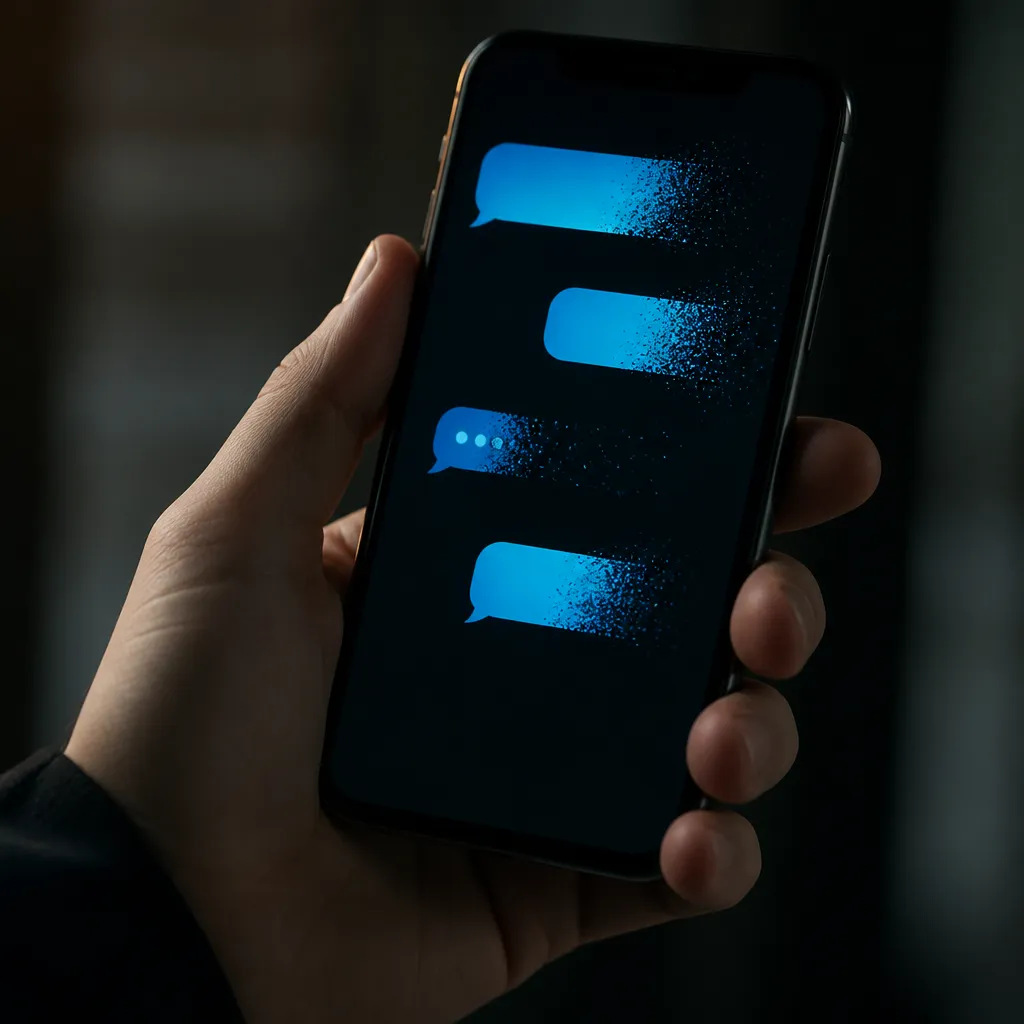
Test all important security features such as screenshot, read notifications and self-destruct at different time periods. You can send different types of files (photo, video, document) to confirm that all disappear as expected.Make sure the app behaves correctly when you close and reopen it, ensuring that self-destruct continues to work in the background.
Important considerations on legislation and responsible use
You should be aware that self-destructing secret messaging apps should not be used for illegal or harmful activities. While privacy is a fundamental right, the anonymity offered by these apps does not authorize you to violate local laws or cause harm to others.Many countries have regulations on anonymous communications, especially when they involve harassment, threats or fraud.
You should consider that even with automatic self-destruction, a determined person can record a message before it disappears. No technology guarantees complete protection against someone who chooses to manually document their communication. Therefore, you should not share sensitive information even in apps with maximum security, such as credit card numbers or passwords.
The responsibility for using these applications ethically and lawfully remains with you as a user. You should be informed about the privacy laws in your jurisdiction and how they apply to anonymous communications. Please check whether there are specific restrictions in your country on the use of applications that conceal the identity of the user or offer self-destruction of messages.
Differences between popular apps in this category
The market offers several distinct options for you to choose from based on your specific privacy and functionality priorities. Some apps focus on complete anonymity without registration, while others require identity verification but offer better message tracking. You will find minimalist solutions that only do basic self-destruction and others with complex integrated features.
Apps like Snapchat have popularized the concept of disappearing messages, but have added social and story features. You can prefer this social approach or opt for apps exclusively focused on pure privacy without social networks.There are even alternatives based on anonymous chats with full identity privacy, ideal for temporary conversations with strangers.
You should be aware that some apps combine secret messages with other features like anonymous social networks, private forums or marketplaces.The choice between these options depends on whether you only seek private communication or prefer a broader experience within a single ecosystem.
Practical tips to maximize privacy on your iPhone
In addition to choosing the right app, you can implement additional measures on your iPhone to maximize overall privacy. Set up operating system-level app permissions, limiting location, contacts, and camera access to only the apps you really need. You can manage these settings in Settings > Privacy on your iPhone by periodically reviewing what each app can access.
Turn on Face ID or Touch ID to protect access to your iPhone by ensuring that others cannot use your secret messaging apps without authentication. You should also consider enabling two-factor authentication on your Apple account and any services linked to your privacy apps. Turn off iCloud message sync and conversation history if the app offers this option.
You can use a system-level VPN to encrypt all traffic on your iPhone, adding an extra layer of protection beyond app encryption. Keep your iOS always up to date with the latest security fixes made available by Apple. Regularly review installed apps and remove any apps you no longer use, reducing the potential attack surface.
Consider using nickname or pseudonym in your private app profiles, avoiding exposing your real name even within applications that theoretically offer only anonymous communication. You can create disposable emails specifically to register in these applications, keeping your personal identity even more protected.
Warning signs when choosing a secret messaging app
You should avoid apps that have no transparent development history or that come up suddenly with extraordinary promises of privacy.Watch apps that charge high fees without clear justification or that use confusing business models.Peritical apps typically explain exactly how they make money, whether through advertising, premium subscription or donations.
You should be careful of apps that do not have enough App Store ratings or that receive consistent criticism about data leakage and privacy. Avoid apps from unknown developers without a verifiable online presence or known background in the security industry. Look for red flags such as unresponsiveness to security reports or documented history of failing to fix reported vulnerabilities.
You should not rely on apps that promise absolute anonymity while requesting unnecessary data like full phone number or banking information. Avoid apps that do not allow you to review their privacy policy or that have overly generic policies. Also be wary of apps that offer only visual self-destruction (message disappears from the screen) without actually deleting data from servers.
You should avoid applications that require excessive permissions not justified by the features offered, such as access to call history or full contacts. Avoid modified or pirated versions of popular applications found outside the App Store, as they may contain malware. Always search for the developer’s reputation before installing, consulting technology forums and specialized security communities.
Technical aspects of encryption in disappearing messages
You can benefit from understanding the basics of how encryption works in these applications to better assess your security. End-to-end encryption means that the decryption key resides only on the receiver’s device, making it impossible for intermediaries like internet providers or the company itself to access the content.
When you install an app with self-destruct, it generates a unique cryptographic key on your iPhone that never leaves the device. This key acts as an ultra-complex password that makes the message unreadable to anyone. When you send a message, it is turned into code by your key before leaving your phone, and only the receiver with the corresponding key can reverse this process.
You should understand that self-destruction works on two levels: the physical file is deleted from the server (making technical recovery impossible) and any copy on the receiver’s iPhone also disappears.Some applications use elliptic curve cryptography or AES-256 algorithm, considered practically impossible to break with current technology.You can search these technical terms to confirm that the app uses established standards and does not invent its own proprietary encryption system.
Business models and how apps maintain privacy while generating revenue
You may wonder how apps offer genuine privacy while remaining financially viable, as they do not collect user data to sell. Many apps work with subscription model, charging monthly or annual amounts for access to premium features while basic versions remain free. You pay for your private data not to be sold, keeping the economic equation clear and transparent.
Some apps use voluntary donations from users who value privacy as a support model. You can voluntarily contribute to the continued development of the app you use. Other solutions work with community open source, where volunteer programmers contribute to maintaining security and functionality without commercial intermediaries.
You’ll also find apps funded by digital rights organizations or privacy-focused foundations.These templates ensure that the app will never be sold to a company that changes its privacy policy.Research which business model the app you choose to use, confirming that it aligns with your privacy values and offers long-term sustainability.
Integration with your existing communication flow
You should consider how the new secret messaging app will fit into your current communication pattern with contacts. Some of your contacts may not want to install another app, so you will need to assess whether anonymity justifies the inconvenience of using a separate platform.
You should check if the app allows you to import existing contacts or if you need to create a manual contact list inside it. Some apps work best when both parties have the platform installed, then confirm that it is worth activating yourself without ensuring that your contacts will also use. You can start experimenting with friends who value privacy before trying to convince professional contacts to use the app.
Consider maintaining a tiered communication strategy where you use different apps for specific types of conversation: fast messaging in a conventional app, sensitive communication in a private app, calls in encrypted service. You can organize your contacts by level of trust and privacy required, using the most appropriate tool for each relationship. This balanced approach ensures privacy without harming your social and professional life.