Best Camera Monitoring App: Complete Guide 2024
Announcements
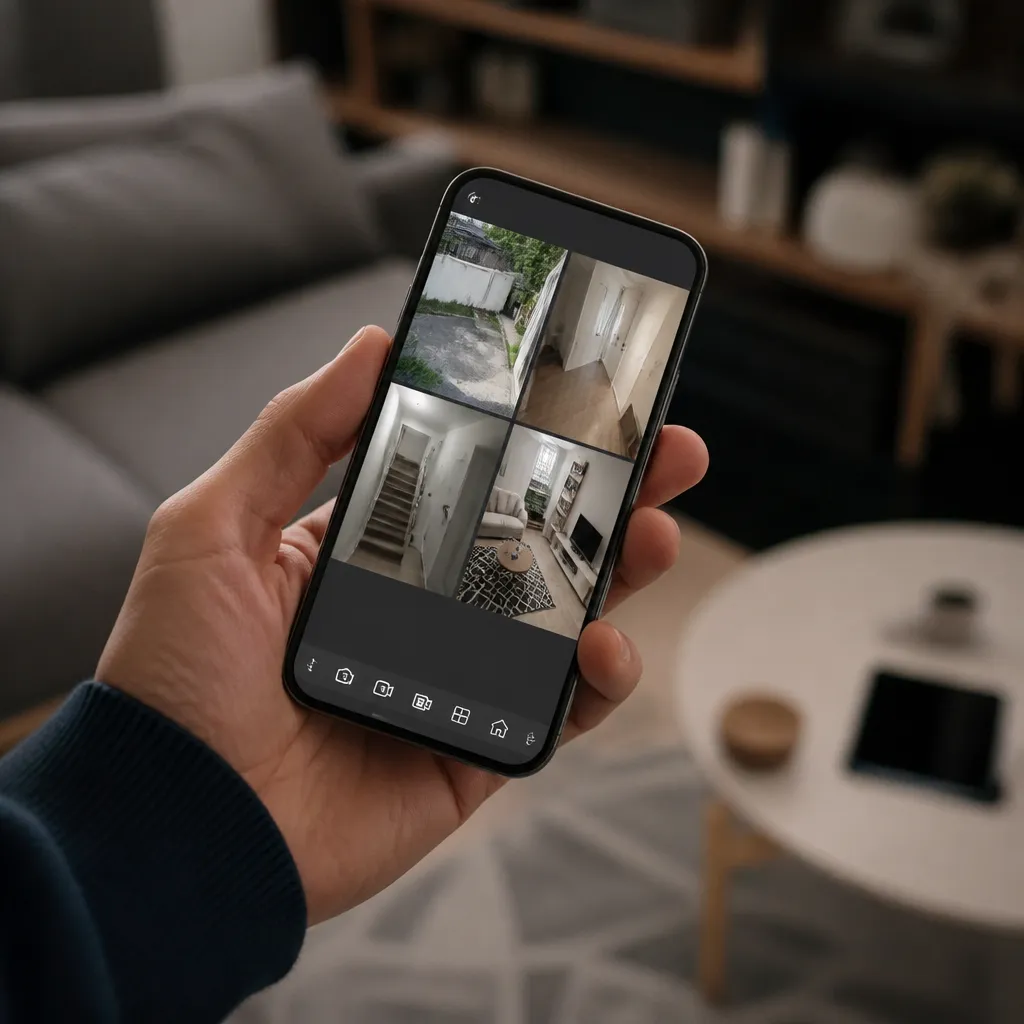
Monitoring security cameras remotely has become essential for those who want to protect their assets without being physically present.There are several applications available that turn your smartphone into a surveillance control center, allowing you to monitor what happens in real time, wherever you are.
Choosing the right app, however, depends on specific factors such as compatibility with your cameras, ease of use, features offered and cost-effectiveness.In this complete guide, you will learn how to identify which app best suits your needs and how to compare the options available in the current market.
Why Use an App to Monitor Security Cameras
Tracking security cameras remotely gives you full control over your environments regardless of your geographic location.You receive instant notifications when movements are detected, you can view recording history, and in many cases communicate via two-way audio with people close to the cameras. This continuous access significantly increases the level of security of your home or business.
Announcements
Modern applications also reduce the hassle of installing and managing complex surveillance systems.Instead of complicated interfaces on computers, you manage everything from your phone with an intuitive experience.Many apps also allow you to store videos in the cloud, ensuring that recordings are not lost in the event of theft or physical damage to cameras.
Key Features You Should Look For
When comparing apps to monitor cameras, look for real-time viewing capability with adjustable quality setting. This allows you to save mobile data when needed, but have full clarity when you need to identify specific faces or details. Most good apps offer different resolutions: 720p, 1080p, and even 4K, depending on camera compatibility.
 DeFlock.me
Age Classification:
Free Classification
Author:
TechBS
Platform:
Android
Price:
Free
▶Download on Google Play
Motion detection is another critical feature that differentiates basic applications from the most advanced. Some allow you to configure specific monitoring zones, sending alerts only when there is movement in those areas, reducing false notifications. The possibility of cloud storage is also important: choose apps that offer video retention plans, either in free tiers with limitations or in premium packages with extended history.
Compatibility with multiple cameras deserves special attention, especially if you plan to expand your surveillance system.Some apps support dozens of simultaneous cameras, while others have severe limitations.In addition, make sure the app offers responsive technical support and that the interface works well on different versions of Android or iOS.
Comparing the Best Available Options
The market offers varied solutions, from specific applications of well-known brands to universal platforms that work with cameras from various manufacturers. When comparing, consider which cameras you already have or intend to buy, as this will determine which app will be more compatible. Some apps work exclusively with cameras of a specific brand, while others serve as aggregators for multiple manufacturers.
Applications such as TP-Link solution, for example, work mainly with cameras of this brand, offering deep integration with exclusive features. If you already have cameras from this manufacturer, using your native app ensures full compatibility and better performance. On the other hand, if you have cameras of different brands, universal applications such as the Dahua solution or NVDVR systems with their own apps allow you to manage everything in one place.
The cost issue also varies significantly. Some apps are completely free, but limit features like cloud storage or number of cameras. Others require monthly or annual subscription to unlock premium features.You need to evaluate whether these additional services are worth paying for or whether the free versions meet your basic surveillance needs.
Security and Privacy when Using These Apps
The security of your surveillance images is paramount when you access them remotely over the internet.Reliable applications use end-to-end encryption, ensuring that no one intercepts your video streams while traveling over the network.Make sure the app offers two-factor authentication, a feature that protects your account even if someone discovers your password.
Also consider the privacy policy of the app developer.You want to know if your video data is stored on national or international servers, how long it is retained and who has access to it. Some apps allow local storage first, sending videos to the cloud only when configured, giving you greater control over your personal data.
Regular security updates are essential to keeping your system safe from newly discovered vulnerabilities. Choose applications that receive frequent updates and whose developers are known to take security seriously. Be wary of old apps without recent updates, even if they seem to work well, as they may contain exposed security flaws.
How to Choose the Best App for Your Specific Needs
Start by identifying exactly which cameras you own or plan to purchase. Visit the manufacturer’s website or check the manual for each camera to find out which official app they support. If all your cameras are from the same manufacturer, strongly consider using the native app as it will have guaranteed compatibility and optimized features.
If you have cameras from different brands, research which universal app offers better compatibility with your specific models. Read reviews from other users who have the same combination of cameras you intend to use. Often forums and groups on social networks dedicated to security share real experiences about which app works best with multiple brands.
Test the app before making any purchase or installation outright.Most offer trial versions or free versions with basic functionality, allowing you to try out the interface and confirm compatibility with your cameras.Take this test mobile data connection and WiFi, as performance may vary depending on the available connection.
Consider your long-term budget, too. A free app with ads can become annoying over time, while a once-paid app can be more cost-effective if used for several years.Compare the total annual cost of each option, including any cloud storage subscription, before making your final decision.
Advanced Features that Differentiate the Best Apps
Top apps offer advanced features like face recognition, allowing you to receive specific alerts when known people are detected by cameras. Some even include behavior analysis that differentiates between pet movement and potential intruders, significantly reducing false positives.
The ability to create automations is another important differential.You can configure rules such as: “if motion detection occurs between 22h and 6h, send notification with video” or “trigger lighting when camera detects motion at night”. These automated workflows turn the surveillance system into an intelligent assistant that responds to events without your manual intervention.
Some apps also integrate control of complementary accessories like smart fence posts, camera doorbells, or remote lighting fixtures.If you are building a complete security and automation ecosystem, checking out these integrations can save you from having to manage multiple different apps.
The quality of customer support also differentiates the best apps from mediocre ones.Search for apps with live chat, responsive email, or comprehensive knowledge base.When something goes wrong or you have questions about configuration, having fast and efficient support makes all the difference in your experience.
Practical Tips to Optimize Your Remote Monitoring
After choosing and installing your app, properly configure your notifications to avoid overloading alerts. Set detection sensitivity appropriate for your environment: very sensitive generates false alarms, low sensitive can miss real events. Most apps allow you to adjust these settings per camera, then customize according to the environment of each.
Organize your devices into logical groups within the app. If you have cameras in different properties, create separate folders or tabs for each, making it easy to navigate quickly.Some apps let you designate priority cameras that appear first when you open the app, ideal for focusing on the most critical areas such as main entrance or office.
Keep your access credentials secure using strong password generators, and when available, enable two-factor authentication. Share access with family or employees only when needed, using the limited permission functions that many apps offer. This granular approach protects your privacy while allowing others to access only what you need.
Periodically check your data usage if you are monitoring via mobile connection. Continuous high-definition viewing consumes a lot of bandwidth, so consider reducing quality when using mobile data and increasing it only when necessary.Many apps allow you to set up automatic quality based on the type of connection available.
Common Troubleshooting when Monitoring Cameras Remotely
Unstable connections are the most frequent problem when accessing cameras remotely. If the transmission freezes or disconnects frequently, first check your internet connection at both ends: both on the smartphone and in the location where the cameras are. A weak WiFi connection at the camera site is usually the culprit, then consider repositioning the router or adding a WiFi repeater.
High latency, where there is noticeable lag between actual movement and what you see in the app, is also common in congested networks. Reducing video quality often improves latency significantly, allowing for more responsive viewing despite lower definition.
Authentication issues when trying to access your cameras often occur when you switch from WiFi to mobile data. Many apps use security tokens that expire, requiring reauthentication.If this happens repeatedly, look in your app settings for the “keep connected” or “remember device” option, which reduces the need for frequent login.
Cameras that disappear from the list or go offline may indicate power or network reconnection issues. Physically check if power cables are connected and if the camera has adequate WiFi signal. Restarting both the camera and the router often resolves these issues offline, and many applications include direct reset button in settings.
Scaling Your Surveillance System
When you decide to add more cameras to your system, make sure your chosen app scales well. Some apps allow dozens of simultaneous cameras without loss of performance, while others start to slow down with only five or six devices.
Also consider the network infrastructure required to support more cameras.Each camera consumes bandwidth both locally and for remote upload. If you plan to monitor ten cameras at 1080p, your internet connection will need to be quite robust to allow fluid remote access. Calculate your bandwidth requirements approximately: each camera at 1080p consumes 2 to 4 Mbps live, then ten cameras could need 20 to 40 Mbps just for viewing.
Storage also becomes important consideration with more cameras. If you are using cloud, your subscription costs will grow proportionally.Some systems offer local storage on an NVR server (network video recorder) that resides on your site, saving on monthly cloud subscription.
Physically organize your equipment intelligently. Cameras need clear sight lines, proper wiring and protection from elements. When scaling, consider installing a central panel where power concentrates, powerful WiFi router, and if using local NVR, storage equipment. This professional organization not only improves performance but also facilitates future maintenance.
Integrating Monitoring with Other Security Systems
Camera monitoring works best when integrated with other security components.Traditional alarm systems can be connected to the camera app, creating coordinated response when events occur.Smart Cerraduras can track who accessed which areas and at what times, creating a complete audit trail of your property.
Some platforms allow you to create automations that connect camera events with actions on other devices. For example, if the camera detects motion at the entrance at night, the system can trigger lighting, record high-definition video and send photo notification to your phone instantly. These automatic responses increase security and provide quick reaction without your manual intervention.
Integration with professional monitoring services is also possible on many systems.You can configure the application to notify a third-party surveillance center that can check the situation and call police if necessary.This additional layer of protection provides peace of mind, especially for high-value businesses or properties.
Future Trends in Remote Camera Monitoring
Artificial intelligence is rapidly transforming the way we monitor cameras remotely.Detection of specific objects such as people, vehicles or animals allows you to create much smarter alerts.License plate recognition automates tracking of suspicious vehicles, while behavioral analysis differentiates normal activities from truly troubling events.
Privacy by design is also becoming a growing focus of developers.New applications offer local image processing within cameras, never sending full video for analysis in the cloud. Only relevant data such as detection coordinates are transmitted, protecting privacy while maintaining advanced functionality.
Cross-platform compatibility will improve as communication standards consolidate. In the future, you will likely be able to use any application with any camera, eliminating current compatibility silos.Open protocols like ONVIF already move in this direction, allowing interoperability between different brands and applications.
Energy efficiency is another important trend, with cameras and applications being optimized to consume less battery and bandwidth.This will allow for practical monitoring of battery-powered cameras or in locations with limited connectivity.The combination of efficient cameras with intelligent applications will make remote surveillance accessible even in challenging environments.