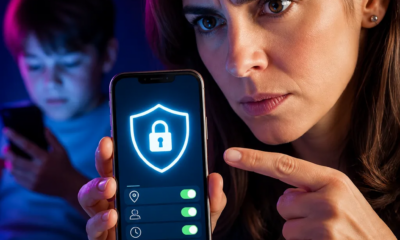
How to Protect Your Kids from Dangers Online
Announcements
With smartphones and computers increasingly present in the lives of young children, it is critical that you know how to protect them from the risks that exist online.
Announcements
This practical guide introduces you to the key strategies and tools you can use to create a safer digital environment for your kids, from open conversations to technical settings that block inappropriate content.
Understand the Key Online Risks for Children
Before implementing any protection, you need to know the real dangers your children face on the internet. Contact with dangerous strangers, access to inappropriate content and cyberbullying are among the most common threats affecting minors while browsing online.
In addition, there are financial risks that many parents do not consider: children can shop on apps without permission, fall for scams or come across traps that lead them to share personal information. Understanding these dangers helps you make more informed decisions about how to supervise the use of the internet by your children.
Establish Open Dialogues on Digital Security
No blocking tool is as effective as honest and ongoing communication with your children.You should create an environment where they feel comfortable talking about what they see online, without fear of punishment, especially when they encounter something strange or disturbing.
Ask regularly about your online friends, what sites they visit and what they do on social networks. Make it clear that you are there to help and protect them, not to overcontrol them. Children who trust their parents tend to make safer decisions when faced with risky situations on the internet.
Set Parental Controls on Devices
Most operating systems and platforms offer native parental control tools that you can use to limit access for your children. On Windows, you find the option within Family Settings, while on macOS there are Parental Control Restrictions in the System Preferences menu.
For mobile devices, both Android and iOS have their own restriction features: Android Family Link and Apple Screen Time allow you to set time limits, block specific apps, and monitor what is downloaded.
Implement Content Filters and Website Blocking
In addition to the native device controls, there are third-party apps and software that offer more advanced content filters. These tools work by automatically blocking websites categorized as unsuitable for minors, such as pages with extreme violence, adult content, or hazardous materials.
You can use solutions like ad blockers that also filter content, or explore specific monitoring apps that track which websites your kids try to access. Many of these apps send reports to you informing you about attempts to access blocked pages, giving you a clear view of children’s browsing habits.
Manage Screen Time in a Balanced Way
Excessive time online is not only harmful to the visual and postural health of children, but also increases the risk of exposure to inappropriate content.You should establish specific times for device use, respecting the recommendations of experts: up to two hours a day of quality content for children over six years.
Consider creating technology-free zones in your home, such as during meals and before bedtime. These practices strengthen family bonds while reducing the time your children spend exposed to the digital environment.Using the screen time controls available on devices helps enforce these rules consistently.

Educate Your Children About Privacy and Personal Data
One of the most important lessons you can teach is protecting online privacy. Explain to children why they should never share personal information such as address, phone number, full name of schools or details about routine with unknown people on the internet.
Show practical examples of how someone can use this information maliciously, from identity theft to approaching for dangerous purposes. Teach also about strong passwords, social media privacy and the risk of accepting friend requests from strangers.The more educated your children are about these topics, the more independent and secure they will be online.
Follow Social Networks and Friendships Online
If your children already use social networks, you should be aware of the friendships they make and the content they consume. Ask to be friends with them, but do it in a natural and non-intrusive way, respecting the privacy space that older children need to develop.
Keep an eye out for warning signs such as sudden behavior changes, social withdrawal or excessive secrecy when using devices. These behaviors may indicate problematic situations such as cyberbullying, contact with predators or consumption of disturbing content.A close supervision, without being asphyxiating, offers the ideal balance between protection and autonomy.
Frequent Questions About Child Protection Online
Many parents have the same questions about how to implement these protective measures. Understanding the answers helps you make more confident decisions about digital management of your family.
A common question is: what is the appropriate age for a child to have his first smartphone?There is no single answer, but many experts suggest waiting until 12 or 13 years, when children develop better judgment.Before that, sharing a supervised device is safer.
Another frequent question is whether you should monitor all the activities of your children or trust them. The balanced answer is both: establish trust through open communication, but maintain an appropriate level of supervision based on the age and maturity of the child.
Parents also ask if they should use location tracking software.These apps have value, especially for younger children or in specific security situations, but you should use them sparingly and make sure children know they are being monitored in this way.
A crucial question is what to do if you find out that your child has been exposed to inappropriate content or contact with predators. The first action is not to react with anger, as this can make the child conceal future information.Then gather details about what happened, save evidence and consider reporting to the competent authorities if there is crime involved. Seek professional guidance, such as specialized psychologists, if necessary.
Protecting your children online is an ongoing process that requires constant updating.As new platforms and technologies emerge, you must stay informed and adapt your strategies. Combining technical tools, open communication and digital education creates the safest possible environment for your children to explore the internet with confidence.