
Meet the Volume Amplifier App for Android Phone and iPhone
Announcements
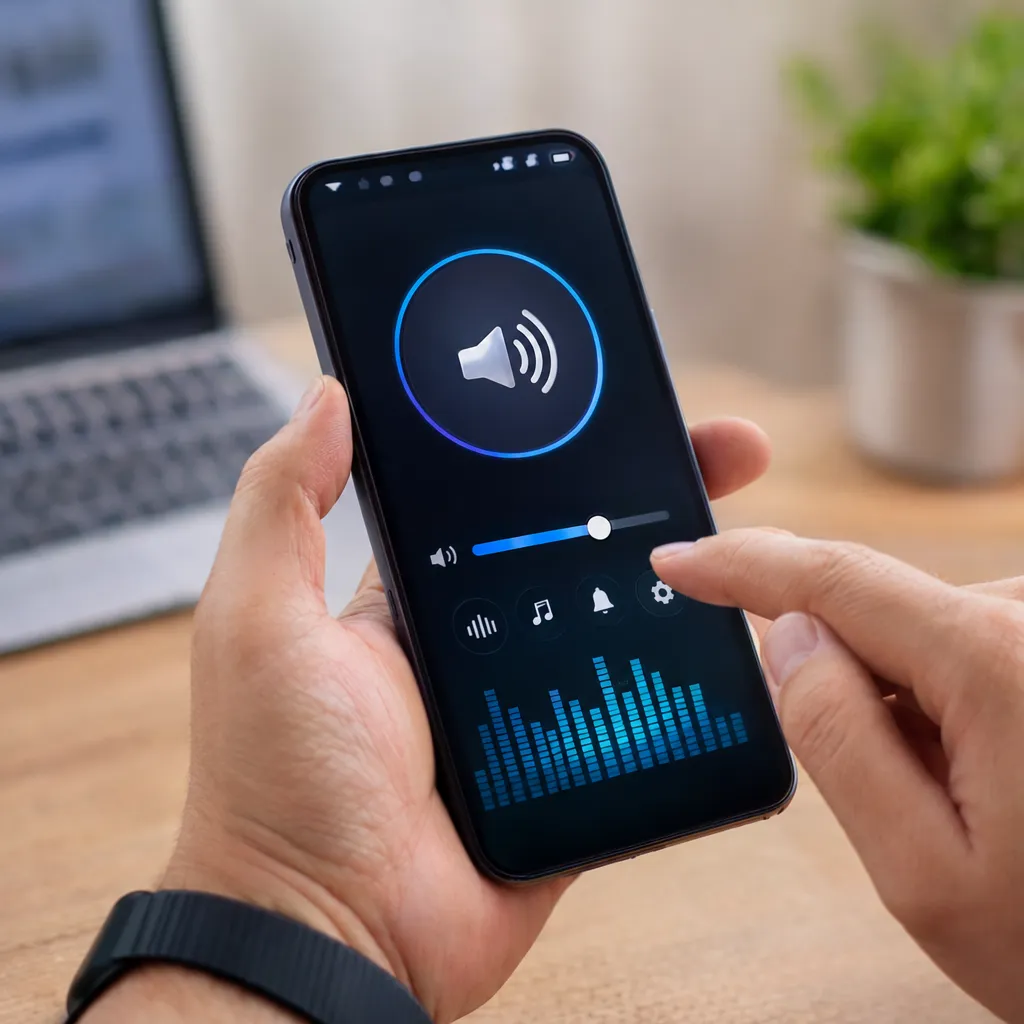
A volume amplifier is an application that enhances the sound of your phone beyond the manufacturer’s standard limits. This type of tool works by processing audio through specific algorithms that increase sound intensity without distorting quality. If you have difficulty hearing calls, voice messages or multimedia content, this solution can make a significant difference in your day to day.

The technology behind a volume amplifier uses digital signal processing to raise the power of the audio coming out through the speaker or headset of your device. The application intercepts the audio flow of the operating system and applies filters that amplify the frequencies in a balanced way, avoiding the saturation effect that causes that unpleasant and distorted sound. Some amplifiers also include integrated equalizers that allow you to customize which frequencies you want to reinforce, giving more control over the final result of the sound.
Compatibility between Android and iPhone is an important issue when you are choosing a volume amplifier.In the case of Android, apps have more freedom to access the system audio layers, allowing more aggressive amplifications and advanced customization features. For iPhone, the limitations of the iOS system are greater, as Apple restricts direct access to audio processing for security and standardization reasons.This means that amplifiers available in the App Store often offer more basic functionality compared to their Android counterparts, but still manage to deliver noticeable increases in the overall volume of the device.
Announcements
Installing and configuring a volume amplifier is a simple process that any user can do in a few minutes. On Android, you access the Play Store, search for the name of the specific application you want, tap the install button and wait for the download to finish. After installation, open the application, read the requested permissions (usually access to the system audio) and grant the necessary authorization for it to work properly. On iPhone, the process is identical, but through the App Store, and you may face limitations depending on the iOS model and version installed on your device.
Key features available in a volume amplifier vary by application, but generally include sliders for fine-tuning the volume, multi-band equalizer to configure sound to your personal preferences, preset modes for different types of audio (music, videos, calls), and bass boost control to reinforce bass.Some more advanced apps offer noise-cancelling technology, audio normalization to prevent unexpected volume spikes, and customizable profiles that you save and activate quickly in different situations. The availability of each feature depends directly on the developer of the tool and the platform you are using.
When using a volume amplifier, you should take special care to protect your hearing and preserve the life of your cell phone speakers. Increasing the volume beyond the recommended limits for prolonged periods can cause hearing fatigue and, over time, impair your ability to hear normally. In addition, excessive amplifications force the electronic components of the device, increasing the risk of burning the speakers and reducing their durability. The recommended is to use the amplifier sparingly, keeping the volume at comfortable levels, and taking regular breaks when using headphones for long periods.
You should consider using a volume amplifier in specific situations where the real need exists, such as when watching videos in environments with a lot of background noise, when receiving calls with very low audio, or when you have hearing difficulties that the standard volume of the cell phone can not solve. For people who work in noisy environments or who have reduced hearing, this tool becomes especially useful to maintain clear communication and not lose important content. If you constantly use headphones and realize that even at the maximum volume of the cell phone the sound is insufficient, this is another scenario where an amplifier can make all the difference in your experience of use.
In addition to the traditional volume amplifier, there are other alternatives and add-ons that you can consider to enhance the audio of your mobile. The standalone equalizers work in a similar way, but focus on frequency adjustments instead of just increasing the overall volume, offering more control over the sound profile. Noise cancellation applications work in parallel to clean the audio captured by the microphone, making calls clearer. For situations where the problem is physical (weak speaker), the solution may be to invest in good quality Bluetooth portable speakers that amplify the signal of your device externally. The choice between using a software amplifier or in hardware accessories depends on the budget of the problem.
Comparison Between Different Types of Amplifiers Available
When you are deciding which volume amplifier to use, it is important to understand that there are different categories of applications with distinct functionalities and limitations. Basic amplifiers offer a simple volume slider and work by increasing the output power of the operating system audio. These applications are lightweight, use low battery and are suitable for those looking for a quick and uncomplicated solution without many extra features. On the other hand, premium amplifiers include advanced equalizers, multiple sound modes, sophisticated audio processing technology and usually charge a single fee or monthly subscription for full access to the features.
The quality difference between a free and a paid amplifier is noticeable when you examine how much distortion the app introduces into the audio. Free versions, especially those funded by advertising, sometimes use simpler amplification algorithms that can make the sound a little more “crunchy” or distorted at very high volumes. Paid apps implement more sophisticated audio encoders and digital signal processing algorithms that preserve clarity even when you increase the volume a lot. If you plan to use the amplifier often and want to keep the audio quality intact, investing in a premium version usually pays off in the long run.
On Android, you find amplifiers like Equalizer, Bass Booster Pro and Volume Booster GOODEV, each with its specific approach and set of features. Equalizer offers great customization with multiple frequency bands that you manually adjust to create the ideal sound profile for your ears. Bass Booster Pro, as the name suggests, focuses on increasing bass while keeping the rest of the audio balanced, being excellent if you like music with a lot of impact on low frequencies. The GOODEV Volume Booster is known for its simple and straightforward interface, allowing significant volume increases with just a few taps, as well as including a noise reduction mode.
For iPhone users, the options are more limited due to iOS restrictions, but apps like Boom Headphones and Equalizer Pro can deliver respectable results within the limitations of the platform. Boom Headphones combines volume amplification with surround sound technology and audio effects that enhance the overall experience, working especially well when you use headphones. Equalizer Pro for iPhone offers a robust equalizer with presets for different musical genres, allowing you to quickly switch between settings depending on the content you are consuming. The main limitation is that none of these apps can amplify the sound of the iPhone speaker in the same aggressive way that Android amplifiers can do.
How to Choose the Ideal Volume Amplifier for Your Needs
Choosing between different amplifiers requires you to first identify what exactly your audio problem is and how you intend to use the solution. If you just want to increase the overall volume of your mobile phone during phone calls, a basic amplifier already perfectly solves without taking up memory space. If you are an audiophile that consumes a lot of musical content and wants to completely customize the sound profile of your device, you need an amplifier with robust equalizer and advanced controls. Knowing your specific use case eliminates many inappropriate options and makes the decision much clearer.
The operating system of your mobile phone also significantly influences which amplifier to choose, since the quality of the available tools is different between Android and iPhone. If you use Android, you have access to dozens of high-quality amplifiers with varied functionalities, allowing you to choose exactly what you want. You can compare user reviews, test free versions to see which one suits your style best, and invest in premium only if you really feel it is worth it. For iPhone users, the options are scarcer and the most basic functionalities, so your choice turns out to be among a smaller number of applications, but still with respectable quality.
Another important factor in choosing is the battery consumption and features of the application you are considering. Some amplifiers leave constantly running in the background, processing all the audio of the system, which drains battery faster if the application is not well optimized. You should look for readings from users who explicitly mention the impact on battery life and prefer applications that activate audio processing only when you are actually using the mobile phone to consume media content. If you are someone who depends a lot on the battery of your mobile phone during the day, this consideration can be decisive in your final choice.
The application interface also deserves attention, as you will potentially be accessing the settings frequently. An amplifier with confusing interface, many nested menus or poor English texts will be frustrating to use in the long run. Look for applications with clear and well-organized Portuguese interface, where the main controls are visible and accessible without you having to search through multiple tabs. If possible, test the free version or read detailed reviews that describe the user experience before committing to a paid version of the application.
Advanced Features You Should Know
The more sophisticated volume amplifiers include advanced functionality that goes beyond simply increasing volume, offering granular control over how audio is processed. An equalizer is one such feature, allowing you to individually adjust the volume of different frequency ranges in the audio spectrum. You can raise treble to hear better dialogues in movies, amplify bass for electronic music, or create a balanced profile for general use. This customization works because different sounds occupy different frequencies, and by controlling each separately you achieve a much more refined end result than simply increasing everything equally.
Noise cancellation is another feature present in some advanced amplifiers that reduces unwanted background sounds while amplifying the audio you really want to hear. This technology works by analyzing audio in real time, identifying constant noise patterns (such as horns, fans or crowd) and reducing them while preserving the most important sounds like voices. If you often receive calls in noisy environments or watch videos in places with a lot of background noise, this functionality can completely transform your experience, making the audio clear and easy to understand. The success of this technology depends a lot on the quality of the developer’s implementation, then it is important to read reviews from users who specifically mention how the noise cancellation works considering how the application is.
Some amplifiers also offer preset profiles optimized for different types of content, such as a profile for movies, another for music, another for podcasts, and another for phone calls. Each profile is essentially a pre-saved equalizer and amplification setting that has been tested and optimized for that specific type of content. You can quickly activate the appropriate profile depending on what you are doing at the moment, rather than manually adjusting all parameters every time you change the type of media you are consuming. For users who have no technical knowledge about audio frequencies and equalizers, these preconfigured profiles are a boon that offers excellent results without requiring any manual customization.
Step-by-Step Installation on Android and iPhone
To install a volume amplifier on Android, you start by opening the Play Store on your mobile and tapping the magnifier icon at the top of the screen to search for the desired application. Enter the name of the amplifier you chose to search for and tap the corresponding result when it appears in the search list. On the application page, you will see a large button saying “Install” that you must tap to start the download and automatic installation. Wait for the process to complete, which usually takes a few seconds to a few minutes depending on your internet speed and the size of the application.
After the installation completes on Android, the “Install” button changes to “Open” and you tap it to launch the application for the first time. On first run, the application will probably ask for various permissions needed to function, such as access to system audio, permission to appear over other applications, and possibly access to the device storage. You should review each requested permission and grant those that are actually necessary for the amplifier to work. Once this is done, the application is ready for use and you can start adjusting the volume and exploring its settings.
To install on iPhone, you open the App Store instead of the Play Store and perform the exact same process: search for the name of the application, tap “Get” (or the price if paid), and follow the authentication instructions with your Apple ID. After authentication, the button changes to “Install” and you tap on it to allow installation. The process is practically identical to Android, but you should know that iPhone amplifiers often ask for permission to access your media library instead of having direct control over the system audio, which explains why they work slightly differently After installation, tap the “Open” button to run the requested permissions.
After installing on any platform, you will probably see a welcome screen or tutorial explaining the main functionalities of the application. Take a few minutes to read this tutorial as it offers an overview of how to navigate through the settings and take advantage of the available features. If the application has a free version with limited features, explore the basic functionalities first before deciding whether to upgrade to a paid version. Most quality applications offer a free version with essential functionalities, allowing you to test thoroughly before investing money.
Essential Care With Your Hearing and Device Health
Hearing health is the most important care when you are using a volume amplifier regularly, as prolonged exposure to very high volumes can permanently damage the internal structures of your ear. Otorhinolaryngology experts recommend not to exceed 85 decibels of volume for more than 8 continuous hours, and sounds above 100 decibels can damage hearing in just 15 minutes of exposure. When you are using a volume amplifier, it is easy to gradually increase volume without realizing it, reaching dangerous levels before you realize it. The recommended is to start with modest increases, check how your ear feels, and immediately stop if you feel any discomfort or tinnitus.
In addition to hearing health, you should also protect the physical components of your phone, especially the speaker, from damage caused by excessive volumes. Very aggressive amplifications force electronic components beyond their specified operating limits, causing accelerated wear and eventual burn of the speakers. A damaged speaker is expensive to repair and often requires shipping to service center, making this an important economic consideration. Use moderate amplifications, allow components to rest while avoiding constant maximum volumes, and consider using good quality headphones when you need very high volumes, as they protect your cell phone’s internal speakers.
When you are using volume amplifiers with headphones, care should be even greater because the sound enters your ears directly at amplified volumes. Take regular breaks every 30 to 60 minutes of continuous use, remove the headphones and let your ears rest. If you notice any pain, persistent tinnitus or temporary reduction in hearing, immediately decrease the volume and seek an otolaryngologist if symptoms persist. Many cases of hearing loss in young people are caused exactly by habits of wearing headphones at high volumes for very long periods, and this is a damage that is irreversible once it occurs.
Additional caution concerns applications of dubious quality or that request excessive permissions to function. If you find an amplifier that asks for strange permissions such as access to your camera, contacts or personal data, definitely do not install and look for a more reputable alternative. Always read the app reviews in the store, especially checking user reviews that mention security issues, invasive advertising or suspicious behavior. A legitimate application only needs basic permissions related to audio and, perhaps, access to the device storage to save custom settings.
Ideal Situations for Using a Volume Amplifier
You should consider using a volume amplifier in specific situations where your phone’s standard volume can’t meet your needs. If you regularly watch videos on YouTube, TikTok, or streaming platforms in environments with a lot of background noise, an amplifier ensures that you can hear the dialogue and important sounds without relying on subtitles.In noisy workplaces, coffee shops, or public transportation, the amplifier allows you to receive calls clearly and listen to voice messages without having to put the cell phone directly in your ear. For people with reduced hearing or mild hearing impairment, the amplifier can partially replace the need for expensive hearing aids, offering an affordable solution to improve the quality of life.
Work-related situations are also ideal for amplifiers, especially if you work with podcasts, webinars, or audio courses on your mobile during the day. An amplifier with good equalizer allows you to listen to lectures clearly while working on other things, without having to turn up the volume to the point of distracting people around you or damaging your hearing. For mobile players who use game sound media as part of the experience, a bass boost amplifier offers a more immersive audio experience without the need to invest in external speakers. Video conferences also benefit from amplifiers, especially if you are in a room with background noise and need to listen to the highest volume remote participants.
If you are a person who consumes a lot of musical content, especially genres that rely on very high or very low frequencies, an amplifier with equalizer offers great value by allowing you to customize the sound for your preferred genres. Musicians who study other artists through mobile also benefit from the ability to amplify and adjust the frequencies to hear better technical details like drum techniques or bass lines in complex songs.For anyone who relies on their mobile phone as the main source of audio entertainment, a well-chosen amplifier significantly transforms the overall quality of the use experience.
Complementary Alternatives and Integrated Solutions
If you have tried a software amplifier and felt you still need more, there are several complementary alternatives that you can use together or separately. An independent equalizer offers similar functionality to the amplifier, but with a main focus on adjusting frequencies instead of just increasing volume, being a better choice if your problem is sound quality and not intensity. Noise cancellation applications work parallel to the amplifier, allowing you to keep both tools running simultaneously on some devices, offering amplified sound and clean background noise. If you constantly use headphones, specialized applications for processing of headphone audio offer settings optimized specifically for listening via headset, including sound technology that can not deliver generic amplifiers.
A more permanent solution to audio problems is to invest in a good quality Bluetooth portable speaker that amplifies the audio signal of your mobile phone externally. This option works especially well if you are at home or in fixed environments, as it is not up to you to charge the box all the time. The best portable speakers offer more real volume, better audio quality, and durability far superior to the internal speakers of any cell phone. If you are willing to invest a little more, this is often a better solution than relying on software amplifiers in the long term. For people who use headphones regularly, invest in higher quality headphones with higher quality naturally offers more volume and better amplify audio drivers than audio output.
A hybrid approach that many users adopt is to use a software amplifier on the mobile phone combined with an external Bluetooth speaker for different situations.When you are on the move or needing fast volume, the software amplifier provides an immediate boost.When you are at home or prepared to use an accessory, the speaker offers superior quality and cleaner volume. This strategy offers maximum flexibility, allowing you to choose the right tool for each situation without getting stuck to a single solution. You can also combine a software amplifier with quality headphones for a portable solution that offers good volume and good quality simultaneously, covering most of your day-to-day situations.



