See Best GPS Routes and Save Time
Announcements
When you are stuck in traffic, wasting time is losing money. A good GPS app with alternative routes can make all the difference between arriving late and fulfilling your appointment on time.We will show you how to choose the best option for your needs.
Choosing an alternative routes app goes beyond just opening a map on your mobile. You need to consider factors such as accuracy of real-time information, variety of suggested routes, battery consumption and ease of use while driving. This article brings a complete comparative analysis so you can make the best decision and save time on your daily commutes.
Why Use a GPS App for Alternative Routes
Traffic doesn’t warn you when it’s going to get chaotic. An accident, demonstration or emergency work can block your planned route at any time. A GPS app that offers alternative routes in real time puts you ahead of this situation by suggesting smart detours before you get stuck.
Announcements
In addition to saving time, alternative routes reduce fuel consumption and decrease wear and tear on your vehicle. The less time you spend throttle pressed in a row, the less gasoline you spend and the less wear and tear on the engine. This translates into real savings that go beyond the comfort of not suffering driving.
Many GPS apps for alternative routes aggregate information about dangerous areas or with a high incidence of crime. You can avoid certain neighborhoods at certain times, planning a safer route. This combination of safety, economy and efficiency makes route apps a genuine investment in your quality of life.
 Waze GPS and Live Traffic
Classification:
^^^^^^^^^^^^^^^^^^^^^^^”’
4.30
Age Classification:
Free Classification
Author:
Waze
Platform:
Android
Price:
Free
▶Download on Google Play
Essential Features in an Alternative Routes App
Not every app that shows a map offers truly alternative routes. The first feature you should look for is real-time traffic based on data from multiple sources. Some apps rely solely on a static database or a small number of users, which reduces accuracy.The best apps cross data from mobile operators, transit agencies and a massive community of users to paint an accurate picture of what is happening on the streets right now.
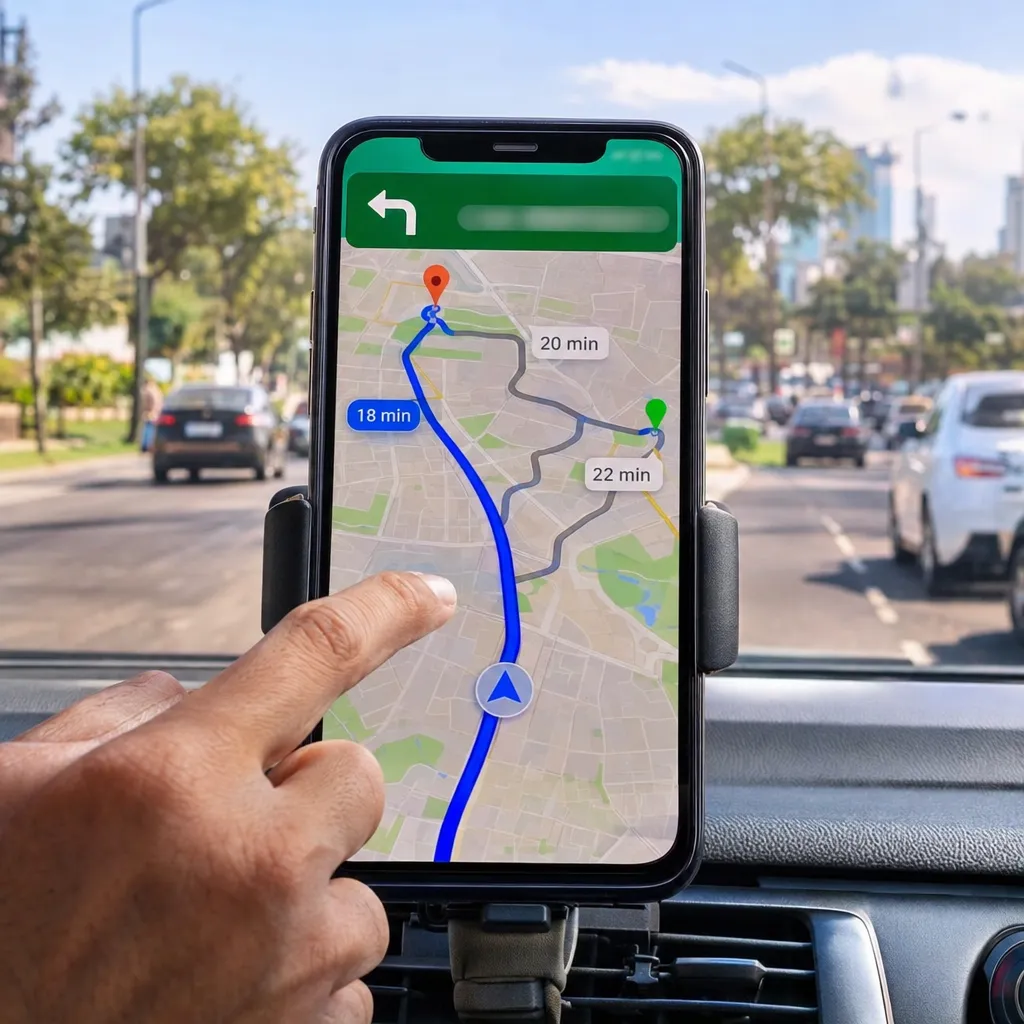
The ability to suggest multiple routes simultaneously is another hallmark of a good GPS app. When you place a destination, you not only want one suggestion, but rather 2, 3 or even 4 different options with different time estimates. This allows you to compare not only the weather, but also your personal preferences: perhaps you prefer a route with less congestion, even if it is a little longer in mileage.
Integration with your smart car or your Bluetooth audio system is important. You can’t keep staring at the screen all the time while driving. Clear audio of the instructions, integration with voice commands and compatibility with CarPlay or Android Auto make the experience much safer and more practical. Some apps also offer integration with your calendar schedule, warning you when you should leave home to arrive at the right time to the appointment.
Comparison Between Key Market Options
When you open the app store, it is easy to get lost in the amount of options available.Let’s look at the main solutions that stand out for quality and popularity. Each has its strengths and weaknesses, and the right choice depends on your profile as a user and your specific priorities.
Google Maps is the starting point for many people, and rightly so. This app offers three or four simultaneous routes, real-time traffic, warnings about radars and accidents reported by the user community. The integration with your Android smartphone is practically perfect, and works great on any mobile phone, regardless of brand. On the other hand, if you are on an iPhone, the experience is decent, but not as integrated as it would be on an Android device.
Waze is an application often compared to Google Maps because it brings a differential: it is more community. Its users constantly feed information about traffic jams, accidents, radars and even holes in the streets. This crowdsourcing approach makes Waze excellent in large cities where there is a dense community of users. However, in small cities or regions with fewer users, the information may be less reliable. It also consumes a little more battery than Google Maps.
Apple Maps has improved a lot in recent years and is a solid option if you are an iPhone user. The integration with Siri is practically perfect, and the app offers alternative routes and real-time traffic data. If you are in the Apple ecosystem, it can work perfectly well, but Android users may find the experience a little inferior compared to Google Maps or Waze.
HERE WeGo is less well known, but it is an interesting option for those who want something different. It offers high quality offline maps, multiple routes and works well in regions with less data coverage. If you often travel to remote places or with weak internet, this can be a strategic choice to have on your mobile.
How to Choose the Best Option for Your Profile
Choosing the right GPS app starts with a simple question: where do you spend the most time? If you drive mainly in Sao Paulo, Rio de Janeiro or other metropolises, Waze and Google Maps will be excellent because they have high density of users feeding data. If you live in a medium or small city, Google Maps can be more reliable because it has more robust databases regardless of the number of users.
The type of phone you use also matters. If you are a loyal iPhone user, there is no reason not to use Apple Maps as your main option, as it has first-class integration with Siri and your calendar. Android users benefit most from Google Maps, which is the native app and has access to operating system features that third-party apps cannot fully explore. If you switch between iOS and Android, Google Maps is probably your best bet because it works well on both.
If you spend all day away from home and rarely able to charge your phone, Google Maps consumes less battery than Waze. If you are always close to a power bank, you can enjoy all the richness of Waze functionality without worry.There are users who load multiple apps at once and open different route options by comparing them before you start driving.
Think about your travel habits too. Are you the type who likes to explore new routes and get creative suggestions? Waze is more oriented towards this, always offering surprise alternatives. Do you prefer the more direct and predictable route? Google Maps is more conservative in this regard. If you travel internationally often, Google Maps offers better global coverage, while Waze is stronger in some specific markets.
Practical Tips to Maximize Time Saving
Having a good app installed is just the beginning.The way you use it makes all the difference in the time you can save. A smart practice is to check traffic before you even get in the car. If you open the app while you are still at home or in the office, you can not only see which is the best route, but also plan if it is worth waiting a few minutes for congestion to decrease.
Enabling traffic notifications is essential. Most apps offer the option of warnings when there are severe traffic jams or accidents affecting your planned route. With notifications on, you get alerts in real time and can react quickly by changing route before getting stuck. This proactive action is much more effective than noticing the problem only when you are already in the middle of the traffic jam.
Use favorites strategically. If you have places you visit frequently, such as work, relatives’ house or establishments you frequent, saving them as favorites in the app greatly speeds up the process. You do not have to enter the full address every time, you just select from a list. This saves seconds when you are leaving in a hurry, and seconds accumulate on long routes.
Adjust route preferences according to time of day. Many apps allow you to specify whether you prefer faster routes or fuel-saving routes. For morning commutes in a hurry, choose faster. For trips where time is more flexible, fuel-saving routes often pass through places with more constant speeds, which reduces consumption. Customizing these settings shows that the app learns from your behavior.
If you travel frequently in the same region, download the maps offline. Many apps allow you to do this, and having the map saved on your phone ensures that you continue browsing even if you lose internet signal. This also saves mobile data, which is increasingly expensive for those who have limited plans. An offline map also loads much faster than trying to consult an online map on slow connections.
Factors Affecting the Accuracy of Alternative Routes
Not always the GPS app will hit your alternative route recommendation. There are variables that escape the control of even the best algorithms. A street may be marked as free in the app, but when you get there you find that there is an emergency work or an event that caused blocking. The data that the app has are the best available at the moment, but the traffic is dynamic and unpredictable.
The time of day is a giant factor. A route that works perfectly well at 10 am can be a tragedy at 5 pm. The most sophisticated apps learn historical traffic patterns and adjust their recommendations based on time, but this is not 100% accurate. If you are traveling at an unusual time, the app may not have enough data to make a reliable forecast.
In a metropolis where millions of people use Waze or Google Maps, the probability that the recommended route is accurate is very high.In an average city where only a few hundred people use the app, there may be blind zones where there is not enough information.This does not mean that the app is bad, only that in areas with less data, the error margins are higher.
Special events such as concerts, protests or sports competitions can create unforeseen congestion that even the app can not accurately anticipate. If you know that there is a big event happening, consider leaving early or call someone already on the spot asking how is the traffic. Real-time data supplemented with human information can be more reliable than relying only on the algorithm.
Keeping Your Device Optimized for Navigation
A GPS app is only as good as the device that is running it. If your phone has a crowded memory, a locked processor or a low battery, even the best route app will malfunction. Periodic cleaning of your smartphone is part of the maintenance needed to ensure that your navigation works perfectly when you need it most.
Uninstall apps you no longer use, delete old files, clear cache of unnecessary apps. These actions free up RAM and storage space, allowing the GPS app to run at peak efficiency. A clean phone also charges faster, starts apps faster, and offers better battery life for the entire browsing journey.
Always update your apps. Developers release updates that improve accuracy, add new functionality and fix battery-consuming bugs. If you’re running an older version of your favorite GPS app, you may be missing out on significant improvements that would make your browsing safer and more efficient. Enabling automatic updates ensures you always have the latest version without having to remember it.
Invest in a cell phone holder for your car and a fast charger. Keeping your smartphone in a comfortable position on the dashboard and ensuring it is charging during long journeys eliminates the stress of watching the battery discharge. A well-positioned holder also makes the screen more visible and reduces the need for you to completely divert your eyes from the road, improving safety.
Consider using an alternative GPS app as a backup. Having Google Maps and Waze installed, for example, provides redundancy.If one fails or gives bad information, you can quickly open the other and compare routes. This dual approach puts you in full control and reduces the chance of you getting completely lost or stuck on a poorly planned route.
Your experience with GPS apps for alternative routes improves exponentially when you understand the strengths and weaknesses of each available option. Choosing the right tool for your profile, keeping it up to date and using its features intelligently turns the time you spend driving into a much more productive and enjoyable experience. The time you save accumulates week after week, week after week, generating real fuel savings, vehicle wear and, most importantly, your mental health and well-being.