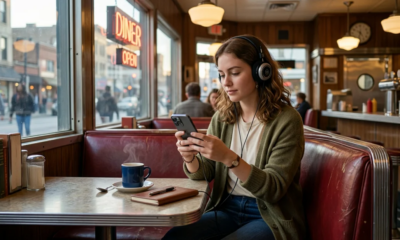
Meet the Radio Scanner App with Thousands of Live Frequencies
Announcements
A radio scanner app is software that turns your smartphone into a portable radio receiver, allowing you to listen to live frequencies from emergency services, aviation, commercial communications and more. This technology offers access to thousands of channels without the need for professional equipment or high costs.
The technology behind the scanner works by capturing publicly transmitted radio signals and converting them into audio that you can hear in real time through your mobile device. The application uses the internet connection of your mobile phone to connect to servers that store and transmit these frequencies, allowing instant access to police, fire, ambulance, aircraft and various communications channels.Many of these apps use SDR (Software Defined Radio) technology, which offers greater flexibility and quality of reception of the available signals.
Understanding the Frequencies Available in the Scanner
The frequencies in a radio scanner application are categorized by type of service and geographical location. You find police frequencies (usually between 450-470 MHz), firefighters (160-162 MHz), ambulances and emergency services (460-470 MHz), as well as civil aviation frequencies (118-137 MHz) and airport communications. Each country has a different allocation of frequencies, and the app allows you to filter by region, state or city to find exactly what you want to monitor. Many applications offer more than 50 thousand frequencies cataloged in their database of various countries, covering services.
Announcements
Getting Started: Download and Installation
To get started, you need to locate a radio scanner app in the app store of your mobile device. The installation process is simple as any other app: go to the Play Store (Android) or App Store (iOS), look for “radio scanner” or specific names of popular apps in the category, and click install. After installation, the app will ask for basic permissions such as internet access, which is essential to receive the signals transmitted in real time. Some apps offer free versions with full functionality, while others have premium versions with additional features like audio recording or personalized notifications.
Navigating Frequencies and Channels
When you first open the app, you will usually find a menu organized by country, state and type of service. The interface allows you to search for specific frequencies by typing the desired location or browsing through predefined categories such as emergencies, transport, commercial communications and amateur radios. You can add your favorite channels to a list of favorites for quick access, facilitating continuous monitoring of frequencies that interest you most. Many apps have an interactive map that shows the frequencies available around you in real time, turning the discovery experience into something visual and intuitive.
Resources that Power Your Experience
Modern radio scanner apps come equipped with a number of useful features besides simple audio playback. Many allow recording of communications for you to review later, have audio quality filters to improve clarity, have notifications that alert you when there is activity on specific channels, and some even include decoding digital signals and vehicle positioning data. You also find features such as synchronized clock, individual volume adjustments per channel, and the ability to create frequency groups by theme or location for more efficient organization. Most apps work in the background, allowing you to continue using your phone normally while monitoring frequencies.
Legal and Security Considerations
Although most radio scanner frequencies are public and legal to monitor in several countries, it is important to understand that some jurisdictions have specific restrictions on what can be listened to or recorded. Emergency services broadcasts are generally public and can be monitored, but private or law-protected communications have different regulations depending on the location. Before using the application intensively, research the local laws of your country or state, as recording private conversations without consent may be illegal in some places. It is also recommended to use headphones when monitoring frequencies in public places, respecting the privacy of others around you.
Connecting with the Enthusiast Community
The community of radio scanner users is vibrant and active in various forums, social networking groups and online specialized platforms. You find from beginners sharing their first experiences to experienced radio amateurs discussing advanced reception techniques and equipment modifications. Participating in these communities offers advantages such as access to updated frequency lists, tips to improve the quality of reception, fascinating stories of events captured live, and technical support from others who have faced similar problems. Many communities have wikis and collaborative databases where users contribute information about local frequencies, channel changes and special events, constantly enriching the experience of those who use these applications.
Undoing Myths about Radio Scanners
There is a common belief that using a radio scanner app is dangerous or illegal, when in fact monitoring public frequencies is a legitimate activity in many countries. Another myth is that you need specialized equipment or advanced technical knowledge to use these apps, but the reality is that anyone with a smartphone can get started immediately. Many people also believe that scanners allow you to monitor any private conversation, but the apps work exclusively with public frequencies and open signals that any appropriate receiver can pick up. A third misconception is that these apps consume a lot of data or significantly affect the battery of the cell phone, when in fact most operate efficiently, using only standard internet connection and minimal battery consumption.
Another frequent myth is that all radio scanner apps are the same, but there are substantial differences in quality, quantity of frequencies available, user interface and additional features. Some people believe that they need to pay high values for a good scanner, when many free apps offer full functionality and extensive database of frequencies. There is also the myth that scanners do not work well in urban areas or with many buildings, when in fact the quality of reception depends more on the type of monitored frequency and the strength of the signal than on the specific location. Finally, many believe that monitoring frequencies is only for professionals or radio aficionados, ignoring that anyone can enjoy this technology to follow emergency situations of aviation simply via special events.
Comparative of Essential Features
Different radio scanner apps offer varying sets of functionality that you should consider when choosing which one to use. The table below presents the most common features found in these apps and helps you identify which one best suits your needs:
| Functionality | Basic Apps | Intermediate Apps | Premium Apps |
|---|---|---|---|
| Frequency Bank | 10,000-20,000 | 30,000-40,000 | 50,000+ |
| Audio Recording | No | Yes, limited | Yes, unlimited |
| Custom Notifications | Basic | Advanced | Very advanced |
| Interactive Map | No | Yes | Yes, with tracking |
| Digital Decoding | No | Partial | Complete |
| Technical Support | Community | Priority | |
| Frequency Update | Monthly | Weekly | Daily |
This comparison shows that you don’t necessarily need a premium app to have a satisfying experience.Many users find everything they need in free apps or intermediate versions that offers excellent functionality-cost ratio.The choice depends on your specific goals, whether it’s just exploring local frequencies or engaging more deeply in advanced radio monitoring activities.
Optimizing Your Reception Experience
To significantly improve the quality of what you hear through your radio scanner app, some simple practices make a difference.Make sure you have a stable and fast internet connection as it directly affects the quality of the audio stream of the frequencies.Position yourself in places with better signal coverage, usually near windows or open areas, and consider using quality headphones that offer better ambient noise isolation.Close applications that consume a lot of internet bandwidth while using the scanner, and adjust the audio quality settings within the app as your connection allows.Many applications allow you to save favorite settings and alerts, saving time when you return to use the app and ensuring you never miss important channels.
You can also explore features such as setting alarms for specific frequencies, which notify when there is unexpected activity on channels that are normally silent. This feature is particularly useful if you follow emergency situations in your region or monitor specialized aviation channels during busy times. Adjusting the frequency filter by type of service reduces noise from less relevant channels and allows you to focus on what really matters. Exploring audio decoding settings, when available, can reveal more detail in transmissions that use compression or digital protocols, enriching your understanding of the communications you are monitoring.