
Automotive scanner: complete operating guide and practical use
Announcements
The automotive scanner is an indispensable tool for diagnosing vehicle problems accurately and quickly. You can identify engine, transmission, electrical system and other critical areas faults before they turn into costly problems.In this guide, we will explore how these devices work and how to use them effectively.
Whether you work in a workshop, are a fleet owner or simply want to keep your vehicle running smoothly, understanding how an automotive scanner works is essential. Technology has changed significantly in recent years, and today there are affordable options that offer much more complete diagnostics than was possible just a few years ago.
What is an automotive scanner and why do you need it
An automotive scanner is an electronic device that connects to your vehicle’s diagnostic system to read fault codes and data in real time. It acts as an interpreter between you and the car’s computer, translating technical signals into understandable information. When the engine check light comes on, the scanner reveals exactly what the problem is, saving you time and money on unnecessary diagnostics.
Announcements
The importance of having a scanner goes beyond simply reading codes.You can monitor important parameters such as engine temperature, fuel consumption, revolutions per minute and emission system performance. This information allows you to make smarter decisions about preventive maintenance and identify problems before they cause irreversible damage.
How the vehicle diagnostic system works
Each modern vehicle has an electronic control unit (ECU) that constantly monitors all systems in the car. This unit collects data from hundreds of sensors scattered around the vehicle and processes them in milliseconds.When it detects an abnormality, the ECU records a memory fault code and activates the warning light on the instrument panel.
 ELM OBD2 Car Scanner
Classification:
”’I think it’S.
4.82
Age Classification:
Free Classification
Author:
CAR SCANNER LLC
Platform:
Android
Price:
Free
▶Download on Google Play
The automotive scanner communicates with the ECU through the diagnostic port (usually OBD-II in vehicles from 1996), establishing a connection that allows access to the stored data. You send commands through the scanner, the ECU responds with the requested information, and the device translates them into a readable format. This process takes place in a matter of seconds, allowing for fast and efficient diagnostics.
Failure codes follow an international standard defined by OBD2 protocols.Each code starts with a letter (P for powertrain problems, B for bodywork, C for chassis, U for network) followed by numbers that specify exactly which component fails. Understanding this structure makes it easier to interpret the results and helps you better communicate with specialized technicians.
Types of scanners available in the market
Automotive scanners vary greatly in functionality and price, from basic models to complex professional systems. Simple reading scanners bring fault codes and allow you to clean them, being ideal for owners who want to avoid unnecessary trips to the workshop. These devices cost between fifty and two hundred dollars and are sufficient for most everyday needs.
Intermediate scanners offer real-time data reading, allowing you to monitor parameters such as engine speed, fuel pressure and temperature in real time.They cost between two hundred and a thousand dollars and are popular with small workshops and automotive enthusiasts.These models provide a balance between functionality and affordability.
Professional scanners, on the other hand, are complete systems that identify intermittent failures, perform specific component tests and constantly update with information from new vehicle models. Specialized workshops and dealers use these equipment, which cost from one thousand to several thousand dollars. You can also find wireless scanners that connect via Bluetooth, allowing diagnostics through the smartphone with third-party applications.
Basic procedures for using an automotive scanner
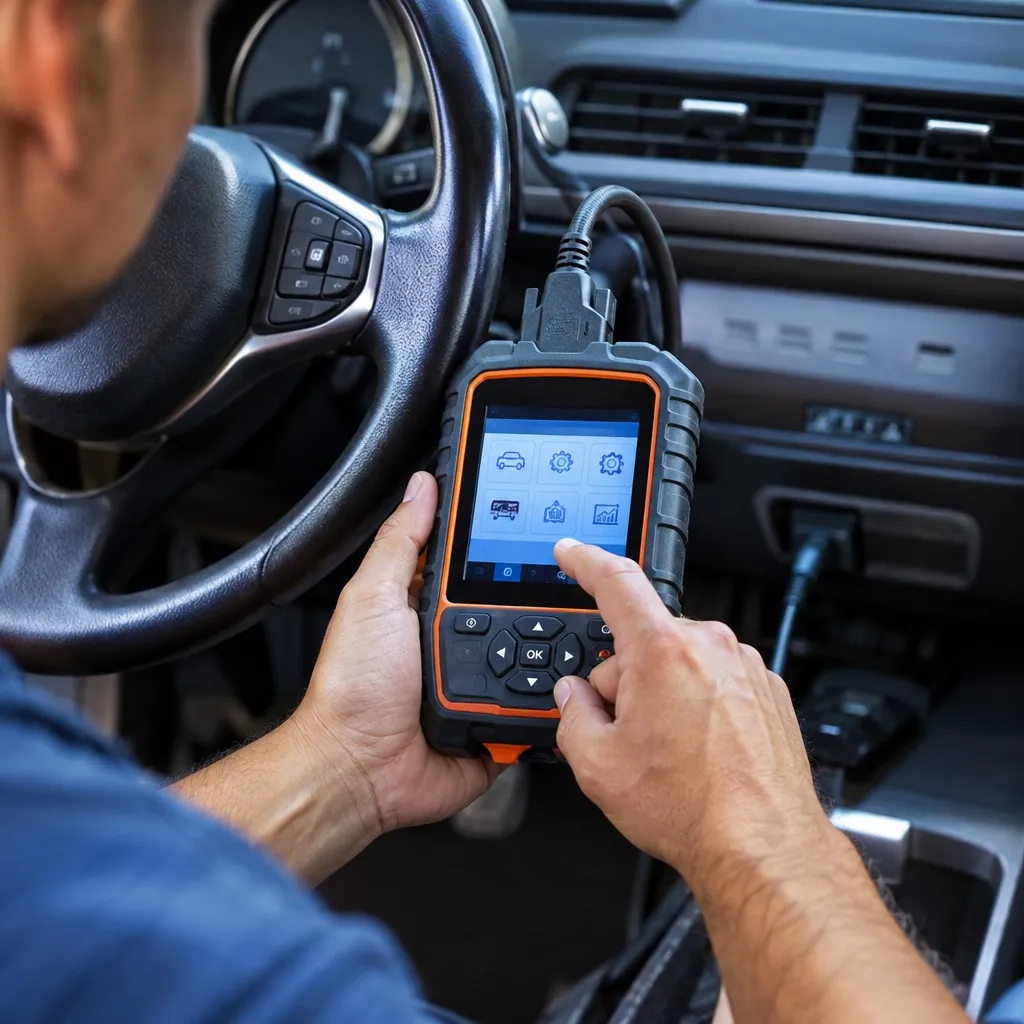
Before connecting the scanner, you should locate the OBD-II port of your vehicle, usually located below the instrument panel, near the steering wheel. Turn off the engine and ignition system completely to avoid damage to the device.Connect the scanner to the door safely and wait a few seconds for it to start up and establish communication with the ECU.
Turn on the car and select the code reading option from the scanner menu. The device will interrogate the control unit and present a list of all stored fault codes, both active and historical. Press the corresponding key to view the code description, which usually includes information about the affected system and possible causes of the problem.
You can also select the real-time data function to monitor specific parameters while the engine runs. This is particularly useful for diagnosing intermittent problems that may not generate permanent fault codes. Record the values under normal conditions to have a reference point when something anomalous appears. After you are done, turn off the scanner and disconnect it from the OBD-II port.
Interpretation of fault codes and data
Each fault code consists of a specific structure that you can learn to interpret quickly. The first digit (P, B, C or U) indicates the system involved, while the other numbers point to the specific component and the type of fault detected. For example, the code P0128 refers to a problem in the thermostat or temperature sensor of the coolant, while P0300 indicates incorrect engine performance randomly.
When interpreting real-time data, you should know the normal values for each parameter in your specific vehicle. The engine idle speed should be between 600 and 800 revolutions per minute, the battery voltage should be between 13.5 and 14.5 volts with the engine running, and the fuel pressure varies by model. Significant deviations from these values indicate problems that require further investigation.
When you view a fault code, remember that it does not always point to the faulty component, but rather to the system that detected the abnormality. A failed oxygen sensor can generate catalyst-related codes, or a loose battery cable can cause miscellaneous electrical codes. Always consider the full context and other related codes before determining the root cause of the problem.
Current trends in vehicle diagnosis
The automotive diagnostics industry is constantly evolving, and you should be aware of the trends shaping this area. One of the main changes is the migration to cloud diagnostic platforms, where vehicle data is stored and processed on remote servers, allowing access from anywhere and deeper analysis.
Smart scanners with an internet connection now receive automatic updates with new diagnostic protocols, information on newer vehicles, and improvements in code interpretation. You will no longer need to manually update your equipment, saving time and ensuring you always have access to the latest information.This connectivity also allows professionals to share diagnostics and request second opinions from real-time experts.
Another significant trend is the development of highly specialized handheld scanners for specific brands. While generic scanners cover a wide range of vehicles, devices dedicated to brands such as Volkswagen, BMW or Honda offer much deeper diagnostics and access to unique features.You can also find integrations with telematics systems, allowing vehicles to automatically share diagnostic information with authorized workshops.
Good practices when using automotive scanners
Developing a proper routine when using your automotive scanner ensures more accurate results and longer device life. Always disconnect the negative battery from the vehicle before connecting the scanner to a car with severe electrical problems, as this prevents damage to the equipment. Keep the scanner and its cables in a dry and protected place, away from moisture and extreme temperatures that can damage sensitive circuits.
Record the data you collect on each diagnosis to create a vehicle maintenance history. This practice allows you to identify failure patterns, track the progression of problems, and demonstrate to the next owner that the car has received appropriate care.Many modern scanners automatically save histories, but you should make regular backups of this data to ensure that important information is not lost.
Regularly update scanner software as new versions are released by manufacturers. These updates often include support for newer vehicles, bug fixes that cause incorrect readings, and new diagnostic features. If you work professionally with diagnostics, invest in ongoing training on new protocols and technologies, as vehicle systems change quickly and you need to keep up with these changes.
Troubleshooting common problems with scanners
Some problems may arise while using an automotive scanner, but most have simple solutions. If the scanner is unable to communicate with the ECU, first check that the OBD-II port is clean and that the connector is well-fitted.Many communication problems simply result from improper contact or corrosion on the door pins. Use a dry cloth to wipe the contacts on both the scanner port and connector.
If the scanner indicates that the vehicle is unsupported, this may mean that you are trying to diagnose a very old car (prior to 1996 that does not have OBD-II) or that the communication protocol is incompatible. Some European manufacturers use specific protocols other than the American standard, requiring scanners capable of working with CAN bus, J1850 and other communication systems.
Phantom or intermittent fault codes frustrate many users, but they often indicate genuine intermittent problems that require deeper investigation. Leave the scanner plugged in for days while you drive normally, recording when the codes reappear.Standards in these occurrences often point to the true cause, whether it is a loose sensor, corrosion on connectors, or components that fail under specific temperature or speed conditions.
You may also encounter scanners that disconnect while reading or freeze when trying to access real-time data. This usually indicates that the equipment is overloaded or that there is incompatibility with the specific vehicle. Restart both the scanner and the vehicle, clean all connectors and try again. If the problem persists, consider seeking a higher quality scanner or seeking technical support from the device manufacturer.
The automotive industry will continue to evolve, and you must understand how scanners work to fully enjoy their benefits. From individual owners to professional workshops, knowledge about vehicle diagnostics has become essential to make informed decisions about maintenance and repairs. Invest in a good scanner, learn the correct interpretation of codes and data, and you will save significant time and money over the life of your vehicle.



