
What to Know about Single View Message
Announcements
Single view messages in WhatsApp are features that ensure your content is only seen once by the recipient before it disappears permanently. This feature offers greater privacy and control over sensitive communications.
continue on to the full guide:
 FREE GUIDE
Complete Guide: Send Single View Messages on WhatsApp
✓Free
✓Step by step
✓Updated 2026
VIEW APP¹
📖 Reading 2 min · at no cost
WhatsApp has developed this functionality to meet the growing need for privacy in digital conversations. When you enable this feature, the message disappears after being viewed for the first time, without leaving traces in the chat history. This makes the app a safer choice to share sensitive information, temporary passwords or content that you prefer not to be permanently registered.
Announcements
How to Enable Single View Messages
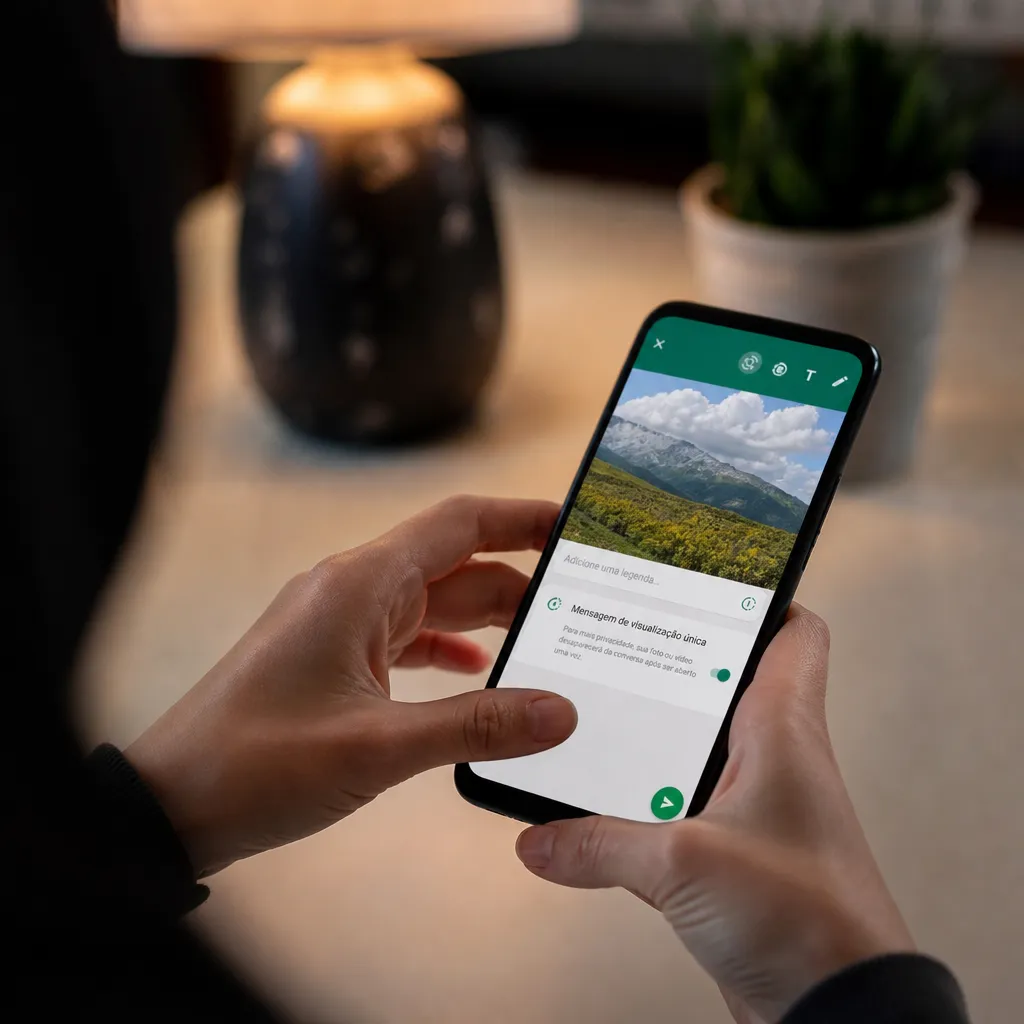
The process to send a single-view message is simple and straightforward on WhatsApp. You can do this in both individual and group conversations, just as easily. The function is available on all platforms: smartphones with iOS and Android, as well as the web version of the application.
On your mobile phone, open WhatsApp and navigate to the conversation where you want to send the message. Enter your message in the text field normally. Then, before clicking the send button, look for an icon that looks like an eye or a flame. This icon can be in the bottom bar of the keyboard or accessible through a menu of options, depending on the version of your mobile. Click this icon to activate the single view mode and then send the message normally.
If you are using the web version of WhatsApp, the process is practically identical. Open the desired conversation, write your message and look for the single view option before sending. The icon usually appears next to the send button. After confirming that the option is enabled, the message will be sent with the single view status.
Differences Between Common and Single View Messages
Common WhatsApp messages stay in the chat indefinitely unless you delete them manually. You and the recipient can query them whenever you want, make prints, share them, and even forward them to other contacts. This offers flexibility but reduces privacy.
Another important difference is the behavior in groups. In groups, a single view message will be seen by all members, but each can see it only once. After the last member views, the message disappears for everyone. Already the common messages in groups are visible for subsequent queries of any member, indefinitely.
The issue of trust also differentiates these two types of message. With single-view messages, you are sure that a registered copy of your content will not be made. The recipient cannot easily print, as the application blocks this function during the viewing of the message.
Practical Use Cases and Recommended Situations
Professionals working with sensitive data, such as legal advisors or human resources agencies, can use single-view messages to share sensitive documents or information about candidates without risk of leakage. This practice reduces the chances of important information being distributed to third parties or being improperly registered.
In the personal context, you can use single-view messages to share Wi-Fi passwords with visitors, bank details, or health information with close friends.Parent also apply this functionality when communicating with educators about sensitive situations involving their children.In relationships, some people use this feature to keep certain conversations more private and uncomplicated.
Entrepreneurs and freelancers leverage this tool to send budgets, preliminary contracts or business proposals that do not need to be archived indefinitely in the chat history. This keeps conversations cleaner and more organized, focused only on what is in place at the moment. Information security professionals also recommend using this function as an extra layer of protection against sensitive data leaks.
Limitations and Important Considerations
Although the single view feature offers significant privacy, it has limitations that you need to know. The main limitation is that the recipient can still take a picture of the screen with another device while viewing the message. WhatsApp blocks automatic prints, but it cannot prevent someone from using a camera from another device to record the content.
Another important limitation is that if the recipient does not view the message during the active connection, it can be cached from the application. In addition, there is no visual confirmation that the message has been effectively deleted after viewing in all versions of the app. Reliability also depends on the device and the version of WhatsApp that the receiver is using.
It is essential to clarify that even with single-view messages, you leave digital traces.Your internet provider, WhatsApp platform and Meta servers keep records of communication.If there is a legal investigation, this information can be retrieved.Therefore, never use single-view messages as a synonym for impunity or for illicit activities.
How to Check if the Message Was Viewed
When you send a single-view message, you receive status confirmations just like in regular messages. You will see a simple check when the message is delivered to the WhatsApp server. When the recipient opens the conversation and views the message, you receive the confirmation with two blue checks, indicating that it was seen.
From the moment the recipient views the message, it starts counting a small time interval before disappearing completely. You will not receive additional notification when the message is deleted, as it is an automatic process. The important thing is to observe the delivery and viewing status while the message is still visible to confirm that it has reached its destination.
If you do not receive the preview confirmation within a reasonable time, it may mean that the recipient has not yet opened the conversation. In this case, the message remains temporarily stored until it is viewed. If the recipient never opens the message, it remains stored for a certain period before being removed by WhatsApp servers.
Tips for Using Single View Messages Effectively
Before sending any single-view message, make sure that the information you are sharing really needs that level of privacy. Do not abuse this functionality in common situations as it may generate distrust or look suspicious. Use it strategically only when the sensitivity of the content really warrants. Notify the recipient in advance when you know you will send a single-view message, so that they are ready to memorize or annotate the information if necessary.
Always remember that the responsibility for the content remains yours. Even if the message disappears after viewing, you are responsible for what you shared. Never use this function to circumvent corporate communication policies or to hide questionable activities.In professional environments, check with your IT department for rules on the use of this functionality, as some organizations track or restrict this practice.
Test the functionality with a trusted contact before use in critical situations. Thus you become familiar with the operation, confirm that your application has the most up-to-date version and understand exactly how the function behaves on your specific device. This prior practice avoids surprises or errors at the time you need to use for something important.



