Exclusive iPhone app with access to free products and special promotions
Announcements
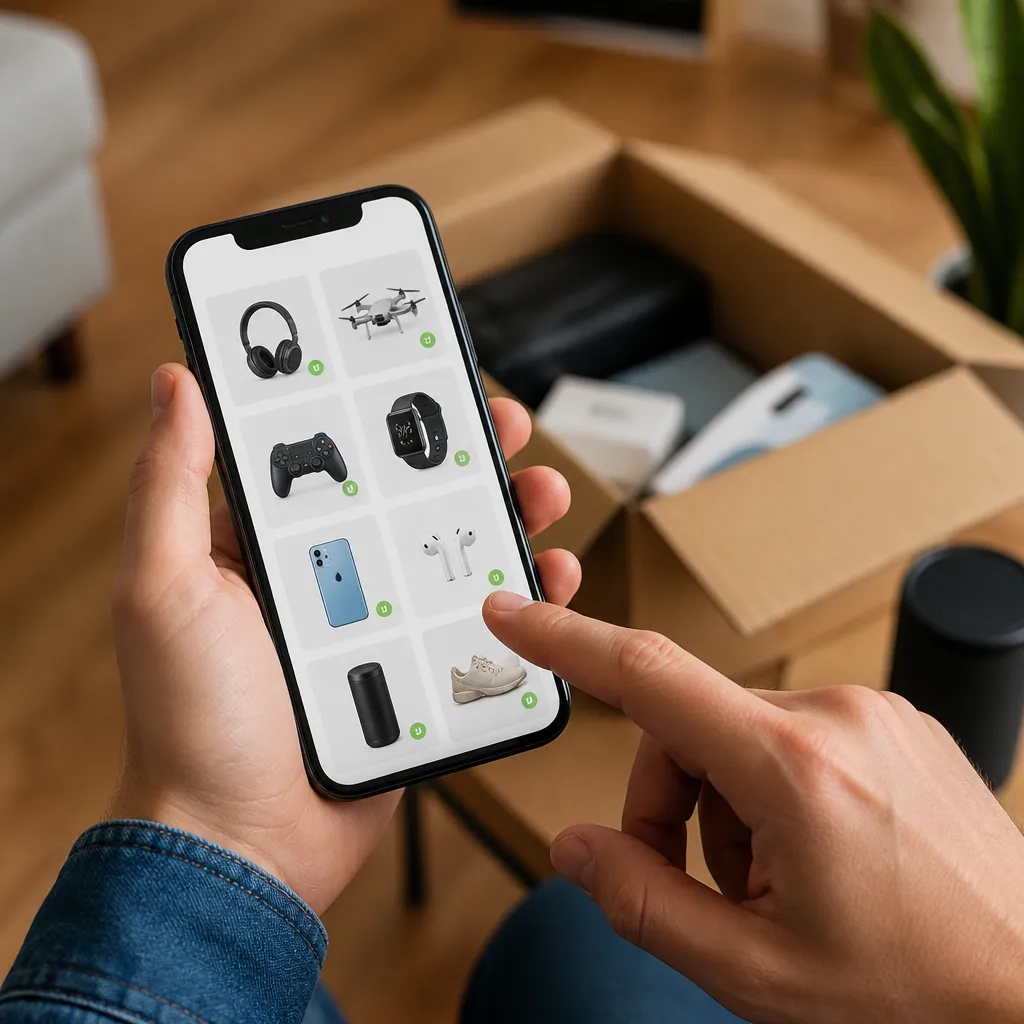
Have you ever imagined having access to hundreds of products for free or with incredible discounts right on your iPhone?There are iOS-specific apps that work just like this, connecting you to exclusive offers and free products from brands that want to reach new customers.
Most people do not know these applications because they do not appear in the first searches of the App Store, but they really work and offer real benefits. You can save a lot by including these tools in your shopping routine, especially if you take advantage of the limited-time promotions that they usually offer. In this article, you will learn how these apps work, which are the most reliable and how to get the most out of them.
How Discount Apps and Free Products Work
Discount apps for iPhone work basically as intermediaries between brands and consumers. Companies need to reach new audiences and gain relevance in the market, then offer their products with deep discounts or even for free to those who use certain apps. You, as a user, earn because you access offers that you would not find in normal stores or on the official pages of brands.
Announcements
The business model is simple: the brand pays the app to display its products with reduced price, you download the application, register and start tracking promotions. Some platforms work with coupon system, where you receive discount codes that activates at the time of purchase. Others work as direct marketplaces, offering the products within the app itself with reduced price, without needing additional coupon.
It is important to understand that these apps make money from advertising, sales commissions they generate, and sometimes premium subscriptions that unlock even more unique offers. So they have every interest in keeping you engaged and constantly offering new savings opportunities. The more you use, the more you benefit, and this creates a beneficial cycle for both parties.
 SHEIN – Online Shopping
Classification:
”’I think it’S.
4.86
Age Classification:
Classification 14 years
Author:
PTE Roadget Business LTD.
Platform:
Android
Price:
Free
▶Download on Google Play
Essential Checklist: What You Need to Check When Choosing a Discount App
Before you download any discount app for your iPhone, you should go through a security and functionality checklist.This list will ensure that you choose reliable platforms that really offer real value.It’s not just about beautiful discounts on the screen, but about ensuring that your data is safe and that the app works as it promises.
Here is the checklist you should apply to any new app before installing:
Reviews and Ratings on the App Store: You should look for apps with ratings above 4.0 stars, with at least 1,000 reviews. Read some negative reviews to understand what are the most frequent complaints.Many users report real problems in the comments, such as discounts that do not work or difficulty receiving refunds. If you see many complaints about fraud or not receiving products, stay away from the app.
Clear Privacy Policy: Open the app page in the App Store and look for the privacy policy link. A serious company explains exactly what data it collects, how it uses this information and with whom it shares it. If the policy is vague, confusing or does not exist, it is a warning sign. You may be entrusting your personal and financial data to an untrusted platform.
Security Authentication: Make sure the app provides two-factor authentication for your account. This feature adds an extra layer of protection by requiring you to confirm your identity through a code sent by SMS or email when you log in. Apps without this protection make your account more vulnerable to hackers.
Recognized Payment Methods: The app should offer reliable payment options like Apple Pay, credit card with known processors or PayPal. If the only method is direct bank transfer to an unknown account or cryptocurrencies, be wary.
Description of Realistic Offers: Legitimate apps describe exactly how discounts work.If the app promises “100% off all products” or “make money while you sleep”, it’s probably a scam.
Availability of Customer Support: Look for contact options such as email, live chat or support form within the app. Serious companies offer ways for users to contact with questions or problems. If the app does not offer any means of communication, it is impossible to solve problems.
Company Verification Behind the App: Visit the official website of the company that develops the app outside the App Store. Search for information such as location, history, other apps they develop and how to handle complaints.Legitimate companies have a professional online presence and verifiable history.
Compatibility with Your iOS Version: Make sure the app works on your specific version of iPhone. Very old apps may not work well on new iPhones, while very new apps may not be compatible with older iPhones. Check the “Information” section of the app to confirm.
Legible Terms of Service: Take a few minutes to at least scan the terms of service. You do not need to read each word, but you should look for confusing or questionable terms.If the text is entirely in a foreign language that you do not master, or if you have very obscure terms, it may be problem.
Historical Reputation of the Platform: Search for the name of the online app along with terms like “fraud”, “blow” or “fake”. If many recent articles appear warning about problems, avoid. On the contrary, if you find positive reviews from trusted sites, it is a good sign.
Top Types of Discount Apps for iPhone
There are several categories of apps that offer discounts and free products, each working differently.You can choose which type fits best in your way of consuming and saving. Understanding these categories helps you to make the most of each tool.
Digital coupon apps are the most common.They work as discount code aggregators that you activate at the checkout of online or physical stores.You search for the brand or product category, find the coupon with the best discount, copy the code and apply on purchase. Most work with partner stores, so not all stores accept their coupons.
Cashback apps are different because they return a percentage of your spending back to you. You install the app, make purchases normally through the platform, and then get back a portion of the money spent.Some apps offer cashback only in specific stores, while others work almost anywhere through partnerships.This money usually stays in the wallet within the app and you can withdraw to your bank account when it reaches a minimum amount.
Free product marketplaces connect you directly to companies offering new products for testing. Some brands want feedback on new products before launching in bulk, then offer it for free to verified users.You receive the product by Post, test at home and sometimes need to send feedback or leave a review. These apps work best for beauty, technology and food products.
Lightning offer platforms (flash sales) show huge discounts that are worth only for a few hours. You receive notifications when an offer that matches your profile is active. The challenge here is to be aware of notifications, because these offers end up fast, usually in less than 4 hours. If you do not act fast, you miss the opportunity.
Aggregate loyalty program applications allow you to earn points in several different stores within a single app. You use the app to buy at different retailers, accumulate points and then redeem discounts or free products. This type is excellent if you regularly buy in multiple stores, because it centralizes all your points in one place.
Practical Strategies to Maximize Your Savings
Simply downloading a discount app is not enough to save for real. You need to use these tools strategically and organized. When you combine several strategies, the financial result can be impressive.
The first strategy is to use multiple apps simultaneously.Each platform has different partners, different offers and different times for promotions. By using three or four apps in parallel, you dramatically increase your chances of finding exactly the product you want at the best price.Don’t be afraid to “waste” space on your iPhone with several discount apps, because the savings pay off.
Combine discounts with cashback whenever possible. If a store offers 30% discount through a coupon and you access that store through a cashback app that returns 5%, you save more than if you used only one of the two. See what is the best way before finalizing the purchase.
Turn notifications on only for categories you actually buy. If you hate clothes, turn off fashion notifications so you don’t get constant alerts. By filtering notifications, you’re more aware of the alerts that really matter and don’t get saturated with unnecessary information.
Wait for important purchase events like Black Friday, Cyber Monday or commemorative dates. These periods concentrate the largest offers, and discount apps usually offer additional coupons exactly on these dates. If you can plan purchases for these times, your savings will be much greater than buying sporadically.
Create a wish list within the apps that use this functionality. Add products you want, but it is not urgent to buy now. You will receive alerts when the price falls or when coupon appears for that specific item. This technique avoids impulsive purchases and ensures that you only buy when you really have a good discount.
Check the reputation of the seller before buying through smaller apps. Even if the app is reliable, not always all sellers within it are. Read the reviews about the specific seller and see the average delivery time they offer.Sellers with hundreds of positive reviews are much safer than new sellers with few reviews.
Do not buy just because the discount exists. A product 70% cheaper, but you do not need, remains waste. Evaluate if you really want that item before confirming the purchase. Many people fall into the psychological trap of discount and end up spending more than they save.
Organize your coupons and codes in a centralized place. Some apps allow you to save favorite coupons, and you should take advantage of this. If you forget to use a coupon at the time of purchase, you can search for it later and potentially ask for a refund. Having everything organized saves you time when you are shopping.
Risks and How to Protect Yourself
Like any tool that involves money and personal data, discount apps have real risks that you need to know. Being aware of these risks does not mean that you should not use discount apps, but rather that you should do so in a smart and protected way.
One of the main risks is the theft of personal data. You provide information such as full name, date of birth, address, email and phone numbers just to register. If the app lacks adequate security, hackers can steal this information. To protect yourself, use unique and complex passwords for each app, never share your password with anyone, and enable two-factor authentication when available.
Credit card fraud is also possible. If you provide your card data to an insecure platform, criminals can use this information to make purchases without your authorization. Monitor your card bill regularly and report strange transactions immediately to your bank. Consider using credit cards with virtual numbers when available, an extra layer of protection.
Some apps offer discounts that seem too good to be true because they really are. Scamming apps use irrecusable offers to attract users, but then never deliver the promised products or discounts. Before installing, search the app online and see if there are reports of fraud. Especially be wary of offers that violate consumer protection laws.
Excessive advertising within apps can leak your browsing data. Discount apps often use data about what you search for, click on, and buy to display targeted advertising.This is a common practice, but you should be aware that your shopping behaviors are being tracked. Read the privacy policy to understand exactly how your data is used.
Coupon winning is a less dangerous risk, but it costs real money.You see an amazing coupon, save for later, and when you try to use weeks later, find out that it has expired. To avoid this, arrange your saved coupons by expiration date and use the ones that will expire soon first.
Some apps charge hidden fees that only appear at the final checkout, when you have already invested time choosing products. The solution is to carefully read all the information before confirming the purchase, even if it seems tedious. If an app keeps adding unmentioned fees, delete it and use another.
What You Can Really Get With These Apps
Now that you know how they work, you need to realistically understand how much you can save. The savings vary greatly based on your shopping habits, the number of apps you use, and the amount of time you invest looking for deals.
Casual users who download one or two apps and check them when they remember usually save between 5% and 15% on their purchases. This is not revolutionary, but considering that it is a passive action (you just use the app sometimes), it is a considerable improvement. If you spend R $ 500 per month on online purchases, 10% savings means R $ 50 saved without doing anything more than usual.
Moderate users who use 3 to 4 apps regularly and check deals weekly can save between 15% and 30%. These users plan their purchases a little better, wait for cashback to accumulate, and enjoy coupons strategically. The time invested is minimal, maybe 15 minutes a week, and the return is real and consistent.
Advanced users who completely master multiple apps, use multiple simultaneous strategies, and plan purchases around the best offers can save between 30% and 50%. These users may spend 30 to 45 minutes a week optimizing purchases, but reduce their spending dramatically. For someone who spends R $ 2000 per month, 40% savings is R $ 800 saved monthly, which is equivalent to a really expensive free product every month.
The reality is that the more time you invest learning how to use these tools, the greater your savings.But even without being an expert, simply installing a reliable app and using coupons occasionally already reduces your spending significantly.
Staying Safe: Final Tips and Good Practices
Using discount apps on iPhone safely means developing habits that protect you while maximizing benefits.
Log in only to secure WiFi networks you know, especially your own home.Public WiFis in coffee shops and airports are not safe to log in to financial apps.If you really need to make a purchase on a public network, use a VPN (virtual private network) to encrypt your connection before logging in.
Developers release updates not only to add functionality but also to fix security vulnerabilities.If an app has not been updated for six months or more, especially if it is a discount app with access to financial data, consider deleting it and looking for alternatives.
Never click on links you receive by text message or email supposedly from a discount app. Criminals create fake links that look legitimate to steal your credentials. Always access apps directly through the icon installed on your iPhone, never through external links.
Review your privacy settings within each app. You can often disable tracking, limit data sharing with partners, and control what personal information is visible. Take a few minutes to customize these settings in each new app you install.
Check your bank and credit card account regularly, at least once a month.Search for unknown transactions or abnormal amounts.The faster you notice suspicious activity, the faster you can contact your bank to reverse fraud.
Consider using a password manager. These tools create and store super complex passwords for each different service, so you don’t have to memorize many passwords and aren’t tempted to use the same password across multiple apps. A manager makes your life more secure without adding complexity.
When you encounter a suspicious issue or activity in an app, report directly to the developer through the feedback options within the app. You can also report suspicious apps directly to Apple through the App Store.
Finally, remember that no discount app will make you rich, but everyone can save you valuable money if used correctly. The key is to find the balance between taking advantage of genuine offers and keeping your data and your account safe. Use the checklist I presented, choose apps carefully, and develop good security habits. This way, you enjoy the real benefits that these apps offer, without putting your iPhone, your data or your financial account at risk.