
Parental Monitoring App for iPhone Safer
Announcements
Do you want to protect your child on iPhone without being invasive? A good parental monitoring app might be exactly what your family needs.Let’s explore how these tools work and what mistakes you should avoid.
With so many apps available, the decision of which one to choose can seem complicated.In this article, you will find out not only what are the best options, but also the most common mistakes that other families have made for you not to repeat the same steps.
Why Parental Monitoring Works Best with a Balanced Approach
Many parents make the mistake of thinking that controlling everything is synonymous with security. Tracking apps when used with transparency and mutual trust create an environment where your children understand that you are there to protect them, not to spy on them. The balance between privacy and security is critical to maintaining a healthy relationship with the child.
Announcements
The big mistake you should avoid is installing a monitoring app without first talking to your child about the reasons. Children and teens who find out they are being tracked without consent often develop even greater mistrust.
The best strategy is to combine technology with digital education.An app serves as a support tool, but honorable conversations about online safety, cyberbullying, and internet dangers are equally important.When you involve your child in the process of choosing the level of monitoring, he feels respected and more likely to follow the guidelines you establish together.
Download app Platform: Android ▶Download on Google PlayUnderstanding the Essential Features That Really Matter
Not every monitoring app offers the same functionality. Before you choose, you need to understand what each feature does and whether it really contributes to your child’s safety.Real-time geolocation, app blocking, message monitoring, and screen time control are just some of the many features available.
A common mistake is to choose an app based on the amount of features rather than the quality of them. You may end up paying for features you will never use while ignoring those that really matter to your specific situation. A parent of a preteen who just won an iPhone has very different needs from a parent of a 16-year-old who has been on the internet browser for a long time.
Geolocation is perhaps the most popular feature among parents looking for tracking apps. This feature allows you to see your child’s iPhone location in real time through a map, offering peace of mind especially when the child is going out alone or attending school.However, you will need to check the accuracy and frequency of updating, as some apps update every minute while others take several minutes.
Application blocking is another valuable feature that is often underestimated.You can prevent your child from accessing social networks, games or other applications during specific times or permanently. The mistake many parents make here is to block everything without leaving room for the teenager to develop self-determined digital responsibility. A healthier approach is to block only what you consider truly dangerous.
Message monitoring raises important ethical issues that you should carefully consider. While it offers protection against inappropriate and predatory content, it also invades privacy significantly.Many child development experts recommend this functionality only for children under 13, with full transparency and ongoing discussion of privacy.
The Most Common Mistakes You Should Definitely Avoid
The first big mistake is not informing your child’s iPhone about the monitoring that is happening. Even if technically you have parental authority to do this, dishonesty creates a relationship based on distrust. When your child discovers by chance that he is being monitored without your knowledge, the damage to trust can take months or years to be repaired. Transparency from the beginning sets clear and healthy limits.
Another fairly common mistake is to choose a monitoring application only for the price. You can find very cheap options on the market, but often they come with weak security or limited features. Some of the cheapest applications even endanger the privacy of your own device by requiring unnecessary permissions. Consider the cost as an investment in security, not as an opportunity to save.
Many parents install an app and then forget about it, passively trusting that it is doing its job.Passive monitoring is a serious mistake because you miss the opportunity to have meaningful conversations with your child about what is happening digitally. An effective strategy involves regularly reviewing the data that the app provides and using it as a starting point for important dialogues.
Comparing unnecessary alerts is a relationship-damaging error. If you receive a notification every time your child installs a new app, sends a message, or changes location, you risk appearing obsessive and invasive. The right balance is to set up alerts only for genuinely troubling events, such as attempts to access inappropriate content or suspicious location changes.
One mistake often overlooked is not updating your monitoring policies as your child grows.What is appropriate for a 9-year-old is not appropriate for a 16-year-old.As your child develops and demonstrates responsibility, you should gradually reduce the level of monitoring. Failure to do so can result in a teenager feeling constantly controlled and unfree.
Choosing the Right App For Your Family
When looking for a tracking and monitoring app, you should start by identifying your top concerns. Are you more concerned about physical location? What websites is your child visiting? How much time does he spend on social networks? Different apps offer different emphases, so being clear about your priorities will save time and money.
Virtually all reputable monitoring apps require your child’s iPhone to be managed as a child’s device within Apple’s Mobile Device Management.This means you’ll have access through your Apple account and may impose restrictions.The mistake many parents comment on is not fully understanding how this works before setting up, leading to subsequent frustrations when certain features do not work as expected.
You should also consider compatibility with your own devices. The parental monitoring app you choose needs to work not only on your child’s iPhone, but also on your phone or computer so that you can easily access it. Some apps have parental apps only on iOS, while others offer full support for Android, Windows and macOS. This cross-platform compatibility significantly reduces the frustration of daily use.
Customer support and data security are often overlooked aspects that you should investigate. An app that stores information about your child’s online location and behavior is handling extremely sensitive data. Verifying that the company developing the app has clear privacy policies, offers data encryption, and how it protects information from leaks is absolutely essential.
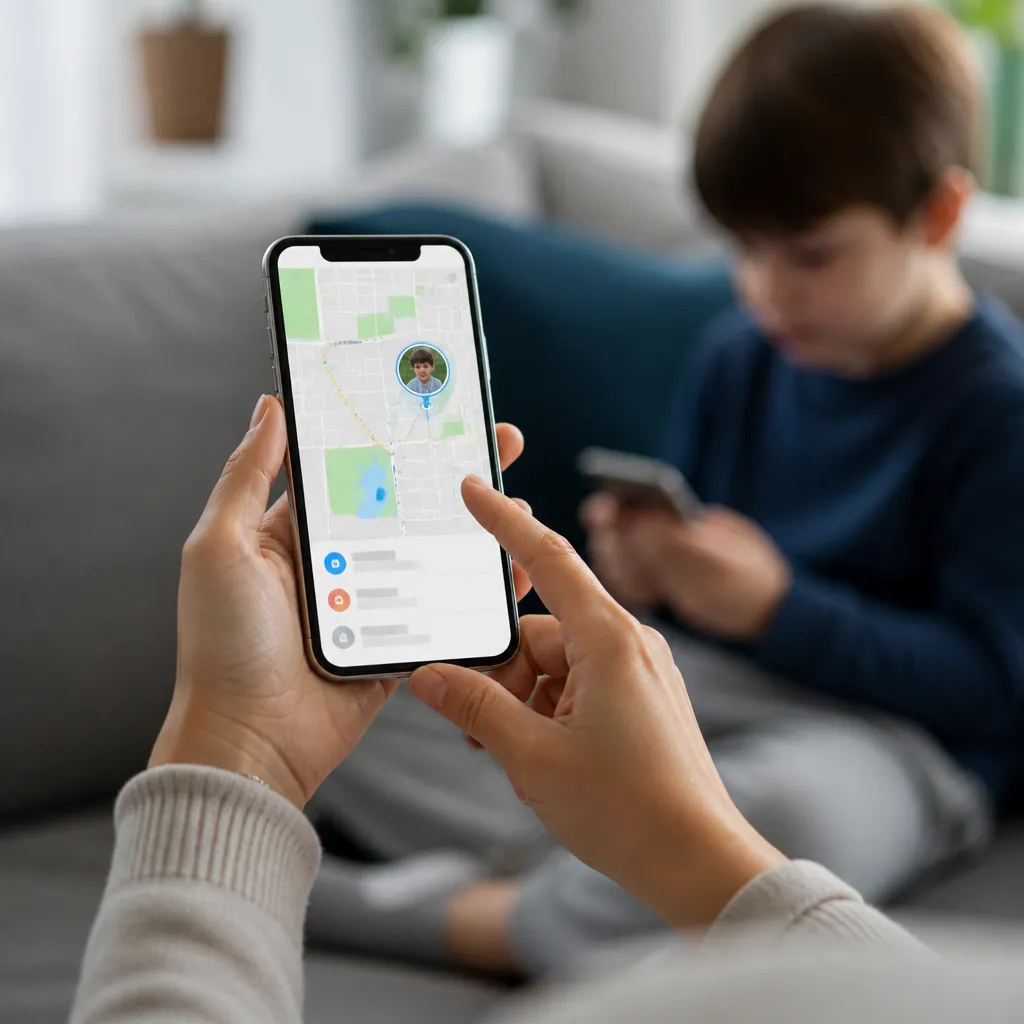
Test the app yourself before installing it on your child’s iPhone.Many offer free trial periods or limited versions that you can explore. During this testing, check for ease of use, location accuracy, speed of updates, and how much battery the app consumes on the iPhone. An app that works well in theory may be impractical on a day-to-day basis if it drains the battery quickly or offers very slow updates.
Configuring Monitoring Responsibly and Effectively
When you finally install a monitoring app, how you set it up determines whether it will be a positive tool or a source of conflict. Start by setting clear rules about which apps will be blocked, which sites will be restricted, and what the device’s rest time will be. Communicate these rules explicitly to your child and explain the reasoning behind each of them.
Screen time management is a feature that deserves special attention during setup. You can limit how much time your child spends on apps, categorize apps by type, and set specific times when the device will be completely locked. A common mistake is to be too restrictive right from the start.Start with reasonable limits and adjust as needed, allowing your child to influence the conversation about future changes.
Geolocation should be set up with specific alerts instead of just constant monitoring. For example, you can be notified when your child arrives or leaves important places like school, a friend’s house or shopping mall. This approach offers security without seeming 24-hour surveillance. Again, it is important that your child understands not only that he is being tracked, but also when and why.
You should establish a schedule for reviewing monitored activities together with your child, not secretly. Monthly meetings where you look together the collected data turn monitoring into an educational opportunity.If you see that he visited a questionable website, instead of just blocking it, talk about the reason and what he learned. This conversation is infinitely more valuable for your child’s digital development than just applying restrictions.
Adjust monitoring settings as new situations arise. If your child starts attending a new location regularly, add him to the safe geolocation list. If he demonstrates growth in responsibility, reduce the level of restriction in certain areas. Monitoring should not be static, but constantly evolve along with your child and your family circumstances.
Important Conversations You Need to Have Beyond the App
While a monitoring app offers technical protection, it never replaces genuine education and communication. You should have frequent conversations with your child about online safety, even if you have an app installed. Ask who he knows on social networks, how he feels about cyberbullying and if someone has ever tried inappropriate contact with him. These conversations produce insights that no app can provide.
An essential conversation is to explain why certain websites and apps are restricted. Many kids and teens feel they are being censored arbitrarily.When you take the time to explain that social networks can be addictive and that photo-sharing apps can attract predators, you are educating, not just controlling.
Also discuss the concept of digital privacy and digital footprints.Your child needs to understand that everything posted online potentially stays forever and can be seen by future employers.Show examples of situations where innocent posts have caused negative consequences for teens.This education empowers him to make better decisions voluntarily, not just because the app is blocking.
Make it clear that monitoring is a safety tool, not a punishment. If your child discovers that he has visited an inappropriate website or deleted messages, his initial reaction is critical.If you explode in anger, he will learn to be more careful in hiding things from you. If you approach with curiosity and try to understand why you did that, you keep communication open and demonstrate that you care more about understanding than punishing.
Set up an explicit agreement on when and how you will be honest about monitoring. For example, you can promise not to check private messages with close friends but monitor activity in unknown groups. Or that you will not share location information with family members other than yourself and your spouse.
Avoiding Common Monitoring Technical Traps
A frequent technical error is not checking that the monitoring app is actually working properly after installation. Many parents install the tool, set up some options and assume that everything is fine. Weeks later they find that the app was not sending alerts or that the location was not updating. Test the app regularly to ensure that it is doing exactly what it promises.
Jailbroken devices or modifications can interfere with monitoring apps. If your child or someone using your iPhone tries to jailbreak to bypass restrictions, many apps will no longer work.It is important that you monitor whether your iPhone remains in its default state. Periodically check the list of installed apps and look for signs that someone has tried to modify the operating system.
The iPhone battery can drain quickly if the monitoring app is poorly optimized. Excessive battery consumption can make your child suspect that something is working in the background or may simply be impractical. Note the battery consumption in the first few days after installing and if it is abnormally high, consider a different app or reduce the active functionalities.
Sync issues between devices can cause significant frustration.If you set up a restriction on your iPad, not appearing immediately on your child’s iPhone, you lose effectiveness.Make sure that all devices in your family are connected to the same Apple account and that the settings are syncing correctly on all of them before relying on the app for consistent protection.
IOS updates can sometimes break compatibility with monitoring apps. One mistake many parents comment on is not updating their monitoring apps regularly. When a new version of iOS is released, older apps may not work properly.Check the App Store frequently to ensure you are using the latest and compatible versions.
The privacy of your own data is just as important as the safety of your child. Some poorly developed monitoring apps may ask for unnecessary permissions on your phone or share your information with third parties. Before installing any app, carefully check what permissions it requests and ask why it needs each of them. A legitimate app will never ask for unnecessary access to your contacts, photos or location.



