Simulate X-ray in the Cell Phone Camera
Announcements
Have you ever stopped to think about how your mobile camera technology has evolved in recent years? Nowadays, innovative applications allow you to simulate X ray effects through the camera, offering an impressive visual experience.This technology combines advanced filters with real-time image processing to create the illusion of a direct radiological effect on your smartphone.
Simulating X ray by the cell phone camera has become a trend among users who seek creative and fun features. These applications work by capturing the image in real time and applying algorithms that simulate the appearance of an x-ray, highlighting contrasts and creating a unique visual effect. Unlike a real X ray, which detects internal structures of the body, these apps create only a stylized visual representation that mimics the aesthetics of an x-ray.
How X-ray Simulation Works in Camera
X ray-simulating applications use image processing technology to transform the photos captured by your mobile phone’s camera. They analyze the grayscale, contrasts and edges of objects, creating a visual effect that looks like a traditional radiograph.The processing takes place in real time, allowing you to see the simulation while pointing the camera at the desired object.
Announcements
The algorithm behind these apps detects changes in brightness and contrasts in the image, reversing colors and adjusting brightness to create that characteristic aspect of an X ray. Some apps even add extra layers of effect, such as sharper edges or special filters that intensify the similarity to real radiographs. You can photograph objects, animals or even your own hands and see how they look in the simulated X ray effect.
Top Apps for Simulating X Ray
There are several applications available in the app stores that offer the functionality of simulating X ray. Each of them has unique characteristics and different levels of quality in the generation of the effect. Knowing the available options helps you choose which best suits your needs and preferences.
Some of the most popular apps offer intuitive interfaces and allow you to adjust the intensity of the X ray effect.They bring additional features such as saving the images, sharing on social networks and even applying multiple filters on the same object.Most of these tools work for free, with premium versions that unlock extra features such as advertising removal or advanced special effects.
Comparing the Best App Options
When choosing which application to use to simulate X ray, you should consider some important factors that differ between the available options.The quality of the effect, ease of use, the amount of filters available and compatibility with your device are essential criteria for making a good choice.In addition, the amount of ads, the presence of in-app payments and the security of data are legitimate concerns for any user.
Some apps focus on offering only the X ray effect with high quality and few distractions. Others add multiple filters and special effects, turning the camera into a versatile photo editing tool.There are also platforms that stand out for performance and speed in applying the effect, running smoothly even on older phones. Comparing these features helps you find exactly what you are looking for.
Additional Features that Differentiate Apps
In addition to the basic X ray simulation, many applications offer extra features that enrich the user experience. Some allow you to adjust the intensity level of the effect by controlling how much the simulated X ray appears to be more or less transparent. Others include different X ray modes, ranging from a more realistic appearance to more artistic and creative styles.
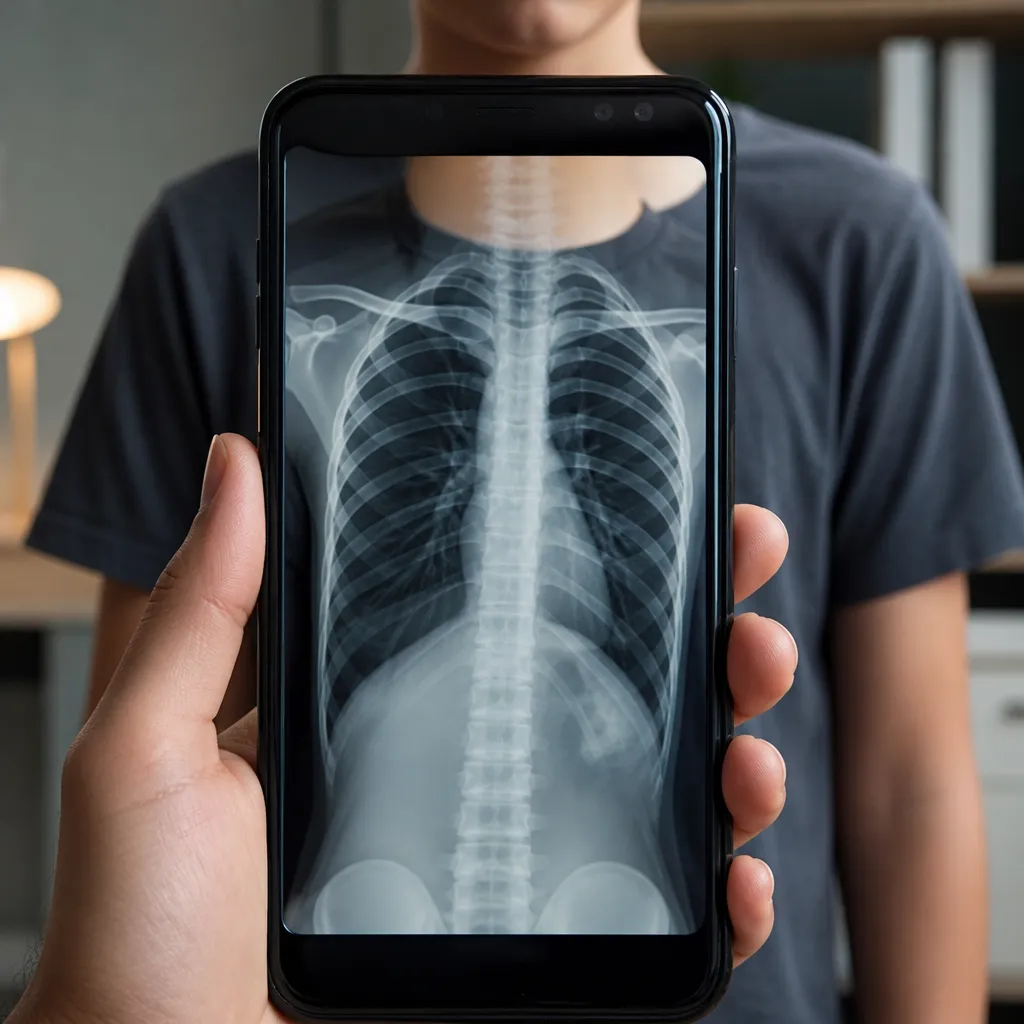
Features such as X ray video recording, panoramic photo capture and even the possibility to overlay multiple effects on the same object differ greatly between applications. Some even offer integration with social networks, allowing you to share your creations directly from within the app. The integrated gallery makes it easy to review and manage the captured photos, while basic editing tools allow you to make adjustments after taking the photo.
Privacy and Security Considerations
When you download an app to simulate X ray, it is important to check what permissions it asks for on your device. Camera apps naturally need access to the camera and photo storage, but some may request access to additional data like location or contact list. Review these permissions and understand why each one is needed protects your privacy and security.
Checking reviews and comments from other users provides valuable insights into the reliability and behavior of the application.Official platforms such as the Google Play Store and the Apple App Store allow you to view developer details, update history and community feedback. Choosing apps from established developers with a good reputation significantly reduces security risks.
Practical Tips for Better Results with the X Ray Effect
For best results when using an app that simulates X ray by the camera, you should consider ambient lighting. Well-lit environments usually produce sharper effects and better contrast, while very dark places can generate blurred or less-definition images in the effect. Experimenting with different lighting conditions helps you figure out when the app works best.
Keeping the camera clean and stable ensures clearer photos with fewer artifacts. Using a support or both fingers to hold the phone reduces flicker that can impair the quality of the effect. Adjusting the distance between the object and the camera also makes a significant difference, as each application can have its ideal distance to capture the effect more convincingly.
Experimenting with different angles and perspectives can reveal how the app processes the image in different ways. Some objects, such as leaves, flowers or structures with complex textures, produce more interesting and realistic effects than others.Dedicating time to explore the possibilities and find out what types of objects work best turns your experience with the app into something more creative and satisfying.
Compatibility and System Requirements
Before downloading an X ray-simulating app, you should check that it is compatible with your device and operating system version. Some newer apps require recent versions of Android or iOS, while others have been optimized to work on older phones.See the app description in the store before installing prevents compatibility issues and frustration.
The amount of storage space required also varies between apps, with some being very light and others requiring multiple megabytes. Checking this information ensures that your phone has enough space not only to install the app, but also to store the photos you capture. Optimized apps work better and consume less battery, making them more attractive for extended use.