Application to Monitor Children's Activities on Android Safely
Announcements
If you are a parent of teens who spend hours connected to their mobile phone, you have probably wondered: “How do I know what my child is doing online?” The answer lies in a special type of app that allows you to track the digital activities of your kids on Android with complete security and peace of mind.
But here comes the most important: not everything you hear about these apps is true. There are many myths circulating around about how they work, what they can monitor and whether they are really effective. In this article, we will unravel these issues and show you exactly how child monitoring works on Android devices, separating fact from fiction and helping you make smarter decisions about the digital security of your family.
The Big Myth: “Monitoring Apps Are Privacy Violators Without Limit”
Many people believe that any parental monitoring app works like a “Big Brother” that sees absolutely everything that happens on mobile. This is a dangerous and misguided simplification.The reality is much more nuanced and completely depends on the type of app you choose to use with your children.
Announcements
There are reputable apps that have been developed specifically with a focus on child safety and compliance with international privacy laws.These apps do not work “in secret” – many of them require the child’s device to be configured transparently, often with the proper consent and knowledge. The difference between a legitimate parental monitoring app and an invasive software lies precisely in the level of transparency, the stated purpose, and the data protections implemented.
When you choose to use a reliable application, you are not installing spyware.You are using a tool that works within ethical and legal parameters, giving you visibility into activities that directly affect the safety of your children.It is similar to knowing where your child is when he leaves home – a completely normal practice that now extends to the digital world.
Download app Platform: Android ▶Download on Google PlayTruth: Real Apps Have Important Limitations
You may be surprised to find that even the best parental monitoring apps for Android have fairly clear limitations. None of them can monitor absolutely everything. Some cannot access encrypted messages in apps like WhatsApp or Telegram, for example, while others have difficulty tracking activities in private browsers or if your child uses multiple accounts.
These limitations exist purposefully in many cases. Well-developed applications respect certain limits to not violate fundamental privacy rights. Additionally, as operating systems like Android evolve, they also implement more protections against invasive monitoring.This means you need to have realistic expectations about what an application can and cannot do when it is installed on a modern Android device.
The important thing is to understand exactly what are the specific capabilities of the application you are considering. Some manage to track GPS location in real time. Others monitor installation and use of applications. There are those who track browsing history, screen time control, or receive alerts about specific keywords. None does everything perfectly, and knowing these limitations is essential to use the tool correctly.
The Myth: “Anyone Can Use These Apps Easily”
There is a myth that just download a parental monitoring app and everything works automatically. Many parents get frustrated when they find that the configuration is much more complex than they expected.The truth is that most of these apps require a series of technical steps, system permissions and specific adjustments to work properly.
Some apps require you to have physical access to the child’s Android device to install and configure properly. Others need certain Android permissions to be granted manually through system settings.There are still those that work best if the device is with root privileges (administrative access), which is a complicated technical operation that overrides the device’s warranty and requires in-depth knowledge of technology.
In addition, keeping monitoring running requires continuous maintenance. Android updates can break functionality. The application can be uninstalled by the child if he knows the password. You need to learn to navigate the control panel and interpret the data that the application collects. All this is quite different from simply clicking and ready – prepare for a learning curve.
Truth: Context and Communication Are More Important than Technology
Here is a fact that many app providers do not emphasize enough: no monitoring app replaces honest parent-child conversation. Technology is just a complementary tool, not the complete solution.Children who trust parents, who understand why monitoring and participate in digital privacy rules tend to have much better results than those who feel they are being secretly spied on.
When you implement parental monitoring through an app, the actual effectiveness depends on the context. If your 9-year-old is using the phone for the first time and you explain clearly and honestly that you will follow certain aspects for security reasons, it is quite different from installing something secretly on a 16-year-old who already has a right to privacy.The age, maturity of the child, their specific needs and family dynamics dramatically affect how (and if) you should use these tools.
Research shows that when parents combine monitoring technology with open dialogue, digital education and setting reasonable limits, the results in terms of safety are much better. The application identifies worrying behaviors, you talk about them with your child, both understand the rules, and trust is preserved. Without this communication, you can have all the data in the world and still lose the relationship with your child.
The Myth: “All Apps Are Equal and Equally Effective”
There is a huge difference between legitimate parental monitoring apps and those that are basically malware in disguise.Some of the free or very cheap apps available for download simply do not work as they promise. Others collect data about you (the parents) in an invasive way, selling information to third parties.There are those that install only part of what they promise or that abruptly disable their functionalities without warning.
The best apps in this category often invest in data security, encryption, compliance with regulations like GDPR and LGPD, and have established reputations for years of operation. They have customer support, regularly update their functionality, and are transparent about what they do with the data they collect. When you search for genuine user reviews and see consistent standards of satisfaction, it is usually a good sign.
On the other hand, apps with contradictory reviews, exaggerated promises (“monitor everything in real time”), suspiciously low prices or no clear information about the company behind it should be avoided. You are entrusting something extremely important – the safety and privacy of your family – to this technology, so the quality and reputation of the supplier matter immensely.Do not save a few dollars putting the digital security of your children at risk.
Truth: There Are Simpler Alternatives You May Be Ignoring
Before you launch into the complex world of parental monitoring apps, know that Android offers native parental control tools built into the operating system itself. Google Family Link, for example, comes integrated and offers basic but effective functionality: you can see which app your child is using, set screen time limits, control app installs, set content restrictions, and even lock the device remotely.
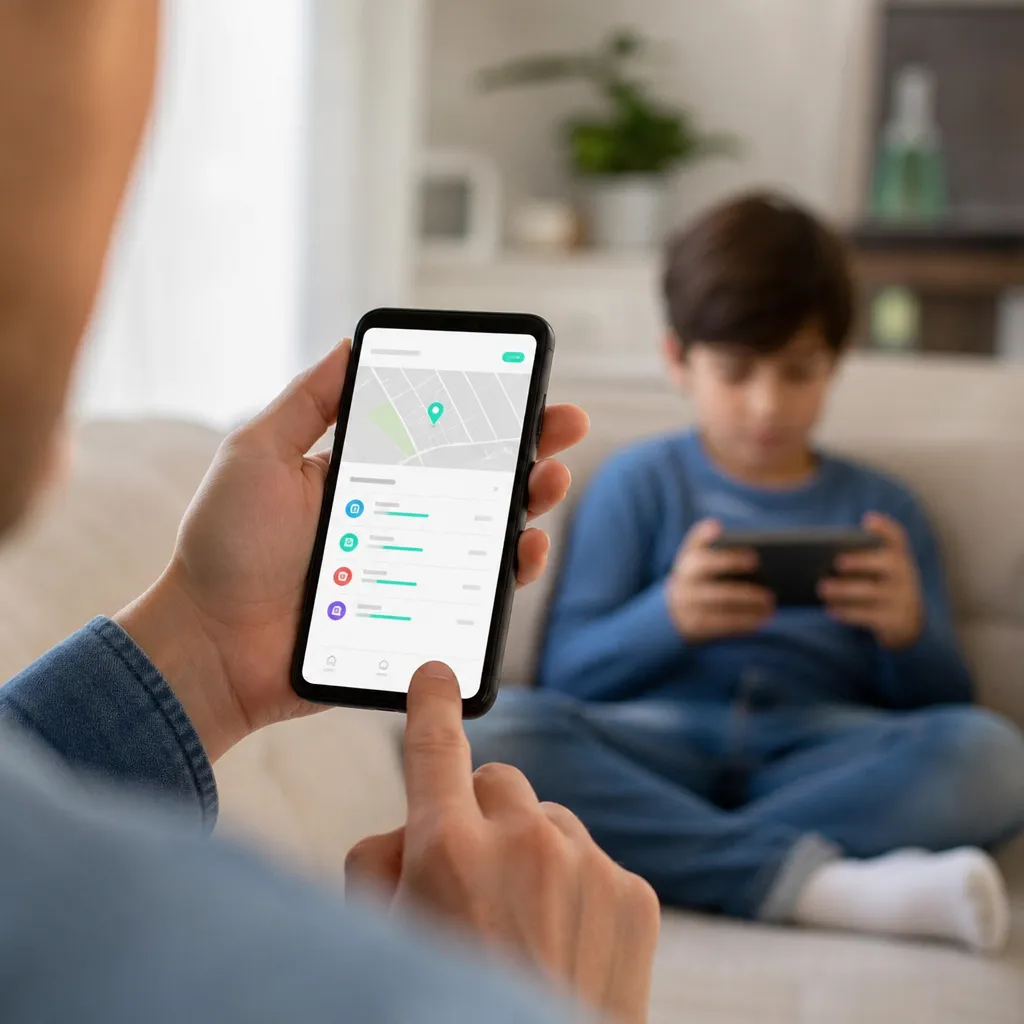
These native tools have several advantages. Do not require installation of additional third-party applications. They work directly through the child’s Google account. They receive automatic updates along with Android. And, most importantly, they are aligned with the security system of Android itself, working harmoniously without conflicts.For many parents, especially those with younger children, these solutions can be totally sufficient and much safer than downloading something from a third party.
The decision to use an additional app should come after you’ve thoroughly explored what native Android offers. If the built-in tools don’t meet your specific needs – you may need more advanced GPS tracking, SMS monitoring, or alerts about dangerous content – then you can justify installing something more robust.
The Myth: “Once Installed, Works Permanently Without Maintenance”
Many parents install a monitoring app, feel safe, and then forget about it. Here is the bothersome truth: these apps do not work perpetually on autopilot. They require constant maintenance, updating, occasional reconfigurations, and active surveillance to ensure they continue to work as expected. If you do not check the status of the app regularly, you may find out months after it stopped working and you have not had visibility into your child’s activities during all this time.
Android updates periodically change the available permissions, system access methods, and technical restrictions. An application that worked perfectly on Android version 11 may have problems in version 12 or 13. Also, if your child finds out that the application is installed, he can try to uninstall it, modify settings, or use techniques to bypass monitoring.
Maintaining an effective monitoring system means periodically checking whether it is active, reviewing the data it collects, updating settings as needed, and being ready to solve technical problems.It is an ongoing process, not a one-time task.If you are unwilling to devote that time and energy, it is honest to recognize this before investing in technology that you will not properly maintain.
Truth: The Age of the Child Completely Changes the Necessary Approach
The monitoring strategy for a 7-year-old should be completely different from the strategy for a 15-year-old, but many parents try to use the same approach for both age groups. With young children, monitoring is generally well accepted because they understand that parents control and protect. Using an app that limits screen time, blocks inappropriate content, and tracks location is seen as protection, not as invasion.
With teens, though, the dynamics change dramatically.They develop a sense of privacy and autonomy.Secret monitoring can severely damage trust when discovered (and will be discovered). At the same time, teens still need protection from online predators, bullying, extreme content, and social media addiction.The solution is no longer invasive technology – it’s more communication, screen time limit awake, and occasional checks combined with mutual trust.
The truth is that heavy monitoring apps work best with younger children and preteens.With teens, a lighter, more transparent approach is usually more effective.You can still use parental control tools, but mostly to set limits (do not install excessive gaming apps), block clearly dangerous content, and have access to check periodically without being on surveillance 24/7. Adapting your strategy to age is essential.
The Myth: “Monitoring Ensures Your Child Will Be 100% Safe Online”
This is perhaps the most dangerous myth of all because it creates a false sense of security. No monitoring application can guarantee complete security online. Predators are sophisticated and know how to circumvent monitoring. Cybercrimes constantly evolve. Dangerous content appears in new places all the time.An application can miss something important, leave a gap open, or not be configured to detect a specific threat.
Really effective digital security is multilayered.You combine technical monitoring with digital education on good practices, regular conversation about specific risks, installation of antivirus and firewalls (not just monitoring), use of strong passwords, checking application permissions, and yes, also use common sense.A teenager educated on why should not share personal information with strangers will probably be safer than a monitored 24/7 but without real knowledge about risks.
In addition, there are online risks that simple monitoring applications can not detect well. Someone may be online and appear to be browsing normally, but be being gradually manipulated by a predator in private conversation. The child may be playing what seems a harmless game, but that connects with toxic communities. You may be seeing content that normalizes violence or harmful behaviors. Technology alone does not solve all this. Attentive parental surveillance, frequent conversations and education are equally, if not more, important.
Truth: Legality and Consent Vary As You Live
A crucial point that many parents are unaware of: the legality of monitoring children through apps varies significantly depending on where you live. In some countries and states, parental rights over monitoring minors are well established.In others, there are stricter laws on privacy of minors, even in relation to parents.Some jurisdictions require consent from both parents.Others have limits on how much monitoring is allowed after a certain age.
In Brazil, for example, the General Data Protection Law (LGPD) states that data of children under 13 years can only be processed with the consent of parents or guardians, and to a limited extent. The protection of minors is above the right of parents to monitor completely. This means that yes, you have the right to monitor your children, but this right is not unlimited – there is a line between appropriate protection and violation of privacy of the minor, and this line varies according to local law.
Before installing any monitoring app, research the specific laws of your region. Check for child consent requirements (even if a child cannot legally “refuse”, transparency may still be required). Understand what types of monitoring are explicitly allowed and which can be problematic legally. Using an app that violates local data protection laws may have legal consequences for you, as well as being ethically questionable. Your family’s safety should not come through methods that violate the law.
The True Balance: Protection With Confidence
After unraveling all these myths and truths, the conclusion is that using apps to monitor kids’ activities on Android really can be a useful tool, but only as part of a much larger family digital security strategy.The app itself is not the solution – it is an instrument that works best when combined with education, communication, screen time limit, clear rules, and above all, mutual trust.
Choosing which app to use (or if to use any) depends on several factors: the age of your children, what you really need to monitor, your own technical knowledge, local law, and family dynamics. For very young children, native Android tools are usually enough. For older children who need autonomy, perhaps a lighter app or even no app is better. The important thing is that you make this decision consciously and informedly, not out of impulse or fear.
Remember too that your children grow and change. The approach that works today may not work in six months.Be prepared to adjust your strategy, talk about privacy and security in an evolutionary way, and always keep in mind that the goal is to create safe and responsible digital citizens, not just children under constant surveillance.When you balance protection with trust, security with freedom, and technology with human relationships, this is where the magic of a digitally secure family really happens.