Application to monitor security cameras on Android
Announcements
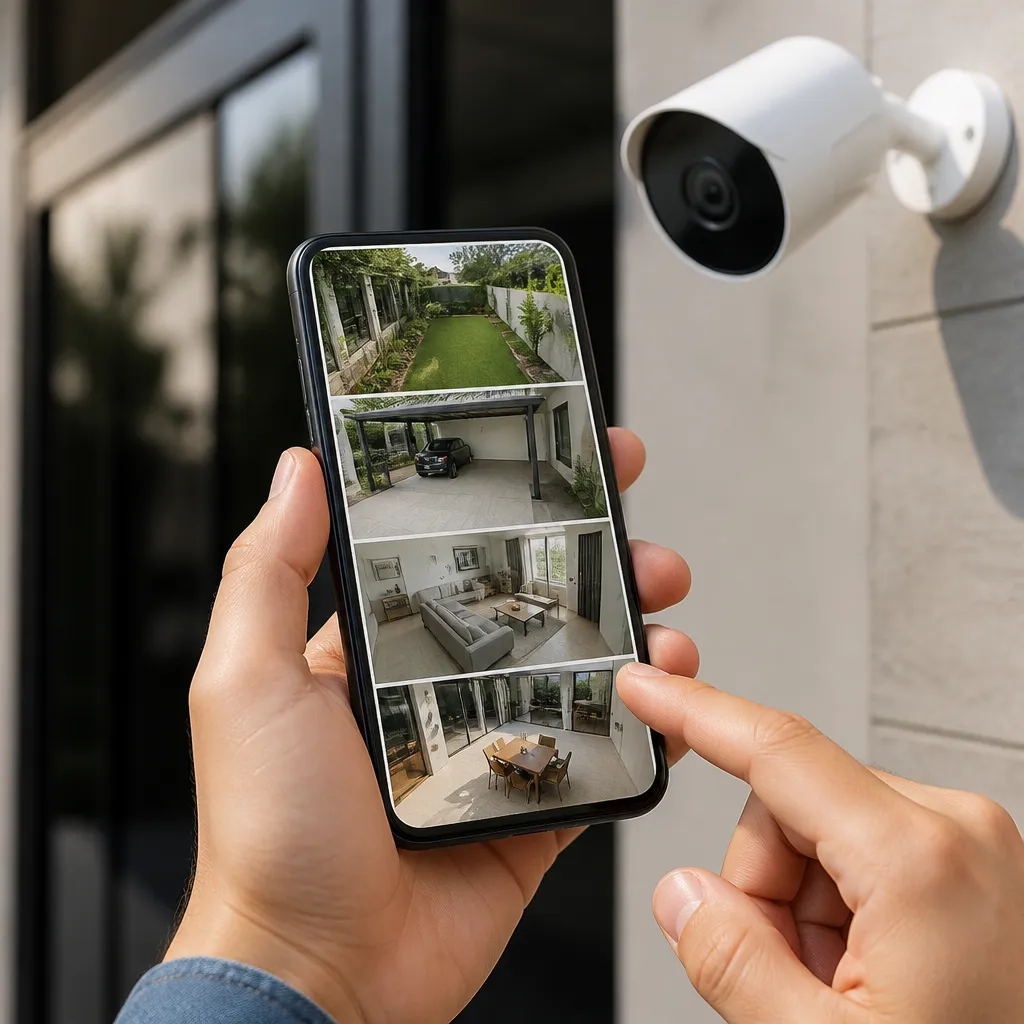
Monitoring security cameras via smartphone has become essential for anyone who wants to control their home or trade from anywhere.You do not have to get stuck in a monitoring room when Android apps offer full access to their cameras directly from the palm of your hand.
Android security camera monitoring apps have transformed the way people protect their property and loved ones.You can view real-time environments, receive motion alerts, and even access previous recordings, all from a device you already carry with you every day.
How camera monitoring applications work
These applications act as intermediaries between your IP cameras and your Android device, establishing a secure connection over the internet. You connect your cameras to the Wi-Fi or ethernet network, configure the application with the correct credentials and ready, the system is ready to transmit the images in real time. Most of these apps use encryption technology to ensure that only authorized people can access the video feed.
Announcements
The processing works intelligently, where the application detects movements through artificial intelligence algorithms and sends instant notifications to your mobile. You receive an alert with a thumbnail of the captured image at the exact moment when something suspicious is detected, allowing you to take immediate action if necessary. This approach significantly reduces response time in emergency situations.
Real use cases for residential monitoring
In the residential setting, you can monitor the entrance to your home while you are at work, watching who arrives and leaves. Many people use these applications to check if a deliveryman left the package safely on the balcony or if children arrived from school as planned. The application becomes an extension of your look, allowing you to track important events even being miles away.
 DeFlock.me
Age Classification:
Free Classification
Author:
TechBS
Platform:
Android
Price:
Free
▶Download on Google Play
Parents who work all day find special value in monitoring areas of the house where young children play or sleep. You can make sure that everything is fine without having to call the nanny constantly, just by viewing the camera strategically positioned in the room or room. In addition, in case of suspicious behavior in the region, such as strangers prowling your residence, you will have video evidence to report to the police.
Business and business applications
For small business owners, stores and offices, these apps work as a professional surveillance system at a fraction of the cost. You can track the movement of customers within the store, check that employees are respecting service protocols and keep visual records of important transactions. Remote access by smartphone means that even on days off you can give a quick check at the establishment.
Restaurants and bars use monitoring to track multiple areas simultaneously, from the entrance to the kitchen and cashier.You can see if hygiene protocols are being followed and quickly identify any anomalous situation that requires managerial intervention.Tattoo studios, beauty salons and veterinary offices also adopt these solutions to document procedures and maintain the safety of customers and employees.
Key features you should look for
When choosing an application for security cameras, you should prioritize the video resolution offered, usually ranging from 720p to 4K depending on your camera. Image quality directly affects the ability to identify faces and important details, so do not neglect this aspect. You also need to check whether the application supports multiple cameras simultaneously, allowing you to view multiple video sources at the same time.
Cloud storage is a key feature that you should carefully evaluate as it ensures that your recordings are not lost in the event of equipment failure. Some apps offer limited free storage, while others require subscription for extended history access. You should also check the speed of motion detection and the quality of notifications, including whether the app sends alerts even when triggered remotely.
Compatibility between cameras and applications
You will find specific applications for popular brands like Hikvision, Dahua, Reolink and other manufacturers, as well as generic applications that work with any compatible IP camera. Proprietary applications, developed by the camera manufacturer itself, usually offer more seamless integration and access to advanced functionality. You should check compatibility before purchasing any equipment, ensuring that the application you have chosen works properly with your camera.
There are universal applications that allow you to add cameras of different brands in a single unified interface, simplifying monitoring when you have varied equipment. You can manage Hikvision cameras alongside Intelbras devices, for example, through a single application. This flexibility is particularly valuable in corporate environments where different areas may have been equipped at different times with different brands.
Security and privacy in remote monitoring
You should be aware that any remote access entails security risks, so choose applications that implement two-factor authentication and end-to-end encryption.Many free applications harvest user data for advertising purposes, so carefully read the privacy policies before installing.
Keeping your app always up to date is essential for your security as frequent updates fix vulnerabilities discovered by security researchers. You should enable security notifications from your Android device to receive alerts about suspicious login activity or unauthorized access. Regularly changing the password to access your cameras, ideally every three months, adds an extra layer of protection against attackers.
Practical scenarios of use in different contexts
Imagine that you are the owner of a residential condominium with several blocks and common areas to protect. You can install cameras in the main entrances, corridors and leisure areas, configuring a single application to monitor all of them. In case of depredation or theft, you will have complete visual records that facilitate the investigation with the authorities and the insurer.
It is also considered the scenario of an entrepreneur who works with short-term rental properties through hosting platforms. You can monitor the state of the property between guests, check for unreported damages and follow the cleaning checklist carried out by the responsible. The application becomes a quality and management tool that reduces conflicts and financial losses.
For night guards and professional security teams, access to multiple cameras through the application increases operational efficiency significantly. You can make smarter rounds, prioritizing the areas that generated motion alerts, while maintaining surveillance over critical locations. Documentation of events through application screenshots also serves as evidence in case of future investigations.
Homeowners who stay closed for months find special value in these apps for detecting intrusions or problems like water leaks. You can receive immediate alerts if someone tries to force doors or windows, allowing contact with local police while still on the way. This type of remote monitoring offers peace of mind and significant savings in terms of undetected potential damage.
Integrations and automations with your Android ecosystem
Many modern camera apps integrate with voice assistants and home automation systems popular on Android. You can, for example, use voice commands to access specific feeds or automatically receive alerts that trigger emergency lights in other environments. These integrations make monitoring part of a broader intelligent security system.
You can set up automations that trigger continuous recording at specific times of the day or when they detect abnormal behavior patterns. Some applications allow you to set different security profiles, enabling full monitoring when no one is at home and discreet mode while working. These customizations make the system adapt perfectly to your routine and specific needs.
Integration with cloud services allows you to access your recordings across multiple devices, automatically syncing between your smartphone, tablet and computer. You are never stuck to a single device, and can switch between devices as your need changes. These integrated ecosystems offer convenience and redundancy that ensure continuous access even in unexpected situations.
Advanced applications allow you to configure custom rules based on movement patterns, times and specific zones within the camera’s field of view. You can instruct the system to ignore small animal movement but alert on the presence of people at night, for example. This contextual intelligence significantly reduces the number of false notifications that cause alert fatigue.
Security camera monitoring through Android applications has consolidated itself as a practical, affordable and efficient solution to protect what you value most. Regardless of whether you are protecting your family at home, monitoring a commercial establishment or managing multiple properties, there is an application suitable for your specific needs. You gain mobility, instant access to critical information and the peace of mind of knowing that you can act quickly in situations that require your attention, all from your smartphone that always accompanies you.