Best Application to Monitor Security Cameras on Android
Announcements
Monitoring security cameras by mobile is an increasingly common need in homes and businesses.You want to keep track of what happens on your property from anywhere, without relying on computers or complex installations.The good news is that there are free applications for Android that allow you to do this simply and efficiently.
The market offers several options for you to control security cameras directly from your phone. However, not all applications deliver the same transmission quality, ease of use or data security. Many users make mistakes when choosing these tools and end up facing problems with unstable connection, compromised privacy or confusing interface. Understanding how to select the best option is essential to protect your assets and your privacy.
Why Choose a Free Security Camera App
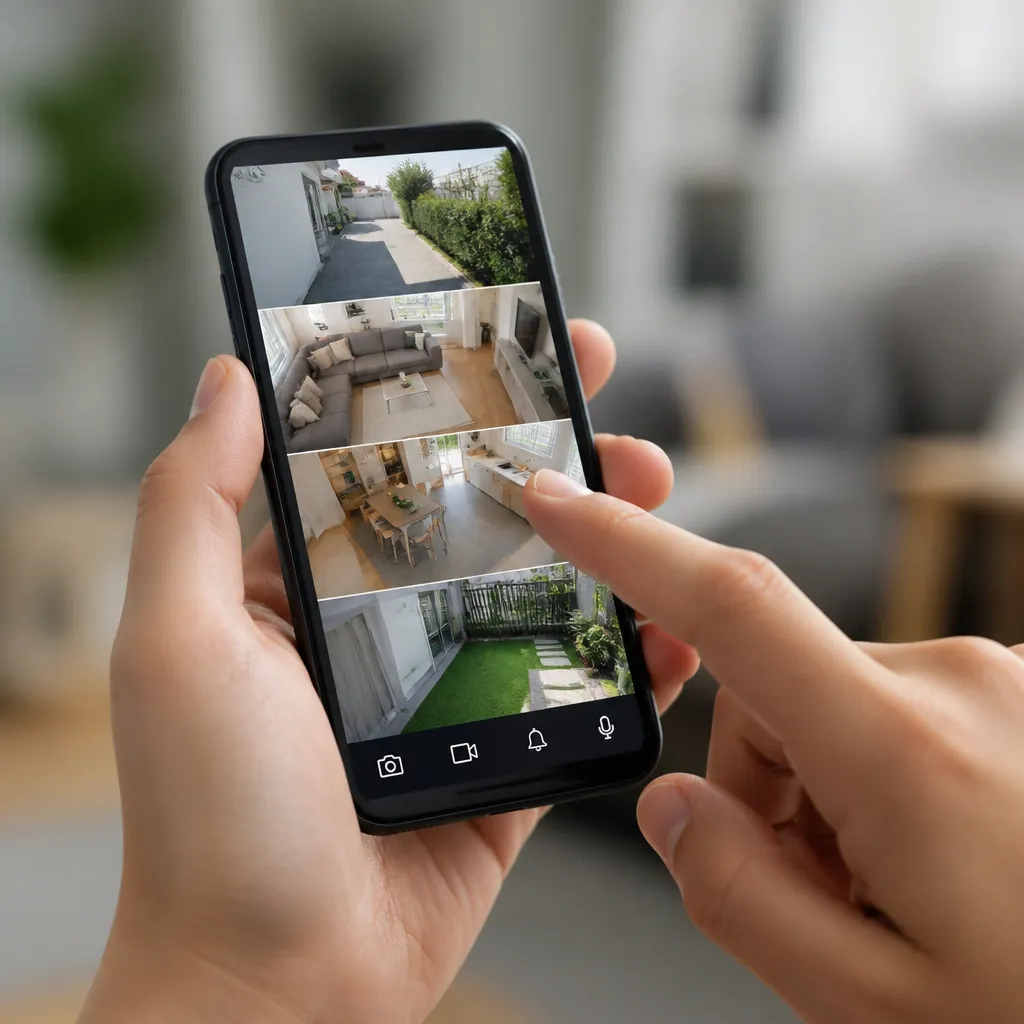
A free app to monitor security cameras offers advantages that go beyond zero cost.You can manage multiple cameras in one place, receive real-time notifications and access the history of recordings when you need. The convenience of having this control in your pocket, through the smartphone, revolutionizes the way you monitor your security.
Announcements
The main financial advantage is obvious: save on expensive software licenses.Many free apps maintain robust functionality that only met paid plans a few years ago.You can livestream, receive motion alerts, and even remotely control zoom and lighting without spending a penny. This democratization of security technology allows anyone, regardless of budget, to protect their property properly.
Common Errors in Choosing Applications for Monitoring
A very frequent mistake is to download the first application that appears in the search results of the Google Play Store. You will probably find many apps with similar names, false reviews and exaggerated promises. This behavior leaves your security vulnerable, because malicious applications can capture personal data, compromise access to cameras or even sell information to third parties.
 DeFlock.me
Age Classification:
Free Classification
Author:
TechBS
Platform:
Android
Price:
Free
▶Download on Google Play
Another critical error is not checking the permissions requested by the app before installing it. If a camera app asks for access to your contacts, SMS messages or call history, you should question the reason.A legitimate monitoring app only needs permissions for camera, internet and, in some cases, access to storage. Ignoring this is like leaving your home door open.
Many users also make the mistake of using weak passwords or reusing the same credentials across multiple apps.If you use the same password in your email, camera app, and social networks, a single leak can compromise everything. An attacker who accesses your cameras can monitor your habits, identify when you leave home, and facilitate intrusions.Security starts with you creating unique and complex passwords for each service.
Developers release updates to fix discovered security flaws.If you ignore these updates, your phone remains vulnerable to known attacks. Set up your Android to automatically update the apps you use most, especially those related to security.This is one of the simplest and most effective steps to protect your data.
Essential Features in a Good Monitoring App
A quality application to monitor cameras should offer real-time transmission with good resolution. You want to see clear details even if you are away from home. Low latency is important: the less time between what is really happening and what you see on the screen, the better your ability to react to emergency situations. Apps that take more than a few seconds to transmit the image may not serve well in critical situations.
Instant motion or sound notification is another important feature you should look for. Your ideal app should alert you when it detects something non-standard, allowing you to check what is happening immediately.In addition, compatibility with different models and camera brands is crucial, especially if you plan to use more than one camera in the future. An app that works only with cameras of a specific brand limits your expansion options.
The security of data transmission is absolutely essential.The application must use encryption to protect the video flow between your camera and your smartphone. This prevents third parties, even connected to the same Wi-Fi network, from being able to intercept the images.You should also check whether the provider offers secure cloud storage for your recordings. A secure backup means that you will not lose important images even if the camera is stolen or damaged.
The user interface should be intuitive and responsive. A beautiful application that takes time to load or has confusing controls is not worth it, however free it may be. You should be able to connect your camera, view it and control basic functions in less than five minutes, even without previous technical experience. Apps with good design and simple navigation save your time and reduce frustration during daily use.
How to Properly Set Up Your Monitoring App
The first step is to create a user account with a strong and unique password. You must use a combination of upper, lower case letters, numbers and special symbols, with at least 12 characters. Avoid birth dates, family names or obvious sequences. A strong password is the first line of defense against unauthorized access. Consider writing down your password in a safe place offline, such as a notebook stored in a safe, instead of saving it in the phone browser.
After creating your account, set up two-factor authentication if the app offers this option. This feature adds an extra layer of security by requiring an additional code when you try to log in to a new device. Even if someone discovers your password, they will not be able to access your cameras without the second authentication factor. This is especially important if you are monitoring valuable properties or sensitive data.
When adding your cameras to the application, be sure to change the default passwords of the cameras themselves. Many manufacturers use generic credentials such as “admin” and “123456”, which are public on the internet and in databases of cyberattacks.A hacker can simply try these standard combinations against your camera. Set a unique password for each camera, different from the password of your application account.This ensures that if one camera is compromised, the attacker will not have access to all the others.
You should also review and adjust the privacy settings of the application. Disable unnecessary shares, notifications for contacts and automatic synchronizations with other platforms.The less data the application shares, the lower the risk of leakage. In addition, configure notifications intelligently: if you have external cameras, you may not need alerts for leaf movements in the wind, but definitely want to be warned if someone approaches doors or windows.
Popular Free Apps and Their Particularities
There are several applications available that offer free camera monitoring on Android. Some are manufactured by the camera brands themselves, such as Intelbras, D-Link or Positivo applications. Others function as universal platforms that connect cameras of different brands in a single panel. You must understand the differences between them to choose the one that best suits your specific scenario.
Universal apps often offer more flexibility.If you have cameras from different brands or plan to buy different brands in the future, these platforms allow centralized management.On the other hand, brand-specific apps often offer deeper integration with the specific features of this camera, such as proprietary zoom control or advanced settings. You need to decide whether you prefer to have everything in a single app or sacrifice a little convenience to have more complete controls.
The quality of technical support varies greatly between applications. Some offer only PDF documents and generic knowledge bases, while others have live chat or active user communities.When you face technical issues such as difficulty connecting a new camera or intermittent connection drop, good support makes all the difference. Before installing an application, try to find reviews that specifically mention the quality of service.
Avoiding Connection and Performance Issues
A common mistake is to try to stream video from multiple cameras over a weak Wi-Fi connection. Your home network may have a good internet speed, but the Wi-Fi signal near the camera may be weak. You should do a speed test at each location where the camera will be installed. Use a speed test app on your smartphone exactly where the camera will be. If the upload speed is less than 5 Mbps, you will likely have latency or image compression problems.
Choosing the right position to install the camera is more important than many people realize. Avoid positioning the camera too far from the Wi-Fi router or in places with too many walls between the device and the router.Walls, especially those made of concrete or metal, significantly block the Wi-Fi signal. If you are unable to place the camera near the router, consider using a Wi-Fi repeater or, better yet, a Wi-Fi mesh system that provides consistent signal throughout the property.
You should also regularly review your app’s connection statistics.Many quality apps show information about signal strength, latency, and transmission quality.If these numbers are gradually degrading, something is wrong: it could be Wi-Fi weakening, operating system updates affecting performance, or even a physical problem with the camera. Identifying problems early prevents situations where the camera crashes just when you need it most.
Updating the Android operating system of your smartphone also affects the performance of the camera application. You should keep your phone up to date with the latest versions of Android. Sometimes an update causes incompatibility with a specific application, a situation that developers quickly resolve by releasing a corresponding update. If you do not update Android, you may lose access to security fixes and performance optimizations that would benefit your monitoring application.
Protecting Your Privacy While Monitoring
One aspect often overlooked is that anyone who has access to your cameras through the app can potentially capture images. If you share login with a family member, that family member can, in theory, download all your recordings. Clearly establish with anyone you give access what are the acceptable usage limits.If you will share only real-time viewing access without download permission, some apps allow you to set up different permission levels for different users.
You should also be aware that any cloud service involved in your monitoring may be subject to data retention laws of different countries.If you are using an application with a server in another country, your images may be stored outside your jurisdiction. Check the privacy policy to understand where your data is stored and for how long. Some countries have stricter laws on data protection, while others have looser regulations.
In many regions, recording areas where other people have a right to privacy, such as bathrooms or bedrooms, is illegal.Make sure to know local laws on surveillance and privacy before installing your cameras.In addition, if you are monitoring a place where others work or live, they have a right to know that they are being recorded. A lack of transparency about surveillance can result in lawsuits, even if recording is technically possible.
Finally, you should periodically review who has access to your cameras and revoke access from people who should not have more. If you changed boyfriend, divorced, or an employee stopped working with you, immediately remove your credentials. A forgotten access is an unprotected access that can be exploited months or years later. Keep a mental or physical record of who has access to what, and review that record with every significant change in your life.
Keeping Your Application Safe and Updated
Regular update of the monitoring application is critical to security.You should never ignore available update notifications. Even if the application appears to be working well, updates often fix security vulnerabilities that have been discovered since the last version. Hackers monitor public databases of known vulnerabilities and exploit old versions of software. Keeping everything up to date is an essential step to avoid falling victim.
Set up your Google Play Store to update apps automatically. You find this option in Play Store settings, usually under “Settings” and then “Automatic app update”. Choose “Wi-Fi only” if you want to save mobile data, or “Wi-Fi and mobile data” if you prefer to have updates as soon as possible. An outdated security app is worse than having no app at all, as it conveys a false sense of security while you are really vulnerable.
You should also review app reviews on the Google Play Store periodically.If you see a sudden drop in reviews or a lot of negative reviews about security issues, it’s time to investigate.Sometimes a trusted app faces a security incident and users quickly discover and alert through reviews.Being aware of these collective opinion changes can protect you from using an app that has been compromised.
Finally, consider using a password manager to store your camera app credentials. Apps like Bitwarden or 1Password offer free versions that protect your passwords with strong encryption. You don’t have to memorize a complex password; the manager handles it. When you need to log into the camera app, it simply opens the password manager, which automatically fills in your credential.This is safer than writing down the password on a paper or, worse, saving it in a text file on your phone.