App to Receive and Send Private Messages
Announcements
Do you need a secure app to exchange private messages without worries? The reality is that there are many myths about which app really protects your data and which is just empty marketing.In this article, we will separate the real from the fictitious and show you how it really works.
continue on to the full guide:
 FREE GUIDE
How to use private messaging app with complete security
✓Free
✓Cutting-edge encryption
✓Complete practical guide
KNOW MORE!¹
📖 Reading 2 min · at no cost
Security in private messages is an issue that goes beyond simply choosing any application. Many people believe that any encrypted chat is equally safe, but the truth is much more complex.Let’s explore the essential points you should know before entrusting your data to an app.
Announcements
The Myth of Universal Cryptography
One of the biggest misconceptions you may have is that all encryption works the same. In fact, there are different types: end-to-end encryption, which encrypts the message from your device to the recipient, is quite different from encryption in transit, which protects only during sending. Many applications use only the second, leaving their servers with access to your conversations.
End-to-end encryption is the gold standard for really secure private messaging. When you use an app with this feature, no one but you and the recipient can read the content, not even company employees.To verify that the app you are considering offers this, look in its official description or in the privacy settings of the app.
Truth: Not Every App Protects Your Metadata
Here is an uncomfortable truth you should know: even with strong encryption, the application may be tracking when and with whom you talk. Metadata (information about who sent, who received and when) is often stored without the same protection of the content of messages. This means that someone may know that you are in contact with a certain person, even without knowing what you are saying.
Few apps take metadata protection seriously.Some store this information in encrypted form, while others leave everything on servers that any authority or hacker could access.
The Invisible App Myth in Privacy
Many people believe that there is a magic app that is 100% private and invisible, without any security flaw. The truth is that no application is perfect. There are always risks, from code vulnerabilities to the possibility of cell phone theft. What differentiates a good app is how it reduces these risks and how it responds when it encounters problems.
A truly secure app offers independent security audits, publishes your source code (or at least parts of it), and keeps it regularly updated to fix vulnerabilities. Apps that promise perfect security and refuse to be audited are just the ones you should avoid.
Step by Step: How to Use a Secure Messaging App Properly
Just downloading the app is not enough. You need to configure it properly to take advantage of all the protections available. The first step is to access the privacy and security settings of the app as soon as it installs. Look for options such as end-to-end encryption, two-factor authentication and security notifications.
After enabling encryption, the next step is to check the contacts you add. Many apps offer a verification system where you confirm that the person you are adding is really who they say they are. Some options show a QR code or a security number that you can compare with the other person in person or by video call. This is a crucial detail that adds an extra layer of protection.
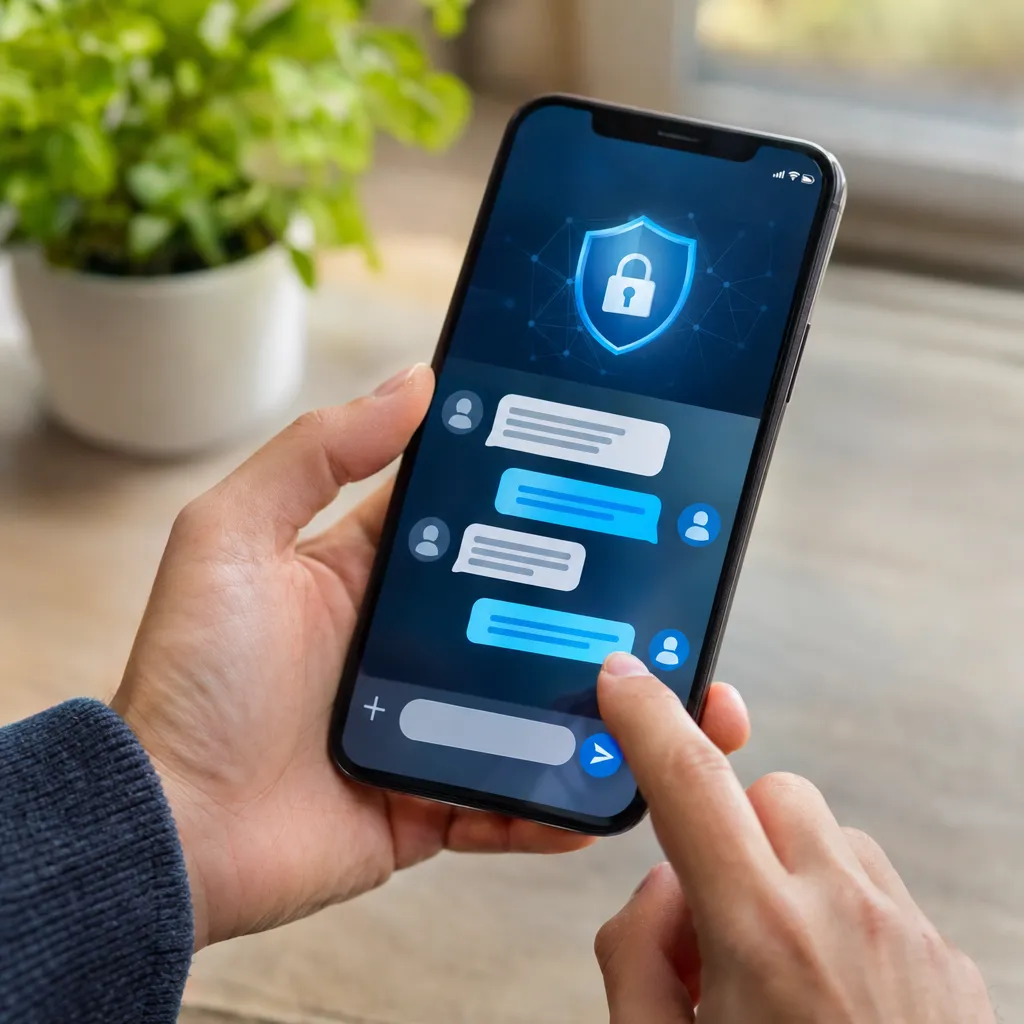
After you set up contacts, you can start sending messages with confidence. Conversations should appear as encrypted (look for a padlock icon or security warning in the app). If this is the first time you talk to someone in that app, it is common for them to let you know that security has been established, confirming that encryption is active. Read these notifications carefully, as they indicate important changes in security status.
Truth: Backups Can Compromise Security
One point that often goes unnoticed is the backup of your messages.Many apps offer the option to back up to the cloud, which is convenient but can be dangerous to privacy.If you back up your encrypted conversations to a common cloud service such as Google Drive or iCloud, these messages may no longer be protected. The end-to-end encryption of the app does not protect data that has already left it.
If you want to maintain maximum privacy, consider disabling automatic backups of conversations or only using local backups on your device. If you really need to back up to the cloud, choose an app that offers encrypted backup properly managed by the platform, not by your phone’s default cloud service.
The Passive Security Myth
Believing that just installing the app makes you safe is a dangerous mistake. Security is active and ongoing. You need to keep the app always up to date, as updates often fix discovered security flaws. Ignoring updates is like leaving the door open for hackers. Many attacks exploit vulnerabilities that have already been patched, but people have not updated their apps.
In addition to updates, you should be aware of suspicious behavior. If the app starts to consume a lot of battery for no reason, send data in abnormal quantity or show unexpected ads, something may be wrong. Uninstall the application, look for reliable source information about the problem and, if necessary, reinstall from an official repository such as Google Play or App Store.
Truth: No App Protects Against Social Engineering
As good as an app is, it can’t protect you against someone you know and trust by revealing your conversations.If you share the password with someone or leave your phone unlocked in a person’s hand, no encryption helps. Security also depends on your behavior and the choices you make.
Use strong and different passwords for each important app, enable two-factor authentication when available, and never share your credentials.If you are in a relationship or environment where you cannot trust the people around you, neither the best app in the world will guarantee real privacy.
How to Identify a Really Trusted App
When you are choosing an app for private messages, watch for some signs.Reliable applications have a clear and detailed privacy policy, available in Portuguese for Brazilian users. They explain exactly what they collect, how long they keep the data and with whom they share this information. If an app is vague or dishonest about it, it is best to avoid.
Also look for security certifications or audits.Some independent organizations test apps and publish public reports on their security practices.Read reviews on security-savvy websites, not just reviews from regular users in the app store.An app that has won security awards or been recommended by privacy experts is a safer choice.
Finally, be wary of apps that make exaggerated promises. No app is 100% secure or absolutely anonymous. If something sounds too good to be true, it probably is. A good app is honest about its limitations and keeps improving over time. So you can make informed choices and use private messages with greater security and peace of mind.