
Meet the night camera app for camping and hiking
Announcements
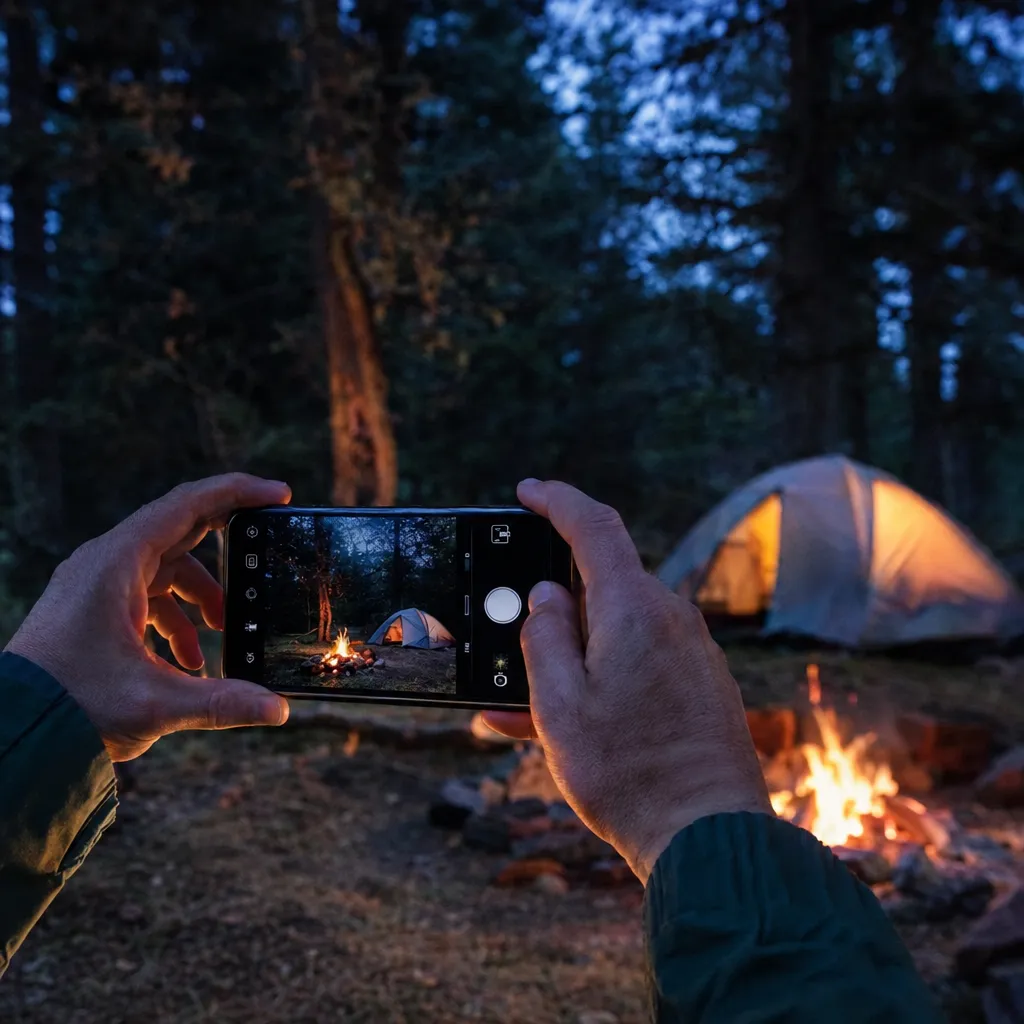
A night camera app turns your smartphone into a powerful device for capturing images in low-light environments.This technology uses advanced algorithms to amplify natural light and reveal details that your eyes cannot see at night.

When you are at a campsite or trail at night, exploring the environment safely and accurately becomes much easier with this type of application. The possibility of photographing or even viewing in real time what is around you without a dedicated flashlight offers practicality, saves battery of additional equipment and leaves both hands free for other tasks. Many adventurers use these apps precisely for this versatility during night expeditions, allowing you to document unique moments without compromising the camping experience.
The application night vision technology works through computer processing that captures low-light images and optimizes them in real time. The app analyzes each pixel captured by your mobile phone’s camera sensor, intelligently increases brightness, reduces visual noise and improves contrast to make the image clear and usable. Some applications include special modes such as thermal detection, automatic gain adjustment and specific filters for different ambient lighting conditions. This process happens instantly, allowing you to see almost in real time what the camera is capturing, even in virtually total darkness.
Announcements
To start using a night camera app, you need to first download it to your smartphone through the app store of your operating system. After installation, open the app and grant the necessary camera and storage permissions that it requests, because without these accesses the app will not work properly. On the first use, explore the settings menu to adjust the level of brightness, contrast and sensitivity according to your needs, then start capturing images or videos as you wish.
During a night trail, position your phone with the night camera app active stably to avoid blurry images and save time observing the terrain before taking the next step. Keep the camera pointed slightly down to view the path in front of you, adjusting the brightness of the app as natural lighting changes. If you are in a place with total darkness, start with maximum sensitivity and then gradually reduce until you find the optimal point where the image becomes clear without getting too polluted or blurred. Combine app use with slow and deliberate movements to ensure safety and avoid stumbling or falling during nighttime exploration.
Despite the great utility, night camera applications have real limitations that you should know. The final quality of the image will never be as good as that of a dedicated professional camera or a real night vision equipment, because the sensor of the cell phone has limited physical capabilities and the software only enhances what already exists. In situations of extreme darkness, the app can produce very noisy, blurred or difficult to interpret images, making it ineffective. In addition, the constant image processing demands a lot of computational load of your device, which can cause cell phone heating and performance restrictions in other functions.
Battery consumption is a serious concern when you use a night camera app for prolonged periods, especially during camps where recharging your smartphone may be impossible. Keeping the camera constantly active, performing high-speed image processing and keeping the screen on consume a significant amount of energy compared to normal cell phone use. If you plan to use the app for several hours in a row during a night trail, consider carrying an external battery portable charger or limiting the time of use only to the moments when you really need to view the environment in front of you.
There are situations where a night camera app may not be the best option and you should consider more suitable alternatives. For extended expeditions in environments with total darkness, high-power LED flashlights or front lanterns offer better lighting and lower battery consumption of your mobile phone. If you intend to make serious photography of night sky or dark landscapes, a DSLR or mirrorless camera with appropriate lenses will provide vastly superior quality to that of a smartphone application. For navigation on completely unknown and dangerous trails, professional night vision equipment or even an experienced guide who knows the place is much safer and recommended than relying only on a mobile app.
Comparing Different Available Apps
The market offers several night camera apps with varied characteristics and qualities, each developed by different companies and teams. Some applications focus on simplicity of use and intuitive interface, allowing anyone to capture night images without complex learning curve. Others prioritize advanced features such as specialized modes of capture, real-time editing, and manual controls that give more power to the experienced user on the final result.
Knowing the differences between these available options is critical to choosing which one best suits your type of use in camps and trails. A trail safety-oriented app, for example, can offer features such as magnification, image stabilization, and motion compensated capture mode. Already an app focused on night photography can include color filters, manual ISO adjustments, and shutter speed, or fast serial mode for capturing multiple images. Comparing user ratings and testing some apps before a real expedition helps you find exactly what you need.
Practical Preparation Before Your Night Adventure
Before you head out to a camp or trail at night, take the time to set up your night camera app properly and test its work in different scenarios. Start in a dimly lit location near your home, experiment with various sensitivity, brightness, and contrast adjustments, and note which settings work best for your preferences. Take some videos and photographs to check the image quality and app performance on your specific mobile model.
Also check the amount of storage space available on your smartphone, because videos and photos in high quality consume space quickly and you do not want to be unable to capture when you are in the middle of nature. Do a full battery test to know how long your phone can keep the app running continuously, so you set realistic limits of use during your expedition. Also consider downloading the application a few days before leaving, allowing you to fully familiarize yourself with its features and avoid unpleasant surprises when you are already camping.
Safety and Liability in Night Use
Using a night camera app on trails and camps brings important responsibilities that you must take into account to ensure your safety and that of others. Never fail to pay attention to the physical environment around you while using the app, because the mobile phone screen can partially obfuscate your peripheral vision and make you lose track of obstacles. Always keep a backup flashlight handy, because the phone can lock, unload or the app may fail unexpectedly, leaving you without night vision at a critical time.
If you are in a group, clearly communicate to others that you are using a night camera app and it will not be your primary source of light or navigation, to prevent everyone from depending on you and your cell phone battery. Respect the right to privacy of others and avoid photographing or recording unknown people without consent, especially during moments of rest in shared camps. Also remember that amplified night vision does not replace local knowledge or prior trail planning, so always study your itinerary in advance and consider hiring a guide if the route is unknown or particularly challenging.
Optimizing Experience with Additional Resources
Many night camera apps offer complementary features beyond basic image capture that significantly improve your experience of using on expeditions. Some include compass markers or GPS information that helps you identify directions and locate points of interest in the dark environment around you. Others bring color filters or informative overlays that can highlight temperature differences or reveal patterns in the environment that would be invisible under natural light.
Exploring these additional features during the home prep phase ensures you enjoy the full potential of the app when camping.Some apps let you adjust the interface size or leave floating controls on the screen, making it easier to make quick adjustments without losing sight of what is being captured. Others offer continuous video recording with timestamp, allowing you to document a full nighttime track experience and then review any important detail that has gone unnoticed during the moment.
Keeping Your Device Protected During Expedition
A camp or night trail exposes your smartphone to challenging environmental conditions, humidity, cold, and even accidental drops, so protecting your device is essential to keep the app running properly. Consider using a water and fall resistant cover as this allows you to use your phone with confidence even in wet environments or on uneven ground. An on-screen tempered glass film provides extra protection against scratches and minor knocks that inevitably happen during outdoor adventures.
Keep your phone in a safe inner pocket when not using the app, protecting it from extreme cold that can drastically reduce battery life and impair the performance of the camera sensor.If you are using the app continuously, take breaks from time to time to allow the device to cool, avoiding overheating that can lead to crashes or automatic performance reduction. Also charge a thin cloth or absorbent paper to clean the camera lens regularly, as accumulated water, dust or condensation affects the quality of the images captured by the app.



