App for Who Wants to Sing Karaoke on Mobile
Announcements
Singing karaoke on your phone has become as simple as opening an app. You no longer need to leave home, find a nightclub or spend money on karaoke sessions to have fun singing your favorite songs. With a smartphone in hand, you can access thousands of tracks, record your presentations and even share with friends in a few taps.
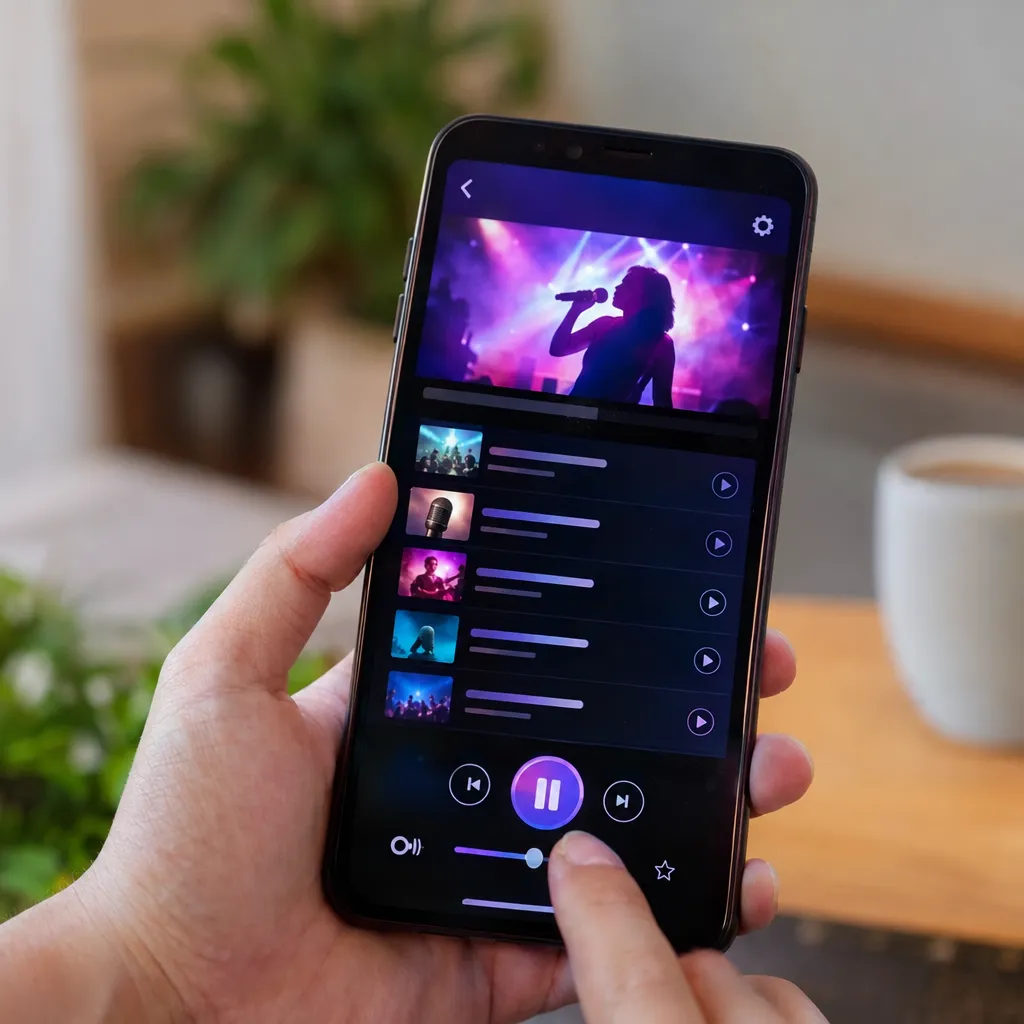
Technology has transformed the way people enjoy leisure by putting entire karaoke studios in the palm of your hand.Today there are specialized applications that offer professional audio quality, interesting visual effects and an experience that rivals physical establishments.
Announcements
Several apps offer access to a vast catalog of music of all genres and eras. Some of the most popular include platforms that allow from downloading audio tracks to recording videos with special effects. You will find free options with basic features and premium versions that unlock advanced features, bonus points and unlimited access to the full collection of available songs.

Downloading and installing a karaoke app on your phone is a fairly straightforward process, regardless of the operating system you use. Simply go to your device’s app store, whether it’s the Google Play Store for Android or the App Store for iPhone, and search for the name of the desired app. After finding it, you just tap the install button and wait a few minutes while the file is automatically downloaded and configured on your device.
After installing, creating an account is the next step to start singing. You provide a valid email, create a secure password and in some cases can connect your account to social networks for easy access. With registration completed, the application usually offers a quick tutorial showing the main functions such as searching for songs, adjusting the volume of the microphone and instruments, and accessing the history of your previous recordings.
Step by Step to Sing in the App
Starting singing is extremely intuitive in most modern karaoke apps. You open the app, search for the song you want to hum (using the search bar or browsing the available categories) and select the appropriate version and tone for your voice. After you choose, the app loads the track and you will see the synced lyrics on the screen, ready to follow while singing.
When you’re all set, you tap the record or start button, and the app starts playing the instrumental along with displaying the lyrics. While singing, your microphone captures the voice and syncs it to the background music, creating a professional audio mix.Some apps offer audio viewers that show in real time how your voice is being captured, allowing you to adjust the volume or proximity of the microphone as needed during recording.
After you finish singing, you are given options to save the recording, retry or share immediately with friends and social networks. The application usually provides a summary of your performance, including points obtained (if there is a scoring system), time of duration of the music and overall recording quality. You can edit some details before saving, such as adding visual filters, adjusting the final volume or even including special effects that improve the presentation.
▶Download on Google PlayAndroidVisual effects are another important attraction of these applications, allowing your presentation to gain cinematic elements such as scenery changes, synchronized lights, special particles and professional camera filters. You can turn your recording into something much more visual and attractive, similar to what you see in real music clips.Some applications also offer the possibility of recording in full video, showing your face and body while singing, which makes the content more authentic and shareable.

Practical Tips to Improve Your Experience
To ensure a quality karaoke experience over your phone, make sure your internet connection is stable and fast. If you are using mobile data, being in an area with strong 4G or 5G signal prevents buffering issues or cuts during music playback.If you prefer, connect your device to a WiFi network at home to ensure the best possible streaming quality of the audio and videos from the app.
The environment where you sing also makes a big difference in the final result. Choose a space with good acoustics, away from external noises such as traffic, horns or noisy machines. If possible, invest in a good quality external microphone, as the built-in microphone of the cell phone sometimes does not capture nuances of your voice correctly. Many applications are compatible with Bluetooth or wired microphones, which significantly improves the quality of the recordings you make.
Adjusting the volume between your voice and the instrument is crucial for a balanced, professional recording.Start by testing different volume levels while doing a small test recording, checking that the music is not so loud that it drowns out your voice or too low to the point of making it disproportionately loud.Most apps offer sliders to regulate these volumes independently, and you can make adjustments while recording without losing quality.
Important Care When Using Karaoke Apps
One of the most common mistakes you should avoid is not checking the permissions that the application requests before installing. Some apps ask for access to your camera, microphone, photo gallery and contacts, and it is important to understand why each of these permissions is necessary. Grant only the permissions that make sense for the operation of the application, and be wary of those who request access to sensitive information without a clear explanation of how they will be used.
Another frequent mistake is to ignore the privacy settings of the app, especially when it comes to sharing your recordings. Check before publishing whether the app displays your full name, your location, or personal information that you would rather keep private.Many karaoke apps function as internal social networks, allowing other users to see your profile and your presentations, then adjust these settings according to your personal comfort level.
Keep an eye out for how much storage the app takes up on your device, too. Karaoke apps with large music libraries can take up gigabytes of space, slowing down your phone or preventing you from installing other important programs. Regularly clear the app cache, delete old recordings you no longer want to keep, and consider using cloud storage to save your best presentations without taking up space on your device.
Fun and Entertainment Anywhere
The beauty of singing karaoke on your mobile phone is that you have access to a professional entertainment experience at any time and place. Whether during a break at work, while traveling by bus, in your living room or even on trips abroad, the application is always available in your bag or pocket. You do not depend on nightclubs opening hours, do not need to pay minimum consummation fees and do not face embarrassment of singing in front of strangers if you do not want to.
Your recordings are permanently saved in the application (provided you do not delete them) and serve as an interesting record of your fun moments. You can search your past performances, see how your technique has improved over time and review videos of special moments with friends and family who might be participating when you recorded. This creates a unique personal archive of musical memories, turning the act of singing karaoke into something much more significant than just passing fun. Technology puts in your hands the freedom to be an artist when you want.