How the App to See Radars in Gps Works
Announcements
GPS applications with radar detection have revolutionized the way you move around the city streets. These programs offer much more than simple navigation, combining real-time data on electronic surveillance, congestion and alternative routes.In this article, you will find out how these tools work and what is the best strategy to use them in your day to day.
The technology behind these applications is the result of years of development and integration of data from multiple sources.You will understand from basic operation to technical details that make it possible to receive accurate alerts about radars, traffic cameras and road obstacles.In addition, we will explore the additional functionalities that complement your urban commuting experience.
What is a GPS App with Radar Detection
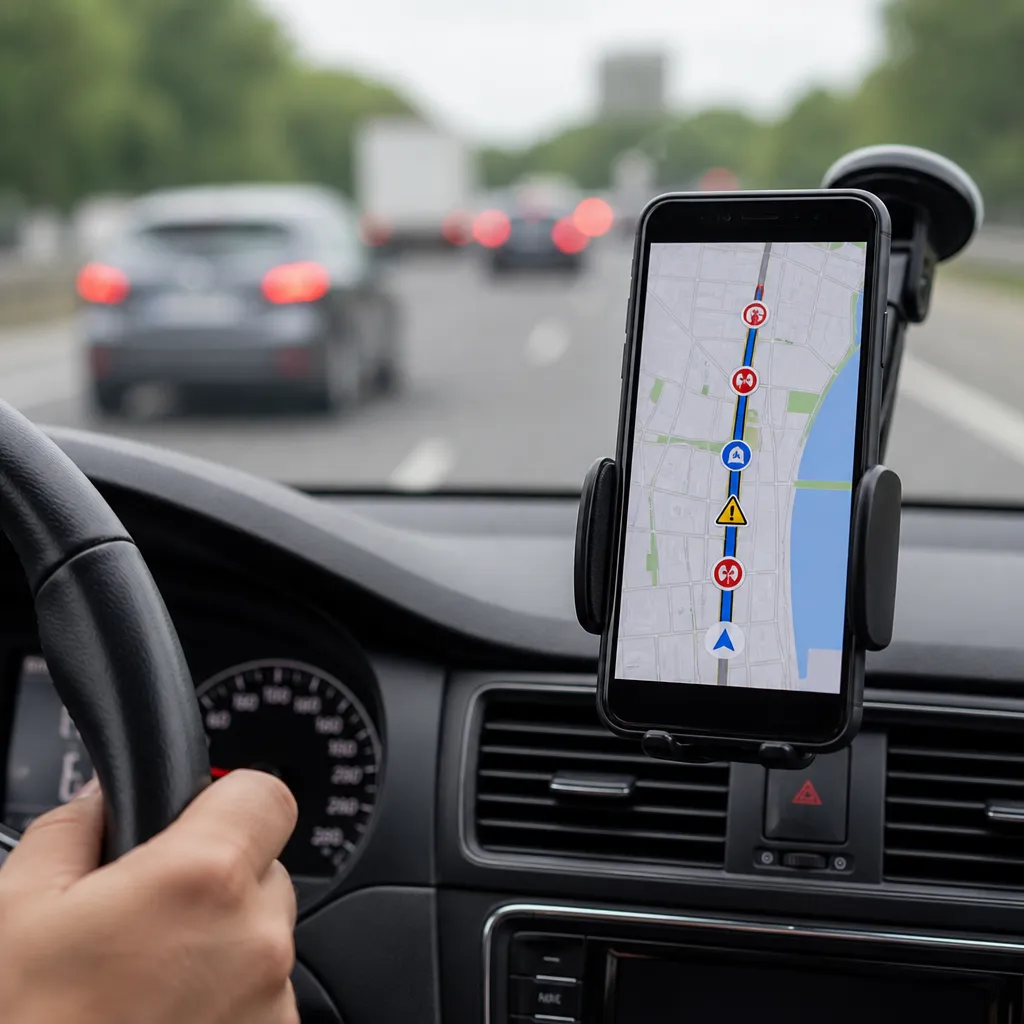
A GPS application that detects radars is a mobile software that combines satellite navigation with a constantly updated database on electronic surveillance points and traffic cameras. You receive visual and audible alerts when you approach one of these points, allowing you to make more informed decisions about your speed and route. These apps work both in internet connection and offline, depending on the model chosen.
Announcements
The main difference between a traditional GPS and one of these specialized applications is the ability to provide information on road safety and enforcement. You not only arrive at your destination, but also significantly reduce the risk of receiving fines for speeding or other violations. Many of these apps also include data on congestion, accidents and traffic conditions in real time, turning them into true urban mobility assistants.
How Radar Detection Works
The detection of radars in these applications works through a collaborative system where users share information about the exact location of surveillance equipment. When you approach a point registered in the app database, the system compares your GPS position with the stored coordinates and triggers an alert. This process occurs in milliseconds, ensuring that you have enough time to react.
 Waze GPS and Live Traffic
Classification:
^^^^^^^^^^^^^^^^^^^^^^^”’
4.30
Age Classification:
Free Classification
Author:
Waze
Platform:
Android
Price:
Free
▶Download on Google Play
Radar data is collected from a variety of sources, including user reports, integration with traffic agencies, and continuous monitoring of public roads. You automatically contribute to this database when using the app, as the system records your trajectories and can map new enforcement points. This crowdsourcing approach makes data increasingly accurate and up-to-date as more people use the platform.
Main Features Beyond Radars
The best GPS applications with radar detection offer much more than just alerts about electronic surveillance.You have access to real-time congestion information, which is collected through traffic data from various sources and the behavior of other users on the road. This functionality allows you to choose alternative routes and save significant time during your commutes, especially at peak times.
In addition to traffic, these apps warn of accidents, blocked lanes, ongoing construction and other road obstructions.You receive contextualized notifications that consider your current route, helping to avoid dangerous situations and unnecessary delays.Many of these apps also include features for sharing experiences between users, creating a collaborative community that constantly improves the quality of available information.
Essential Checklist to Get the Most Out of Your GPS App
To ensure you are getting the most value out of your radar-sensing GPS app, it is important to follow a number of practices and checks. This comprehensive checklist will help you properly configure the app and use it intelligently and safely while on the move.
You should regularly check that the app version is up to date, as updates often bring accuracy improvements and new data on radar and traffic conditions.Make sure that your smartphone’s GPS is on and working properly before starting any route, as location accuracy is critical for alerts to work properly. Also check that you have permission given the app to access your location in real time, both in the background and during active use.
Confirm that your internet connection is stable, as even apps with offline functionality require periodic connection to update their databases. You should review the alert settings and ensure that the sound volume is at an audible level so that you receive notifications about radars and traffic jams. Test the accuracy of the app on routes you know well, comparing the information provided with your actual knowledge of the roads.
Make sure the app integrates with your specific geographic region, as some apps work better in certain areas or cities. You should also enable push notifications to receive important alerts even when the app is in the background. Make sure your smartphone battery will withstand the time of use of the app during your commute, considering turning on battery saver mode if necessary.
Regularly review the shared data and communities in which the app allows you to participate, as this helps maintain the quality of the available information. You should test the offline operation of the app in a place where there is usually no signal, checking that the locally stored data is complete and up to date. Confirm that the app respects your privacy, reviewing its data policy and checking what information is collected and how it is used.
Make sure you know the app’s main shortcuts and features, such as how to report a new radar, share traffic conditions, or send an alert to other users. You should check that the app offers integration with other services you use regularly, such as maps, music, or communication. Review whether there are route customization options, such as highway preferences, fast lanes, or safer routes.
You should also check that the app has additional security features, such as alerts about crime zones or regions with a higher incidence of accidents. Confirm that there is a sound and vibration settings section that allows you to adjust how the app notifies you about different types of alerts. Make sure that route history can be kept private or is automatically shared with third parties.
Review the availability of technical support and if there are channels of communication with the app developer to report problems or suggest improvements. You should ensure that the app works properly in dark mode if your smartphone has this functionality, avoiding unnecessary distractions while driving. Check if there are different versions of the app for drivers and passengers, adjusting their settings according to their role in the commute.
Make sure that the app allows you to temporarily disable certain types of alerts if you are in a stopped vehicle, avoiding false notifications. You should periodically check for comments or reviews from other users about the accuracy of the app on your specific routes. Review whether the app keeps records of data and battery consumption, helping you optimize its use more efficiently.
Differences Between Popular GPS Apps with Radar Detection
There are several options available in the market, each with its own characteristics and strengths. One of the best-known applications offers an intuitive interface and an extremely complete database on radars in hundreds of cities, with frequent updates made by the user community. You will find in this type of app advanced features such as navigation without internet, integration with music platforms and customizable alerts.
Another popular app stands out for its accuracy in congestion and accident information, using sophisticated algorithms to predict traffic situations before they even occur. You can take advantage of smart routes that learn from your commuting patterns and suggest increasingly optimized routes.This app also offers integration with social networks, allowing you to share your experiences and receive alerts from friends about road conditions.
There are also applications that specifically focus on vehicle safety features, combining radar detection with driving behavior analysis. You receive feedback on your speed, acceleration and braking, helping to develop safer habits. These apps are often integrated with insurers, offering possibilities for reducing insurance premiums based on your driving performance.
Recommended Settings for Maximum Efficiency
To ensure you are getting the most out of your GPS app, it is critical to perform some proper initial settings. You should access the notification settings and ensure that all relevant alert types are enabled, especially those related to radar, traffic cameras and severe traffic jams. Consider adjusting the volume and vibration so that alerts are noticeable without becoming overly intrusive.
In the privacy section, you should carefully review what type of information the app is collecting and for what purposes. Many apps offer options to anonymize your location data or limit sharing to aggregate traffic information only. You can also disable certain types of tracking if you do not want to contribute to the route database or prefer to keep your privacy more protected.
As for the map settings, you should choose the color scheme that best fits your vehicle lighting during the day and night. You can customize which points of interest you want to view on the map, reducing possible distractions. Also adjust the font and icon size to ensure readability without the need to bring the face very close to the screen.
In the route settings, you must enable the automatic alternative routes function, which the app suggests when it detects congestion on the main road. You can also configure preferences such as avoiding toll roads, prioritizing safer roads or choosing routes with lower fuel consumption. These custom adjustments ensure that the app works according to your specific needs.
Impact on Safety and Accident Reduction
Consistent use of GPS applications with radar detection has a significant impact on reducing accidents and improving road safety as a whole. You tend to maintain more appropriate speeds when you are aware of the presence of electronic surveillance, reducing dangerous behaviors that often result in collisions and serious injuries. Studies show that users of these apps have substantially lower rates of speeding fines compared to drivers who do not use these tools.
In addition to radar detection, access to real-time information about traffic jams and accidents allows you to make safer decisions about which route to take. You avoid areas with a higher incidence of accidents or particularly dangerous routes at certain times, opting for statistically safer routes. The ability to anticipate chaotic traffic situations also reduces driver stress, which is an important factor in preventing accidents caused by errors of judgment.
Modern apps also include educational resources that help you develop safer driving habits.You get feedback on your speed on different road types, guidance on safe maintenance of distance between vehicles, and alerts on adverse weather conditions.This combination of navigation tools with road safety education creates a safer environment for both you and other road users.