Application that simulates x ray by the camera of your Android
Announcements
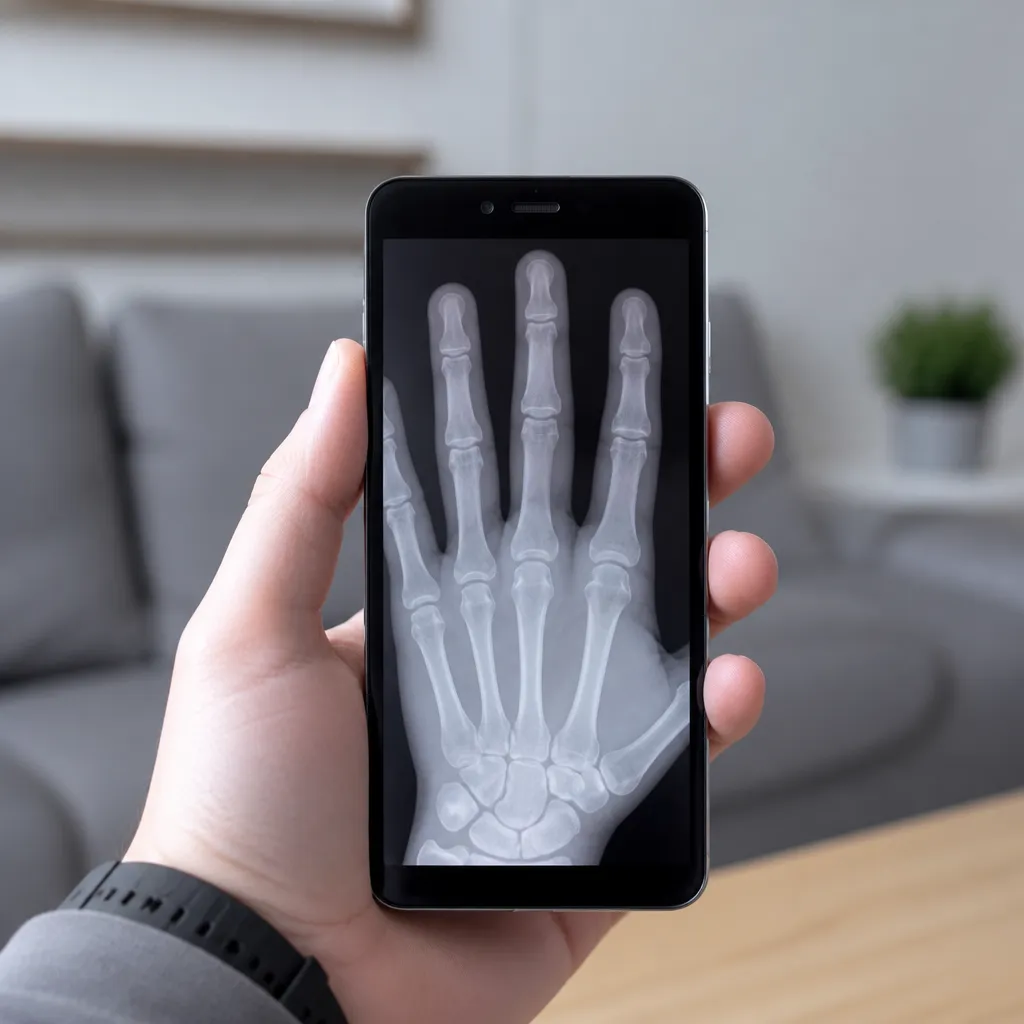
Have you ever stopped to think about how x ray technology, traditionally restricted to clinics and hospitals, can be simulated through your Android camera? Apps that simulate this functionality exploit creative visuals to offer an interactive and educational experience, without any real radiation is involved. These apps use filters and image processing to create the visual effect of transparency, turning your mobile camera into a tool for fun and learning.
The central purpose of these applications is simple: by pointing the camera at objects or even at the hands, the filter simulates the appearance of an x-ray image, showing internal structures in a visually interesting way. Although there is no real ability to visualize internal structures (since there is no radiation emission), the visual effect is impressive and enough to entertain, educate and arouse curiosity about how this technology works in the real world.
How X-ray Simulation Works in Camera
An application that simulates x ray operates through image processing algorithms that change the way the camera interprets and displays what is being photographed. The app captures video in real time and applies filters that modify contrast, saturation and hue, creating a look similar to that of a true radiological image. This process takes place instantly, maintaining the continuous flow of video as you move the device.
Announcements
The basic operation involves detecting edges and inverting colors, popular techniques in digital processing that highlight contours and create an artificial transparency effect.When you point the camera at objects, the algorithm identifies differences in brightness and texture, turning them into patterns that visually resemble an X-ray. The more natural contrast there is in the photographed object, the better the visual effect obtained.
Real Use Cases: When People Use These Apps
In educational settings, biology and science teachers use these apps to engage students and explain concepts related to radiation and the visualization of internal structures.By demonstrating how the camera can “simulate” a radiological visualization, educators create a bridge between mobile technology and more complex scientific knowledge, making learning more interactive and memorable for students of all ages.
 Xray scan filter cam
Classification:
””^^^^^^^^^^^^^^^^^^
1.59
Age Classification:
Free Classification
Author:
rokdevapps
Platform:
Android
Price:
Free
▶Download on Google Play
Health professionals often share these applications as educational tools with patients, helping to demystify radiological examinations and reduce anxiety for people who need to perform real procedures.By allowing the patient to “see” a simulated x ray through their own body, the app acts as a visual introduction to what to expect during a true radiological examination, facilitating communication between doctor and patient.
Professional photographers and visual effects enthusiasts adopt these applications as a creative element to produce differentiated content on social networks. Videos and photos with x ray filter generate high engagement, mainly because the effect is visually impactful and unusual, capturing the attention of followers quickly and efficiently.
Parents and educators use the app as a playful resource to teach children about the human body in a more fun and less intimidating way. Instead of simply showing static images in a book, the child can point the app to his own hand and “see” his simulated skeleton, turning an anatomy class into an interactive experience.
Museums and science institutions incorporate similar technologies into interactive exhibits, allowing visitors to play with x-ray simulations of historical objects or replicas of skeletons and artifacts.This experiential approach increases the length of stay in the museum and makes the visit more memorable, especially for children and adolescents who learn best through hands-on interaction.
Key Features of X Ray Apps for Android
Most x ray simulating applications offer an intuitive interface with simple controls to adjust the filter intensity, allowing you to customize the appearance of the effect to your preference.Many apps include zoom options, image rotation and screenshot capture to save the simulated images in your gallery.These basic features ensure that even novice users can navigate without difficulty.
Some advanced applications include multiple filters beyond the classic x ray, offering thermography effects, night vision or fluorescence scheme.These different modes allow you to explore visual variations and keep the experience fresh and interesting over time.The diversity of filters also expands the creative possibilities for those who want to generate content for social networks or educational applications.
Many of these applications work completely offline, requiring no internet connection to operate, which makes them accessible anywhere and anytime. The absence of connectivity dependence also contributes to better performance, since all processing takes place locally on the device without the need to send data to remote servers.
Compatibility with different versions of Android is a central concern of these developers. A good x ray simulation application works efficiently on both old devices and modern smartphones, automatically adapting to available hardware capabilities and maintaining visual quality without requiring expensive or recent components.
Differences Between Visual Simulation and Real Technology
It is important to understand that the x ray simulation through an app is purely visual and has no scientific basis in radiation physics. While an actual radiograph uses ionizing radiation to penetrate tissues and create an image of the internal structures, the app simply manipulates the visual image captured by the camera, using filters and algorithms to create a similar appearance. No real internal structure is visualized, as there is no emission or detection of radiation.
A smartphone’s camera is fundamentally unable to detect radiation or capture anything other than visible light.What the app does is reinterpret the light reflected by the camera, changing how that light is processed and displayed on the screen.
This difference is crucial for educational purposes, as users must understand that they are seeing a simulation effect and not a true visualization of internal structures.Teachers and parents need to contextualize it as a tool for entertainment and visual education, not as a substitute or close analogue of real radiological technology. The clarity on this distinction prevents confusion and maintains responsible use of the application.
How to Choose a Quality App
When searching for an x ray-simulating app for your Android, first check the reviews and comments of other users in the app store. Carefully read the negative reviews to identify recurring issues like crashes, poor visual quality or presence of invasive advertisements. User reviews offer actionable insights that official descriptions often do not cover.
Consider file weight and storage requirements, especially if your device has limited space. A good simulation app should be lightweight, usually occupying less than 50 megabytes, and not require excessive permissions that are unrelated to camera functionality. If an app requests access to contacts, messages, or location for no apparent reason, it is best to avoid it.
Test camera responsiveness and filter quality before committing your time completely to an app. Some apps offer free version with limited functionality, allowing you to experiment before considering a premium purchase.
Make sure the app receives regular updates from the developer, an indicator that the project is actively maintained and remains compatible with new versions of Android. Abandoned apps tend to experience increasing problems over time, while those that receive regular support often maintain better stability and security.
Future Potential of X-ray Simulation on Mobile Devices
As image processing technology continues to evolve, it is plausible that x ray simulations on smartphones will become even more realistic and sophisticated.Atificial intelligence and machine learning can be integrated to create more precise effects that actually simulate how different internal structures would appear on an X-ray, drawing on 3D models of the human body and inanimate objects.
Augmented reality offers another dimension of possibilities, allowing users to superimpose an x-ray simulation over the real environment seen by the camera. Imagine pointing your device at a chair and simultaneously seeing the real image and an x-ray simulation showing what the “internal structure” of that object would look like.
Educational and medical institutions will likely continue to adopt these tools as complements to their programs, recognizing the motivational and educational value that gamified and visually interesting applications bring to learning. The democratization of this type of technology through free or low-cost smartphones levels access to knowledge, allowing people in regions with fewer educational resources to still have access to innovative learning tools.
Security and privacy will continue to be important focuses as these applications evolve, especially if they start processing biometric data or sensitive images. Responsible developers will implement higher standards of data protection and transparency on how captured images are processed and stored, ensuring user trust.