Simulate X-ray by Cell Phone Camera
Announcements
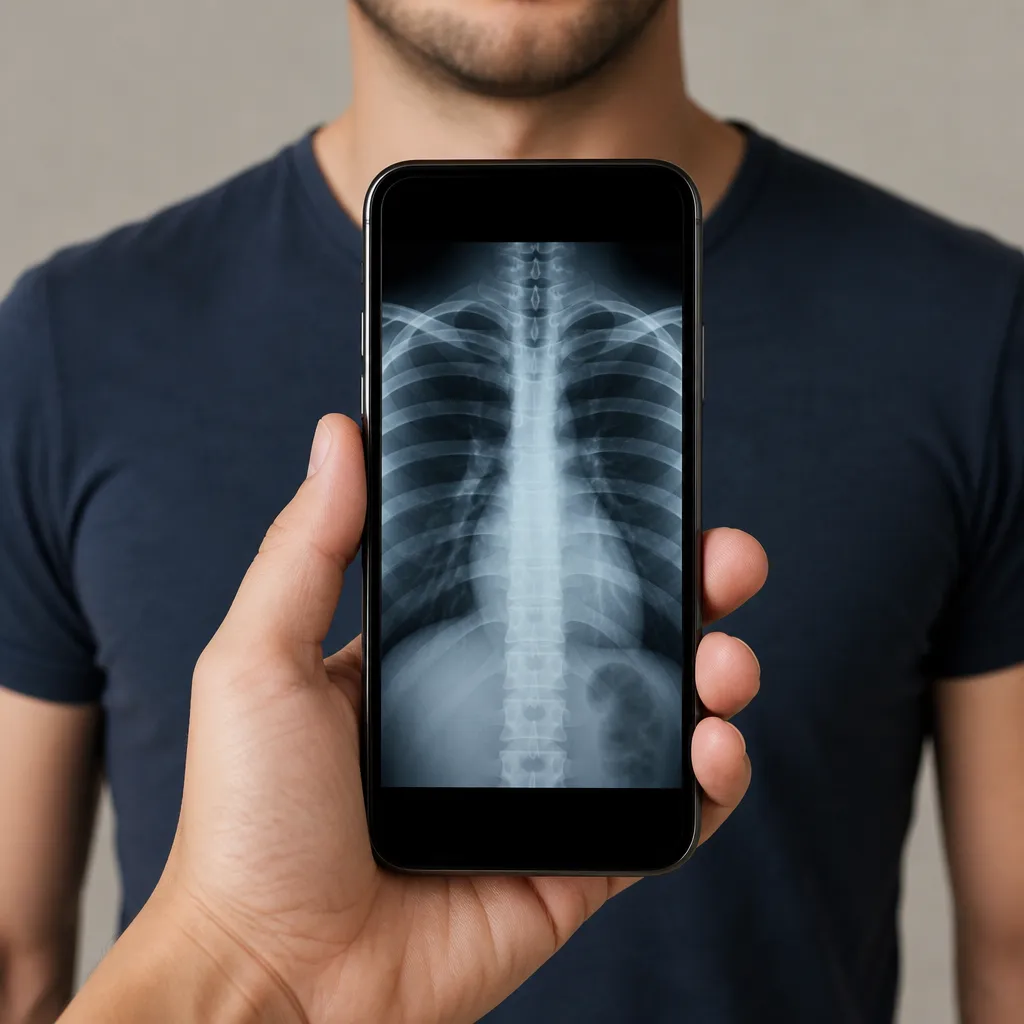
Have you ever imagined using your mobile phone camera to simulate an X ray? This technology is at your fingertips and works better than you think. Find out how to take advantage of this impressive functionality in your day to day.
X ray simulation by the mobile camera has become possible thanks to advances in image processing and machine learning.Specialized applications use sophisticated algorithms to interpret the information captured by the camera and create visual representations that resemble real X ray images. This technology does not replace legitimate medical examinations, but offers a fascinating interactive and educational experience for curious users.
How X Ray Simulation Works
The technology behind this simulation involves depth analysis, color processing and artificial intelligence.When you point the camera of the mobile phone at an object or even at your hand, the application captures the image and applies special filters that modify the contrast and tint. The result is a visual representation that mimics typical features of medical radiographs, such as the display of internal structures in gray and white tones.
Announcements
Modern smartphone sensors can capture infrared and ultraviolet light information that is not visible to the human eye. Specialized applications leverage this data to create more realistic effects.Machine learning algorithms trained with thousands of X ray images can identify patterns and generate simulations that closely approximate the appearance of professional radiographs.
Top Apps for Simulating X Ray
There are several applications available in the app stores that offer this simulation functionality. Each of them has distinct features, advantages and limitations. Comparing the options helps you find the ideal solution for your specific needs and usage preferences.
Realism-Focused Apps
Some apps prioritize creating extremely realistic X ray simulations. They utilize real medical image libraries and advanced filters to offer the closest possible experience to an authentic radiograph.These apps often take up more storage space on your mobile because they store a lot of reference data.They work best on smartphones with more powerful processors, as real-time image processing demands a lot of computational power.
Apps with Gamified Interface
Other options bet on a more playful and fun approach, integrating the simulation of X ray to games or interactive challenges. These applications are usually lighter, take up less memory and work on phones with more modest specifications. The experience is less scientific, but still offers guaranteed entertainment for you and your family, especially for children curious about how X ray work.
Comparison of Essential Features
When choosing an application to simulate X ray, you should consider several critical factors.The quality of the simulation is important, but also the battery consumption, the size of the download file and compatibility with your specific device.Some applications require high-resolution cameras to work well, while others adapt to any modern smartphone.
The availability of different modes also counts a lot in your decision. Some apps allow you to adjust the intensity of the effect, choose from multiple radiographic colors or add extra effects like movement and animation. Others keep the functionality simpler and more direct, focusing only on the basic simulation.You need to think about which features really matter to you: want maximum realism or maximum fun and ease of use?
Popular apps often get frequent updates, have active communities on social networks, and provide video tutorials.If you want to learn tricks and techniques for best results, choosing an app with a large community offers significant advantages over lesser-known alternatives.
Techniques to Get Better Simulations
The quality of your X ray simulation depends heavily on how you use the application. First, look for environments with proper lighting, neither too light nor too dark, as the camera needs to capture detail accurately. Images captured in very dark locations will result in confusing and low-quality simulations.
Keep the camera stable while capturing the image, as any movement can harm the end result. Use both hands to hold the phone or support it on a fixed surface. If your phone has night mode or automatic camera filters, temporarily disable them so that the application has full control over image processing. The distance between the camera and the object also matters: keep a distance of about 20 to 30 centimeters for optimized results.
Experiment with shooting different objects to understand how the app responds to each one. Organic objects like your hands, fruits, and leaves often produce more interesting results than metallic or completely opaque items.Take multiple photos of the same object with small variations in angle and distance to find the optimal setting.
Differences Between Simulations and Real X Ray
It is essential that you understand the limitations of this simulation technology.A real X ray uses ionizing radiation to create images of internal structures of the human body, a process that requires specialized equipment and certified professionals.The simulation of your mobile phone is just a visual effect that mimics the aesthetic appearance of an x-ray, without any real diagnostic ability.
These simulations should never be used for medical or diagnostic purposes, as they do not contain real clinical information. If you have concerns about your health, always look for a qualified medical professional who can order a genuine X ray using appropriate equipment. The simulation is only for entertainment, basic education about the concept of radiography and technological curiosity, nothing more.
Safety Tips and Good Practices
When using X ray simulation applications, you should observe certain precautions to protect your privacy and security. Download applications only from official sources such as Google Play or App Store, avoiding third-party platforms that may offer modified or malicious versions. Check the permissions that the application requests: legitimate X ray simulation applications need access to the camera, but should never ask for access to your contacts, call history or banking data.
Read reviews and comments from other users before installing any new app. Real users share honest experiences about functionality, ad quality and whether the app is safe. Immediately uninstall any app that shows suspicious behavior such as unsolicited security warnings or overly aggressive ads. Keeping your phone up to date with the latest versions of the operating system also ensures better compatibility and security when using these apps.
Respect the privacy of others when using the X ray simulation camera. Do not capture images of others without explicit consent, especially considering that the visual effect created may seem invasive. Use this technology responsibly, always thinking about the ethical consequences of what you are doing. Share processed images only in appropriate contexts where everyone involved has consented and understands that they are just fun simulations.
Exploring Practical Use Cases
X ray simulation can serve many purposes beyond pure entertainment. Physics and biology teachers have used these applications to teach radiation concepts and how real X rays work safely and interactively. Students can visualize and play with the concept without health risks.Museums and science centers have also incorporated this technology into educational experiences to engage visitors of all ages.
Social media content creators leverage these simulations to generate viral videos and interesting reels, showing how mobile technology has evolved to deliver incredible effects.The “surprise” factor of seeing an X ray simulation running through the mobile camera catches the attention of observers and generates engagement. Some visual artists even use these simulations as the basis for digital art projects or creative photography. The possibilities are limited only by their imagination and creativity in exploring the tool.