
Apps to Monitor Nearby Cameras
Announcements
Are you looking for a practical way to monitor security cameras around you? There are several applications available that allow you to view feeds from nearby cameras quickly and efficiently.
Surveillance technology is increasingly present in cities, and many people want to access this information from public or shared cameras to increase their personal security.Apps to monitor nearby cameras offer features that facilitate this visualization directly by the smartphone, without the need for sophisticated equipment or advanced technical knowledge.
How Camera Monitoring Apps Work
Applications to view nearby security cameras work by connecting to public camera networks, shared or registered in specific databases. These apps use your device’s location to identify which cameras are nearby and allow you to access the feed in real time.Most of these applications do not require installation of additional equipment, as it acts as an intermediary between you and the cameras already in the region.
Announcements
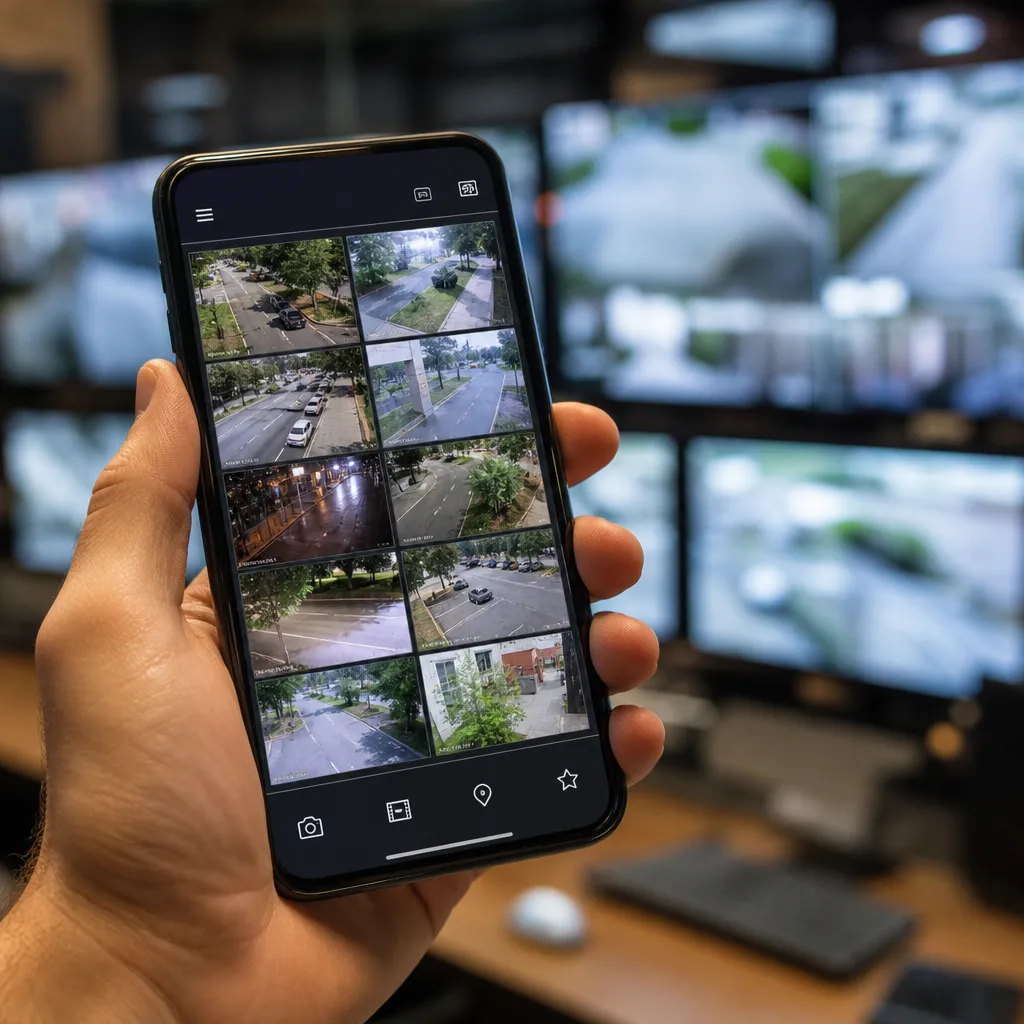
When you open the application, it maps your geographic location and searches for cameras registered in your database near you. The process is quite simple: you allow the app to access your location, it loads a list of available cameras and you select which one you want to view. The feeds appear in real time or with a small latency, depending on the internet infrastructure and the type of camera connected.
The security of these connections is a major concern, so many of these apps implement data encryption and security protocols to ensure that your personal information and viewing history remain protected.Some apps also allow you to record personal cameras to share them with friends or family, creating a collaborative monitoring network.
 DeFlock.me
Age Classification:
Free Classification
Author:
TechBS
Platform:
Android
Price:
Free
▶Download on Google Play
Top Apps Available in the Market
There are several options of popular applications that make it easy to view nearby security cameras. One of the best known is the application that allows you to view public cameras in real time through an interactive map. This type of tool offers an intuitive interface where you see points on the map representing each camera, and when tapping on them, the camera feed is displayed in high quality.
Another widely used application works as a centralized repository of cameras, allowing owners to register their devices and share access with others. This system is especially useful for those who want to monitor their home, store or business while away, and also to create community surveillance networks with neighbors and friends.
There are also applications developed by specific security camera manufacturers, such as those compatible with recognized brands in the market. These apps are optimized to work perfectly with the devices of that brand, offering unique features such as smart notifications, cloud recording and integration with other smart home services. If you already have cameras of a specific brand, it is usually more efficient to use the official application of that manufacturer.
Essential Resources You Should Look For
When choosing an app to monitor nearby cameras, there are some fundamental features you should check before downloading. Image quality is paramount, so look for apps that support at least HD or 1080p resolution depending on the cameras available in your region. A good app also allows you to adjust video quality to save mobile data when needed.
The user interface should be intuitive and easy to navigate, even for those who have no technical experience. You do not want to waste time figuring out how the application works when you need to quickly access a camera. Look for apps with clean design, large and well-organized buttons, and settings menu accessible without many clicks.
Offline access or recording history is another valuable feature, allowing you to review past events even when not connected to the feed in real time.Many applications offer cloud storage, so you can save important clips and access them later. Also make sure the app allows real-time notifications when it detects movement or changes in the feeds of the monitored cameras.
The compatibility of the application with different types of cameras is important to maximize its usefulness. A good app supports cameras of various brands and models, allowing you to aggregate your entire monitoring system in one place. Some applications also offer integration with virtual assistants such as alexa or google assistant, further facilitating access to the cameras through voice commands.
Security and Privacy when Using These Apps
Security is a crucial consideration when you are using apps to view security cameras. Before installing any app, make sure it has recognized security certifications and asks for appropriate permissions on your device. A legitimate app will never ask for access to your messages, contacts or financial data just to monitor cameras.
Please read the privacy policy of the application carefully to understand how your data will be used. Information such as your location, viewing history and personal data should be protected in accordance with international regulations.Make sure the developer offers two-factor authentication and allows you to control who has access to your personal cameras.
Change the default password of any camera you share through the application, as default passwords are often known and can compromise your security. Use strong passwords with combination of letters, numbers and special symbols for all your accesses to the app. It is also recommended to regularly review the permissions and accesses you have granted to the application, removing any unnecessary access.
Consider using a vpn network when connecting to cameras over public wi-fi networks, especially in cafes or airports. This adds an extra layer of protection to your data while you monitor cameras remotely. Never share your app’s access credentials with strangers, and be wary of access requests from people you don’t know.
How to Choose the Right App for Your Needs
Before installing an app, think about your specific monitoring goals. Do you just want to view public cameras in your region, or do you want to connect your own personal cameras? Some apps are focused exclusively on public cameras, while others are complete platforms for managing private surveillance systems. Setting this need will help you choose from the various options available.
Try the app for free before making any payments for premium features. Most apps offer free version with basic features, allowing you to try out the interface and evaluate whether it meets your needs. Read reviews from other users in your device’s app store, paying attention to reviews on stability, image quality and customer support.
Make sure the app receives regular updates from the developer, as this indicates that the project is being maintained and receiving security improvements. Apps that have not received updates for several months may have known vulnerabilities. Also confirm that the app supports your device’s operating system, whether android or ios, and that it is compatible with your specific version of the system.
Consider the storage capacity and costs associated with the app in the long run. Some apps are completely free but limited, while others charge monthly fees for premium features like unlimited cloud storage or access to more cameras simultaneously.
Frequently Asked Questions About Security Camera Apps
Many people ask if it is legal to use applications to view nearby security cameras, especially public ones. The answer is that cameras in public spaces are usually legal to view, as they have been installed precisely for public safety.However, cameras on private properties should only be accessed with explicit permission of the owner.Always respect the privacy and surveillance laws of your region, which can vary significantly.
You may wonder if these apps work anywhere or just in urban regions with many cameras. Availability varies greatly depending on where you are, as it depends on how many cameras have been registered in that area and share their feeds publicly.
The issue of device battery is legitimate, as these apps use gps and mobile data continuously. To save battery, disable location when not using the app, reduce the quality of videos to slower connections and close the app when not monitoring. Many modern apps allow you to schedule monitoring or set up alerts instead of constantly watching the feed in real time.
People also question whether they can add their own cameras to the app if they are not of a compatible brand. Some apps allow this through protocols such as rtsp or onvif, which work with generic cameras. You may need to set up a server or use adapters to connect old cameras, but it is usually possible to integrate several types of devices.
Another common question is about latency or delay when viewing the feed in real time.Latency depends on several factors including the quality of your internet connection, the processing capacity of the camera and the application servers. Most modern apps can maintain latency of less than a few seconds, which is suitable for most monitoring situations. If you need very low latency, check technical specifications before choosing.
You may be concerned about what to do if the camera you are monitoring is hacked or misused.Reliable applications have processes to report suspicious or misbehaving cameras.If you find cameras being used for illegal purposes or privacy violations, there is usually a button to report the problem directly to the app developer, who can investigate and remove the camera from the platform.
The question about unlimited data is often asked, since streaming video consumes many megabytes.Search for apps that allow you to adjust video quality or offer data saving mode.If you have a limited data plan, monitor your consumption regularly and consider using wifi whenever possible.Some apps also offer the option of receiving only event notifications instead of watching continuously.
Trends and Future of Mobile Camera Monitoring
Artificial intelligence is transforming camera monitoring applications, allowing automatic detection of suspicious movements, facial recognition and behavioral analysis. These technologies make apps smarter and able to alert you to relevant events without the need for constant monitoring. Some apps already use machine learning to learn normal patterns and alert only when something abnormal is detected.
Integration with smart home is becoming increasingly common, allowing your cameras to work in harmony with smart lights, locks and other devices.You can program your systems to automatically react to events detected by the cameras, such as turning on lights when detecting movement at the entrance door.
The improvement in 5g connectivity promises to reduce latencies and allow streaming videos at even higher resolutions through mobile apps. This will make the monitoring experience much more fluid and responsive, bringing even closer what you see on mobile to what a camera would be capturing at the present time.The quality and reliability of mobile monitoring will tend to match traditional desktop systems.
Security is also evolving with the implementation of more stringent end-to-end encryption and biometric authentication standards. Future applications may require facial recognition or fingerprinting just to access feeds, significantly increasing protection against unauthorized access.



