How to Monitor Upcoming Security Cameras on iPhone in Real Time
Announcements
Do you want to keep an eye on your home, store or condo direct by iPhone? Monitoring security cameras in real time by mobile is an accessible reality nowadays, and doing this right from the palm of your hand completely transforms how you take care of what matters most.
Security no longer needs to be tied to a desktop computer or closed screens at the concierge.With the right apps installed on your iPhone, you can keep track of what is happening anywhere, anytime, receive motion alerts, and even communicate with people who are in these environments.
Why Monitoring Security Cameras on iPhone Changes the Game
Mobility is the big difference when you can access your cameras through the iPhone. While you are at work, in an important meeting or even traveling, the tranquility of knowing that you can see your home in real time is unparalleled. You are not stuck at specific times or places to check what is happening in your environments.
Announcements
In addition to convenience, having remote access to the cameras significantly increases your responsiveness in emergency situations. If something suspicious happens, you can call the police with accurate information or even warn someone who is in the house to take action. This agility makes all the difference between preventing a problem and dealing with the consequences later.
The control is also more intuitive than you might think. Many apps offer clean, easy-to-use interfaces with large buttons and simple navigation even for those who are not so familiar with technology.You can zoom in, rotate the camera, turn features on or off, all with a few taps on the screen.
 DeFlock.me
Age Classification:
Free Classification
Author:
TechBS
Platform:
Android
Price:
Free
▶Download on Google Play
How Real-Time Monitoring Works on iPhone
Your security camera connects to the internet via WiFi or mobile internet, transmitting the image to a server. The app on your iPhone connects to that server and displays the live video for you. This transmission happens in encrypted form in most modern applications, which means that your data is protected.
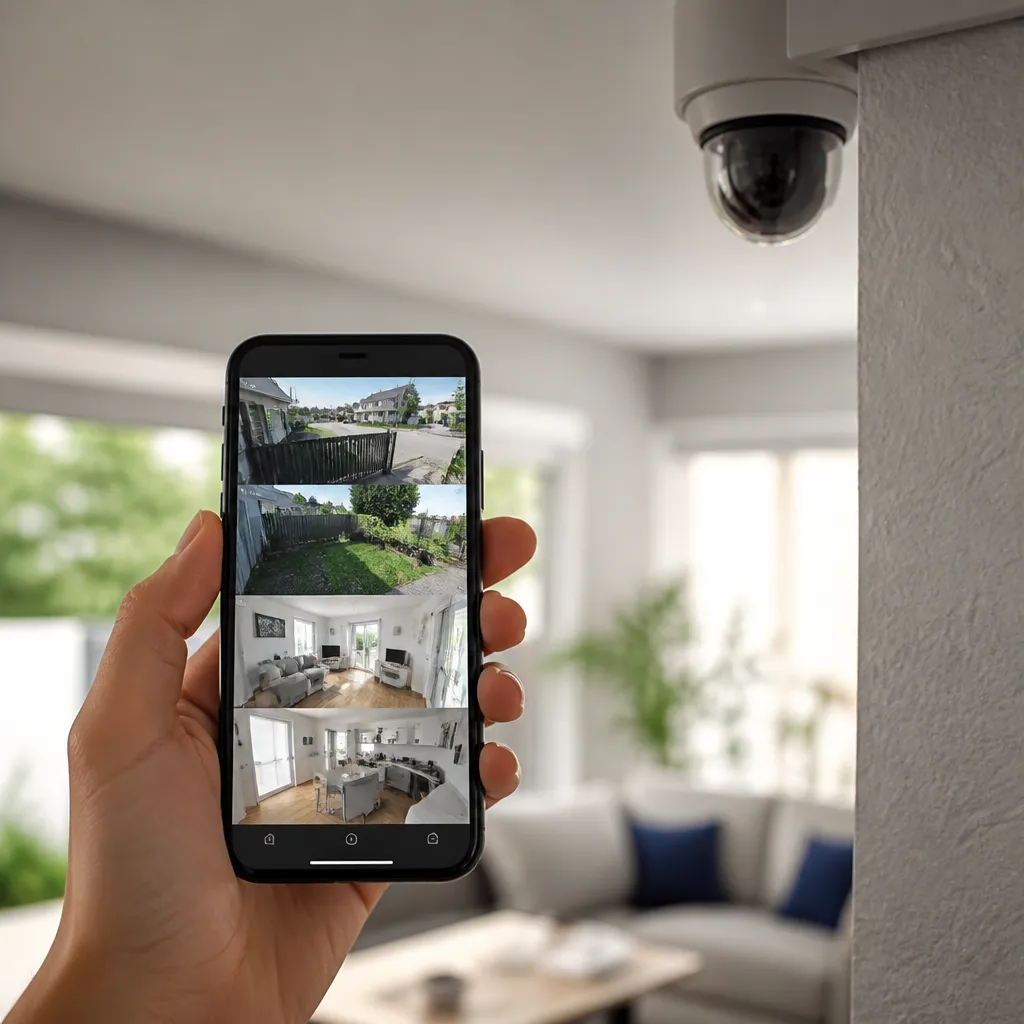
The initial setup involves adding the camera within the app, usually by scanning a QR code or entering a serial number. After that, the camera is associated with your account, and you can access it from any iPhone, iPad or even share with other family members. Many options allow you to add multiple cameras to the same app, creating a multi-environment view on a single screen.
The quality of the transmission depends on the speed of your internet.If you have a fast connection at home and a good data plan on the mobile, the image comes practically without delay, offering virtually instant monitoring.Some applications automatically adjust the image quality depending on your available bandwidth.
Popular Apps to Monitor Cameras on iPhone
There are dozens of apps available on the App Store that work as monitoring centers for security cameras. Each has its characteristics, strengths and limitations. The choice depends mainly on the brand of your camera, your budget and the features you will actually use.
Applications like Arlo offer a complete experience with cloud storage, intelligent motion alerts and excellent night vision. If you already have cameras of a specific brand, the ideal is to start testing the official application of this manufacturer, as it usually offers perfect integration and better support. There are also generic applications that can connect to almost any IP camera, functioning as a centralizer.
Many of the most popular apps offer free versions with basic functionality, allowing you to test before investing in paid plans.The premium version often adds features like unlimited cloud storage, more advanced alerts and longer video history.
Setting the Camera to Stream from iPhone
The first step is to ensure that your camera is connected to the internet in a stable way. Most work best when connected to 2.4GHz WiFi, which has better range indoors than the 5GHz frequency. Put the camera in a location with strong WiFi signal, but not exactly next to the router, as this can cause interference.
You need to create an account on the server or service that offers the application. This account will be your secure access point to view the cameras from anywhere. Choose a strong password and, if available, enable two-factor authentication to better protect your data. After that, add your camera to the account by following the application-specific instructions.
During setup, the app usually allows you to name each camera, choose the location inside the home or business, and set preferences as the default video quality. Take the time to explore these initial options as they make life a lot easier when you have multiple cameras monitoring different environments. A descriptive name like “Input Door Camera” is much more useful than leaving it as “Camera 1”.
Features That Really Make a Difference
Motion alerts are probably the most valuable feature for most people. When something moves within the camera field, the app sends a notification to your iPhone in real time. This means that you do not have to constantly check the app, as it warns you when something interesting happens. You can customize the sensitivity of these alerts to avoid false notifications caused by plant movement or shadows.
Infrared night vision is essential if you want to monitor areas at night. Many apps provide a black and white view when there is low light, allowing you to see clearly even in full darkness. This functionality is particularly important for outdoor areas such as garages, backyards and home entrances. The range of night vision varies greatly from camera to camera, so check the specifications before purchasing.
Cloud storage is another point that changes a lot. If the camera records continuously or by specific events, you can access this video history in the application even days later. Some applications offer free storage for a limited period, while others require subscription to keep videos for longer. Having access to this file is critical if you need to investigate something that happened hours or days ago.
Practical Benefits and Results You Experience
When you start monitoring cameras on your iPhone, peace of mind is the first benefit you feel. Parents who work outside can see that their children have arrived well from school, check if everything is right during breaks. Business owners can monitor the store during off-hours, monitoring if any customers entered without authorization or if something has left the place.
Studies show that the mere presence of visible security cameras significantly reduces attempts at theft and vandalism.When thieves know they are being filmed and that you may be seeing in real time, they look for easier targets.In addition, having clear videos can help police identify and arrest suspects much more efficiently.
For businesses and businesses, remote monitoring reduces the need to have a dedicated person just to be watching cameras. The manager can do his normal job and know that he is monitoring the store through the iPhone in the stock exchange. Many reports show a significant drop in internal thefts when employees know that the boss can track everything remotely, even being far away physically.
Parents can create a sense of security for their teenage children who are left alone at home.Young people know they can call their parents if something strange happens, and parents can quickly see that it is okay if they receive an alert.This constant communication reduces anxiety for both those who stay at home and those who are working.
Essential Tips for Optimizing Monitoring
Invest in a stable internet connection. If you have many cameras streaming at the same time, a bad connection will quickly overload. Consider upgrading your internet plan or replacing the router with a more modern model if you are having frequent disconnection or lag issues.
Position the cameras strategically to cover the main accesses.The front entrance, back door and windows are the most critical points. If you have space and budget, consider a camera pointing to the garage as well, as it is a common place for suspicious activities. Avoid placing cameras randomly; plan well the coverage to make the most of each device.
Keep the app always up to date and regularly check the permissions it has on your iPhone. Some apps ask for access to more information than they really need, so review these requests periodically. Also make firmware updates of the cameras when available, as they improve security and add new functionality.
Organize your cameras in groups within the application if you have many. You can create separate views to the front of the house, the backgrounds, the interior, making it easy to navigate. Some applications allow you to save customized layouts with multiple cameras on the same screen, which is very practical for quick checking of all points simultaneously.
Consider enabling two-factor authentication on your account. This adds an extra layer of security, preventing someone from accessing your cameras even if they discover your password.
Solving Common Connection Problems
If the camera does not appear in the application even after setting up, the first step is to restart both the camera and your WiFi router. Disconnect them from power for a few minutes and turn on again. Many connectivity problems are solved simply with a reset of the device. Wait a few minutes until everything fully reconnects before trying to access again.
If the video gets frozen or too slow, the problem is usually in your internet speed.Make sure someone in the house is downloading large or watching high-quality videos while you try to access the camera.If the problem persists even when no one else is using the internet, it may be that your mobile phone’s data plan is not fast enough, or the router connection at home is weak.
Notifications not arriving usually indicates that the app does not have the necessary permissions on the iPhone. Access your phone settings, search for the app in question and turn on notifications. Also check that notification settings within the app itself are enabled, as there are often two different places to configure this.
If you get too many false motion alerts, adjust the sensitivity in the camera settings.External cameras sometimes trigger alarms with movement of tree branches, shadows or even small animals. Slightly increasing the motion detection threshold reduces these unnecessary notifications, keeping only the events really relevant.
When image quality is poor even with fast internet, try changing the resolution setting in the app. Temporarily decrease to see if it improves performance, which indicates that the camera is having difficulty processing high resolution videos. If this helps, you can gradually increase until you find a balance between quality and performance.
Security and Privacy When Monitoring Remotely
The security of your data is critical when you are streaming videos from your home over the internet. Choose applications that use end-to-end encryption, that is, the data is encrypted and only you and those who have authorized access can decode.
Use unique and strong passwords for your account in the monitoring service.Do not reuse the same password as other accounts, as this increases the risk if a service is compromised.If the application offers security options such as facial recognition or biometrics to log in, enable these features for additional protection.
Be careful when sharing access with others. If you want the nanny, cleaner, or other family member to see the cameras, create a separate account with limited permissions instead of sharing your primary credentials.Many apps allow you to set different levels of access, so someone may see the camera but be unable to turn off alerts or access video history.
Periodically review who has access to your camera system.If someone who previously had permission no longer needs it, remove access immediately.Many people forget to do this when employees leave work or relationships end, leaving points of vulnerability open without realizing it.
Even if you are monitoring your property, having cameras pointed at your neighbor’s property or inside areas where other people have an expectation of privacy can create legal problems.
Keep the confidentiality about which cameras you have and how you monitor them. The fewer people know about your security systems, the better. Avoid mentioning on social networks that you are monitoring remotely, as this can be valuable information for criminals to plan illicit acts against you.